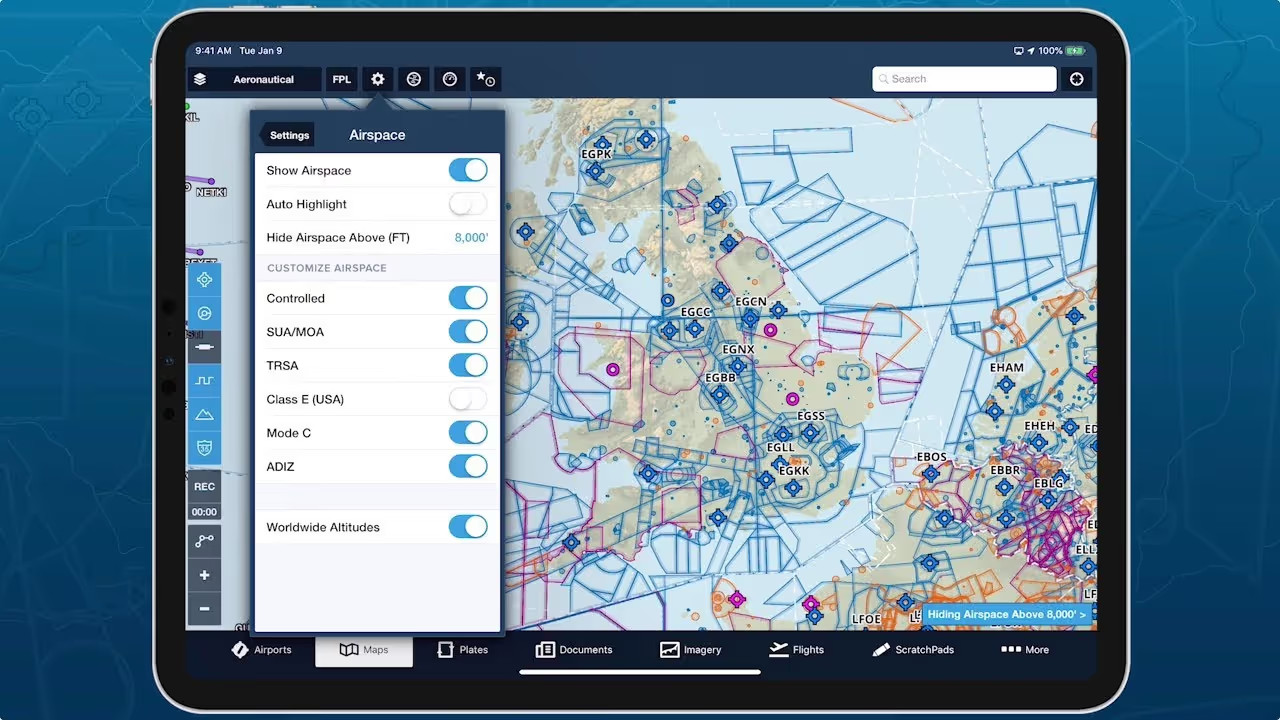
Declutter ForeFlight’s Aeronautical Map by hiding airspace above a selected altitude, making it easier to focus on airspace more relevant to your route. You can find the “Hide Airspace Above” option in Map Settings > Airspace, and enter altitudes in either feet or flight level (e.g. 18,000 or 180). Erasing the value will turn off the setting and show all airspace. A small banner appears in the bottom-right corner of the map if airspace is hidden to keep you aware of the current setting, and if you climb to within 1,000 feet of hidden airspace along your route, ForeFlight will automatically reveal it, helping you stay aware of airspace when you need to be.
Skip to main content

Hide Airspace by Altitude
Declutter ForeFlight's Aeronautical Map by hiding airspace above a selected altitude.
No images available to display.
Release notes
Release notes
- Declutter ForeFlight’s Aeronautical Map by hiding airspace above a selected altitude, making it easier to focus on airspace closer to you.
- You can find the “Hide Airspace Above” setting in Map Settings > Airspace, and enter altitudes in either feet or flight level (e.g. 18,000 or 180).
- If you climb to within 1,000 feet of hidden airspace along your route, ForeFlight will automatically reveal it, helping you stay aware of airspace when you need to be.


