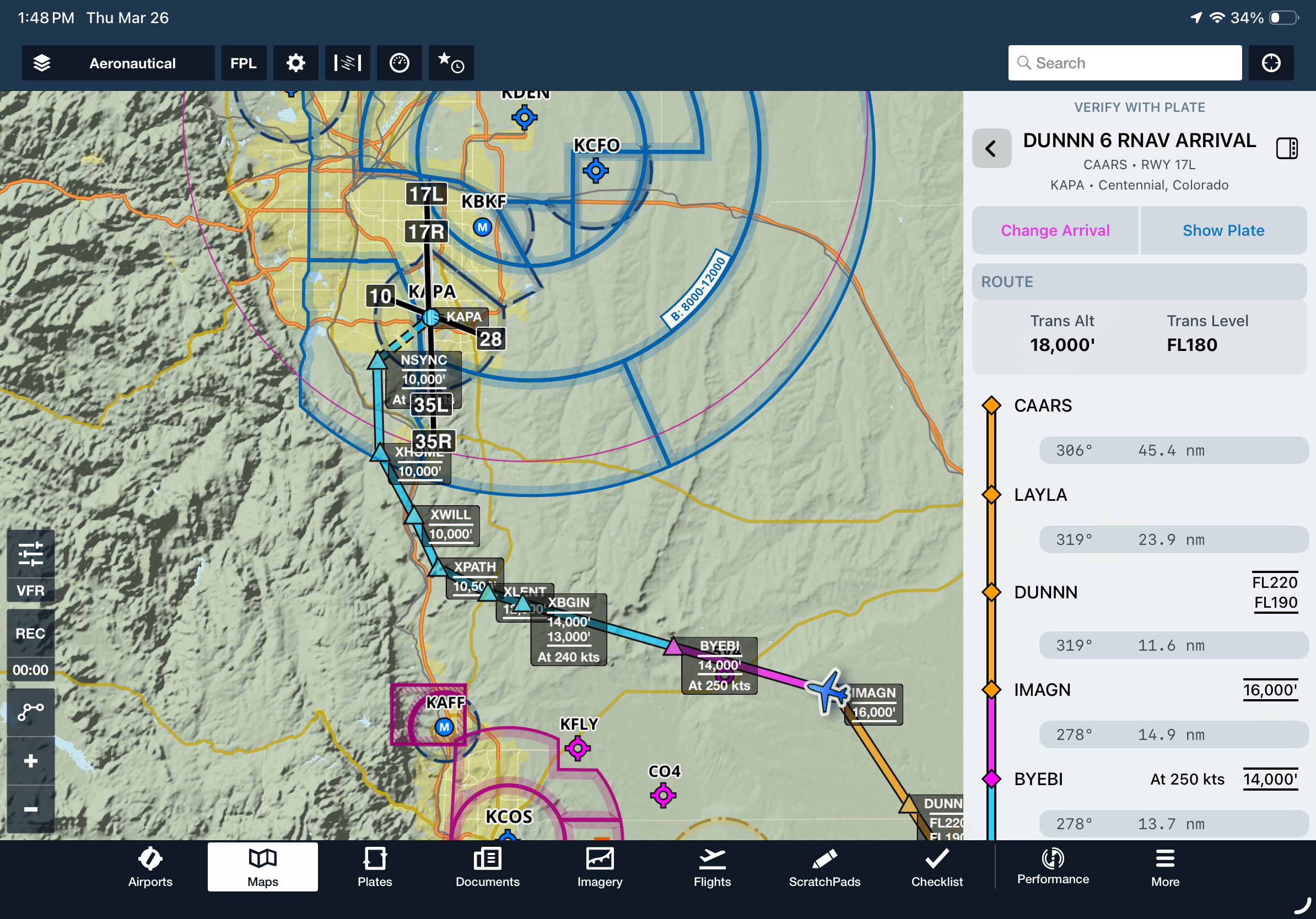
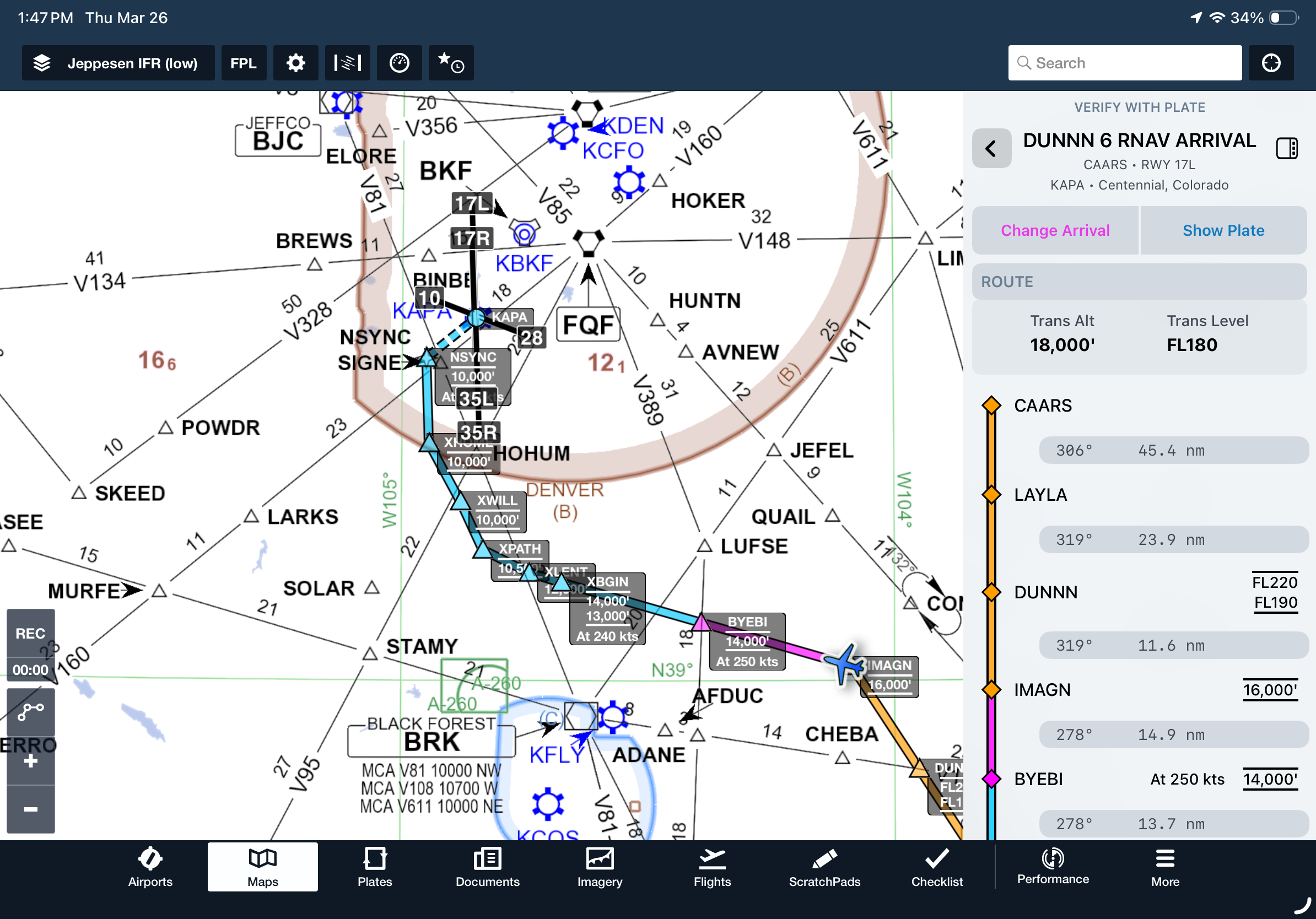
Brief and fly departure and arrival procedures with a streamlined view of key fixes, frequencies, and notes in the Dynamic Procedures sidebar.
Add a SID or STAR to your route from the Maps view to enable the Dynamic Procedures button in the top-right corner. Tap it to open the sidebar and view details for the selected procedure.
If your route includes more than one procedure, use the sidebar to choose which one to view. Tap the back button in the top left corner to return to the selection view at any time.
Dynamic Procedures is available on Essential plans and above in the US and Canada.