No items found.
Skip to main content
July 2025

Alternates in Flight Binders

Add alternate charts with just a few taps so you're ready when workload is high and time is short.

No images available to display.
back
next

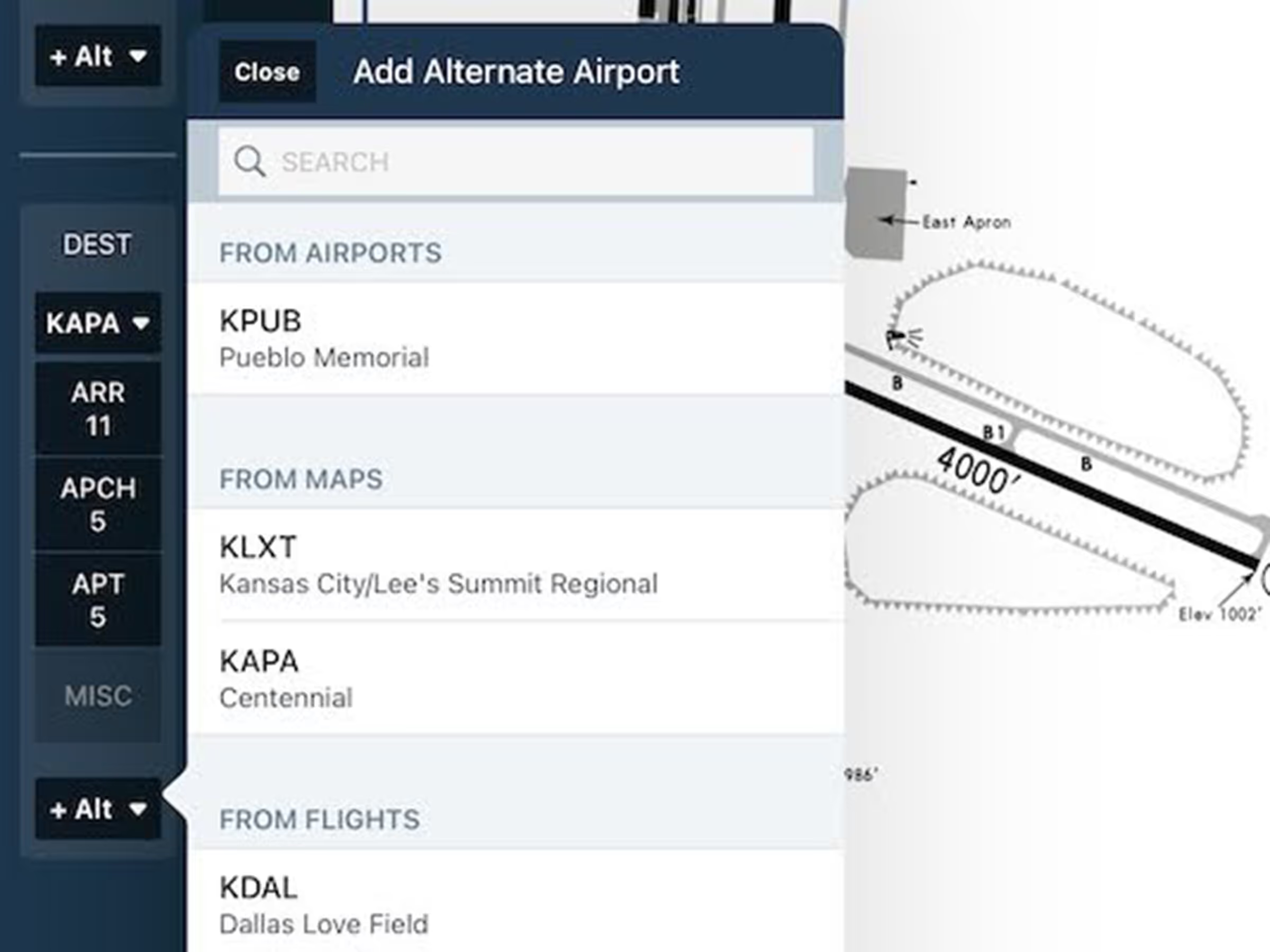
Alternates in Binders brings new flexibility and efficiency to flight preparation by allowing you to include charts for your alternates directly in the Flight Binder. Whether you're planning ahead or responding to changing conditions, you can quickly search for alternate-specific charts using powerful filters for runway, approach type, and chart source (FAA, Jeppesen, etc.).

To access the feature, send a flight to Plates, select the flight in the Flight Binder, and you'll now see the button for selecting alternate charts, making it easier than ever to stay prepared when workload is at its peak.

Release notes

Release notes

  • Easily organize and access all the plates you need for a flight with support for alternate airports in Flight Binders.
  • The improved Flight Binder sidebar allows you to add one or more alternate airports for both your departure and destination and select the full range of procedure plates, airport diagrams, and other charts for each one.

Support

Support

FAQs
Find answers to your questions
Pilot's Guide
The complete ForeFlight handbook
Video Library
ForeFlight videos all in one place
Buying Guide
Choose the right iPad and plan