No items found.
Skip to main content
April 2020

Arrival Time Planning on Flights View

Plan a flight based on a desired Arrival Time rather than a Departure Time.

No images available to display.
back
next

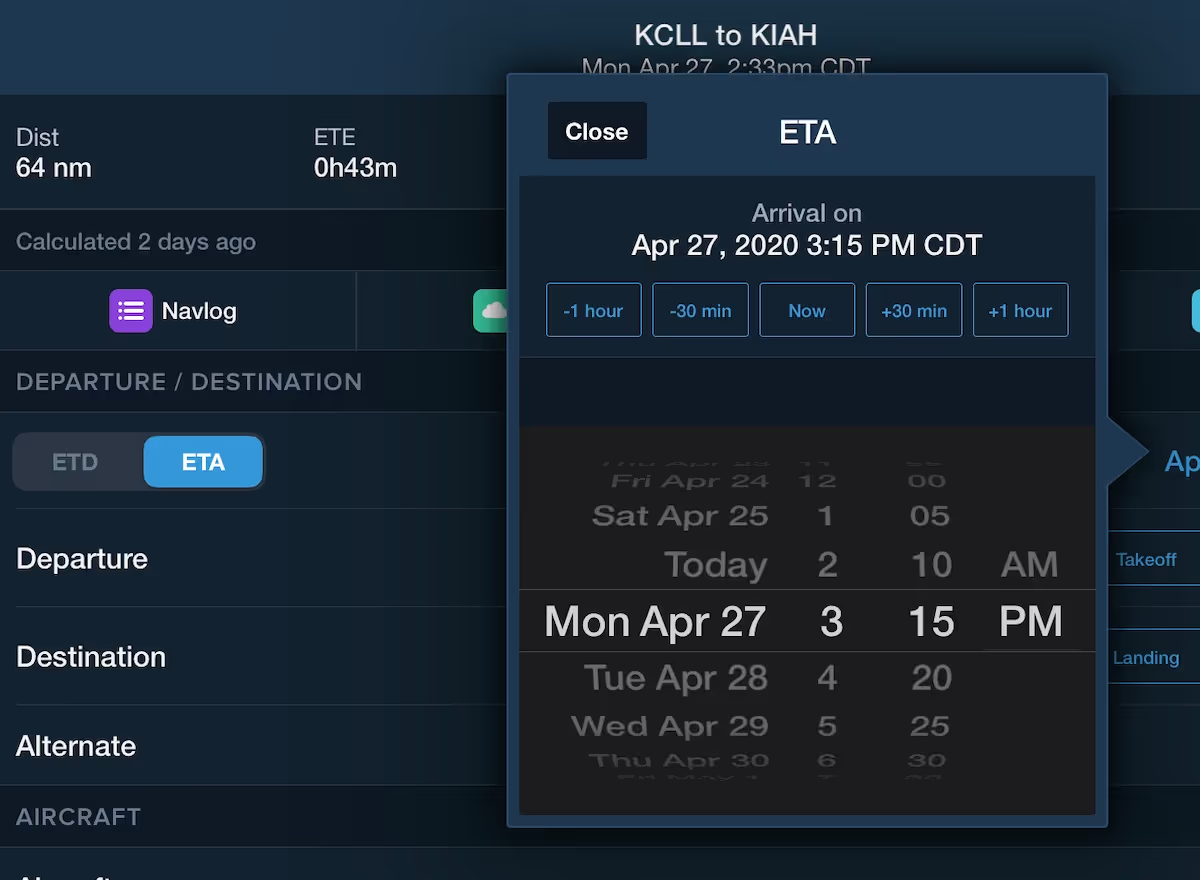
Plan a flight based on a desired Arrival Time, rather than a Departure Time, using the new Arrival Time Planning feature. Just select a target arrival time and ForeFlight will work backwards to compute the required departure time.

On the Flights view, look for the new ETD/ETA toggle to the left of the date/time selector, which is now the first line of the flight plan form. Switch between ETD/ETA to change the date and time of either. Change the date/time of your arrival and ForeFlight will display your new departure time at the top of the flight, and in the Flight Summary on the left.

The Flight Summary now displays each flight’s ETD, ETE, and ETA for quick reference. Flight Summaries also display a paperclip icon when a flight has an associated file.

Arrival time Planning is available with ForeFlight Premium plans.

Release notes

Release notes

  • Plan a flight based on a desired Arrival Time, rather than a Departure Time, using the new Arrival Time Planning feature. Instead of selecting a flight’s departure time, you can now select a target arrival time and ForeFlight computes the required departure time.
  • On Flights, look for the new ETD/ETA toggle to the left of the date/time selector, which is now the first line of the flight plan form.
  • In ETA mode ForeFlight will work backwards from the desired arrival time to calculate when you need to depart, then display that time at the top of the flight and in the Flight Summary on the left, which now displays each flight’s ETD, ETE, and ETA for quick reference.
  • Arrival Time Planning is available with ForeFlight Premium plans.

Support

Support

FAQs
Find answers to your questions
Pilot's Guide
The complete ForeFlight handbook
Video Library
ForeFlight videos all in one place
Buying Guide
Choose the right iPad and plan