No items found.
Skip to main content
May 2025

Automatic Logbook Exports

Protect your Logbook with automatic monthly exports sent to your email.

No images available to display.
back
next

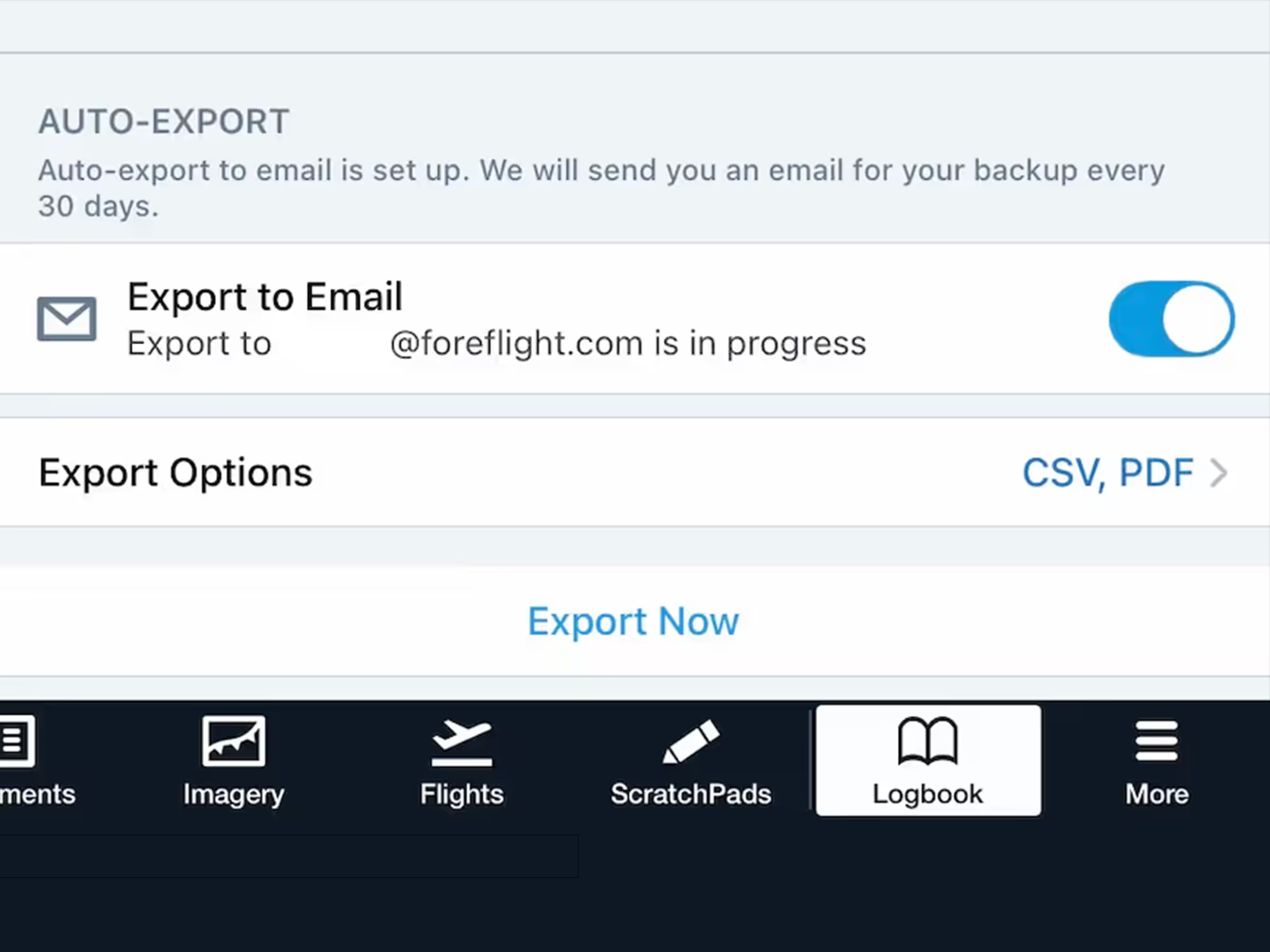
Safeguard your Logbook data with automatic monthly exports of your entire ForeFlight Logbook sent directly to your email. Enable auto-exports and select different export file formats in More > Logbook > Settings.

Release notes

Release notes

  • Safeguard your Logbook data with automatic monthly exports of your entire ForeFlight Logbook sent directly to your email.
  • First introduced on ForeFlight Web’s Logbook tab, this setting is now available in ForeFlight Mobile in More > Logbook > Settings > Auto-Export.
  • Enable the Export to Email setting to initiate an immediate export of your full Logbook data via email and schedule a recurring export each month as long as the setting is enabled.
  • Tap Export Options to select which format you’d like to receive the export in: CSV and/or PDF, with the latter mirroring the “Complete Logbook - 2 Page” Logbook report type.
  • Tap Export Now at the bottom of the view at any time to trigger a fresh export of your Logbook data and reset the monthly export schedule.

Support

Support

FAQs
Find answers to your questions
Pilot's Guide
The complete ForeFlight handbook
Video Library
ForeFlight videos all in one place
Buying Guide
Choose the right iPad and plan