No items found.
Skip to main content
November 2026

GPS Interference Map Layer

Identify recently reported GPS interference and spoofing events directly on the map.

No images available to display.
back
next

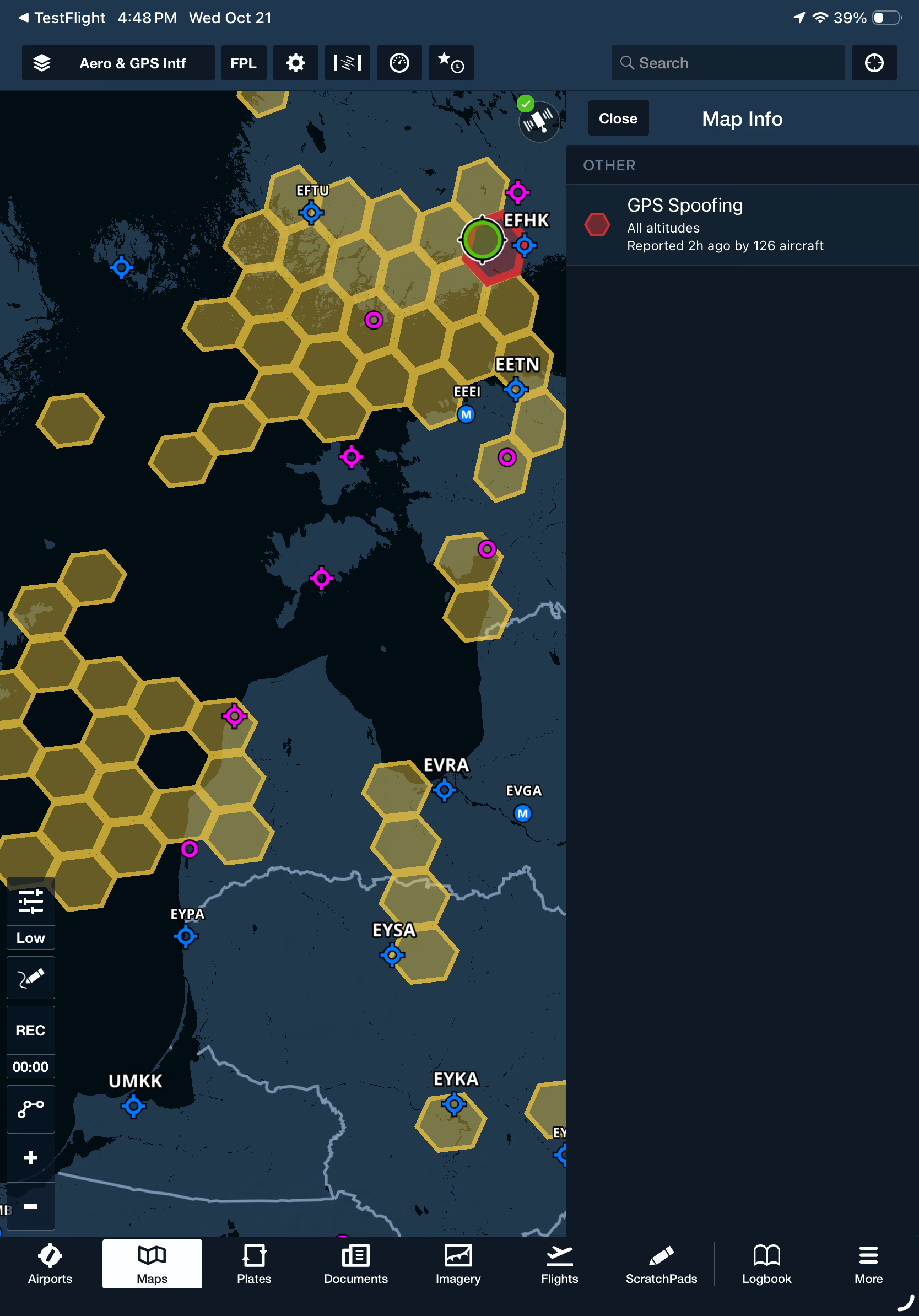
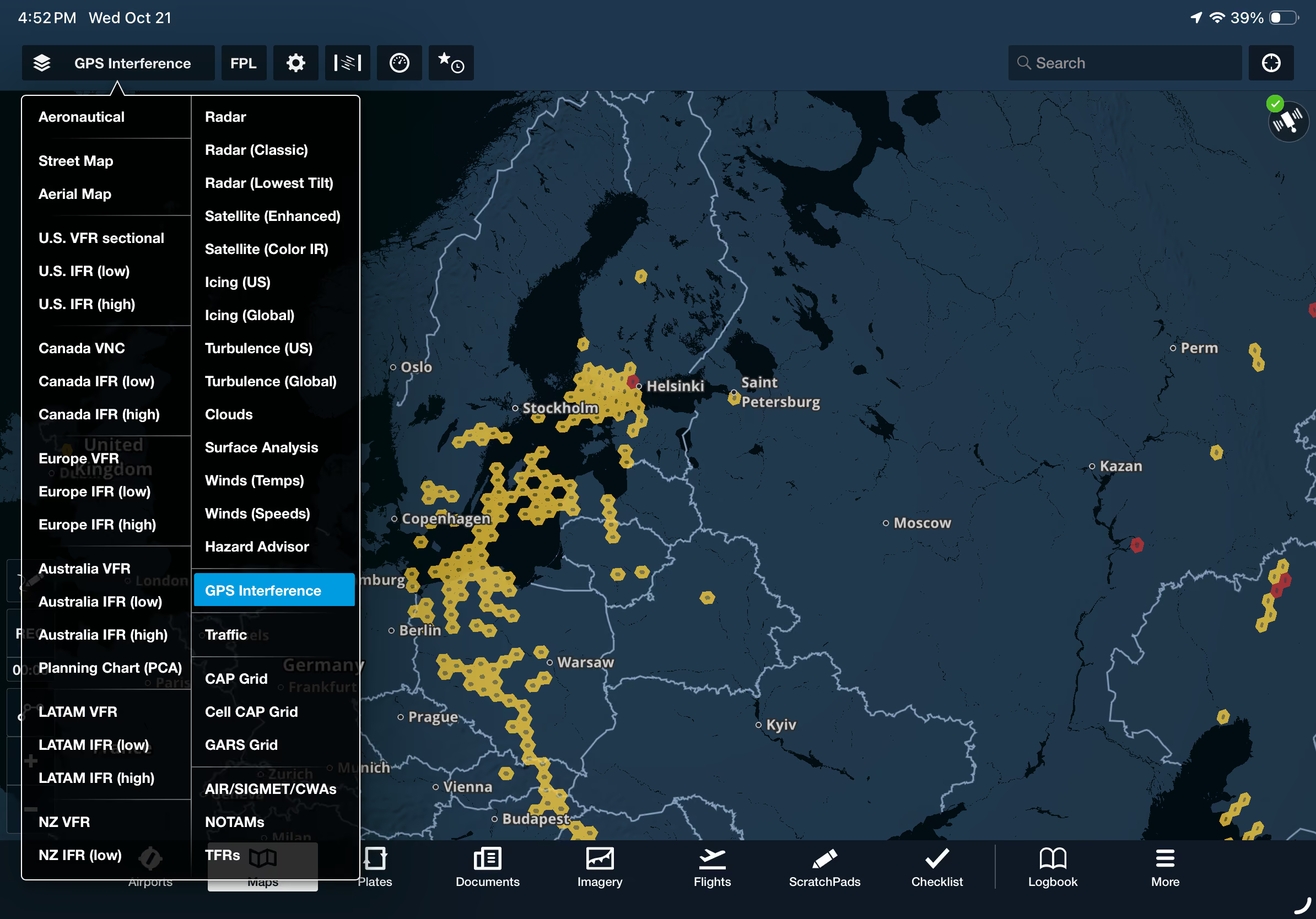
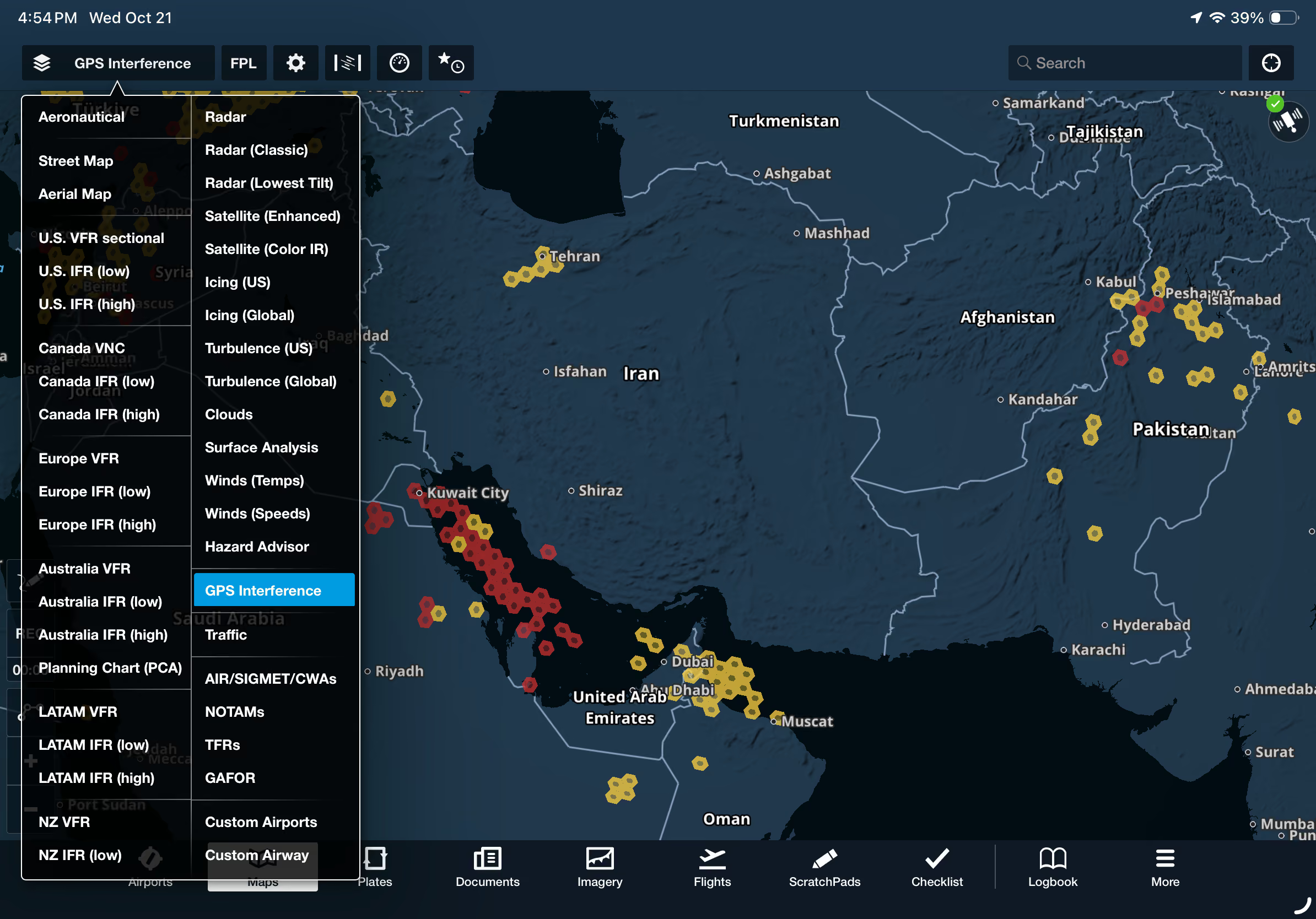
Plan ahead for potential GPS disruptions with a new map layer highlighting recently reported GPS interference and spoofing events. Enable the GPS Interference layer in the right column of the Layer Selector, just above Traffic, to view reports directly on the map. Yellow hexagons indicate GPS interference, while red hexagons identify reported spoofing events. Tap any hexagon to review additional details, including the age of the report and affected altitudes, to assess potential navigation risks before and during flight.

The GPS Interference map layer is available with ForeFlight Business Performance and MFB One subscription plans.
Release notes

Release notes

  • See where GPS spoofing and interference have been reported recently so you can brief the risk and prepare without leaving ForeFlight.
  • Enable the GPS Interference map layer from the right column of the Layer Selector just above the Traffic layer to display reports of GPS interference and spoofing directly on the map as yellow and red hexagons, respectively, and tap on these to see more information such as the age of the report and the affected altitudes.
  • Available with ForeFlight Business Performance and MFB One subscription plans.
Support

Support

FAQs
Find answers to your questions
Pilot's Guide
The complete ForeFlight handbook
Video Library
ForeFlight videos all in one place
Buying Guide
Choose the right iPad and plan