No items found.
Skip to main content
March 2026

Mobile Fuel Releases

Compare JetFuelX contract prices and request fuel releases directly in the Flights view.

No images available to display.
back
next

Turn the Flights tab into a central place for fuel purchasing decisions and eliminate the need to switch between multiple apps to manage fuel logistics.

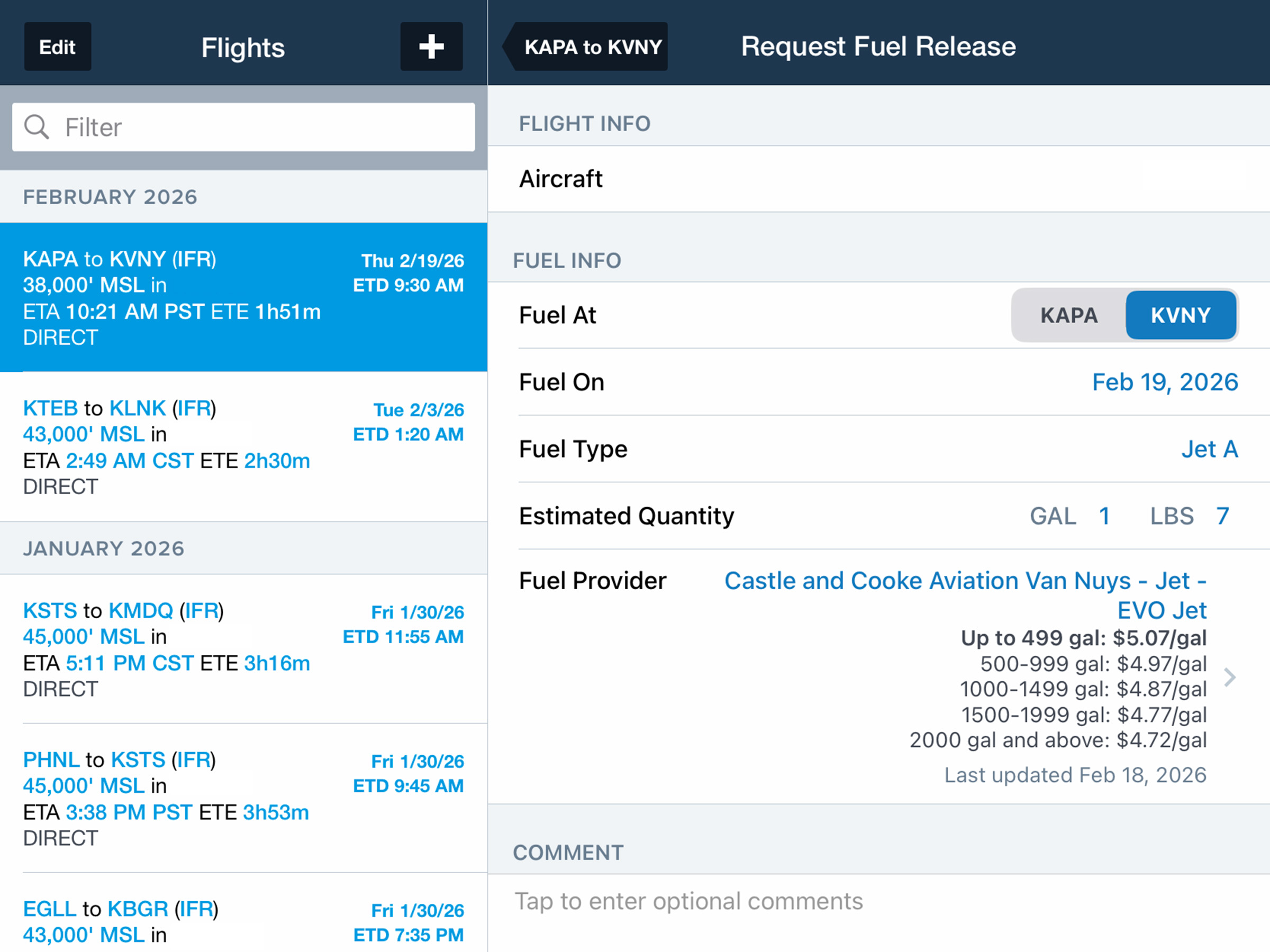
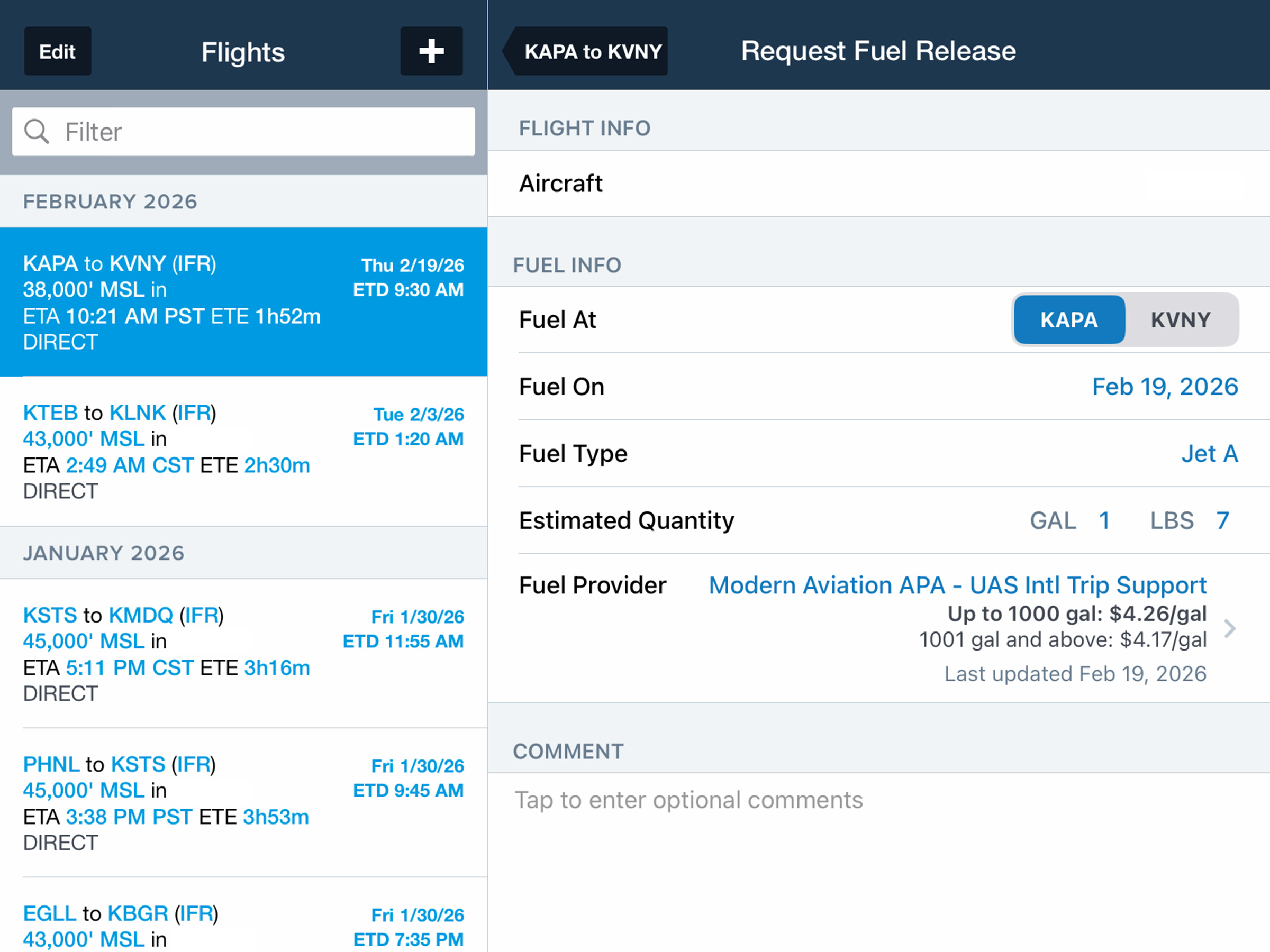
After adding your Jet-A fuel cards and prices through the JetFuelX tab on ForeFlight Web, tap Fuel Release near the bottom of the in-app Flights view to begin your request. Select the airport where you plan to fuel, specify fuel and flight information, and tap Fuel Provider to view available FBOs, their retail or contract prices, and associated price tiers and notes. ForeFlight automatically highlights the least expensive option, making it easy to compare contract and retail pricing.

For major providers, tap Request Fuel Release to notify the selected fuel vendor and yourself via email with the details of the request. For other vendors, save and log your selection so the intended fuel plan remains part of the flight record for the entire crew.

Mobile Fuel Releases and JetFuelX are available with ForeFlight Essential plans and above for individuals and all ForeFlight Business accounts.

Release notes

Release notes

  • Handle all your Jet-A fueling needs right in ForeFlight by comparing your JetFuelX contract prices and requesting fuel releases from vendors. 
  • Mobile fuel releases are available for customers who’ve added Jet-A fuel cards and prices via the JetFuelX tab on ForeFlight Web.
  • Tap Fuel Release near the bottom of the Flights view after planning a flight to begin your fuel release request. Select which airport you wish to fuel at, specify the date (if different from the date of the flight), fuel type, and estimated fuel quantity.
  • Tap Fuel Provider to review and select from a list of available FBOs and the retail or contract prices offered by each, along with associated price tiers and notes. ForeFlight automatically highlights the least expensive option at the top of the view.
  • After finalizing the details of your request and adding any comments, tap Request Fuel Release to trigger an email to the selected fuel vendor and yourself with the details of your request.
  • Mobile Fuel Releases and JetFuelX are available with ForeFlight Essential plans and above for individuals and all ForeFlight Business accounts.

Support

Support

FAQs
Find answers to your questions
Pilot's Guide
The complete ForeFlight handbook
Video Library
ForeFlight videos all in one place
Buying Guide
Choose the right iPad and plan