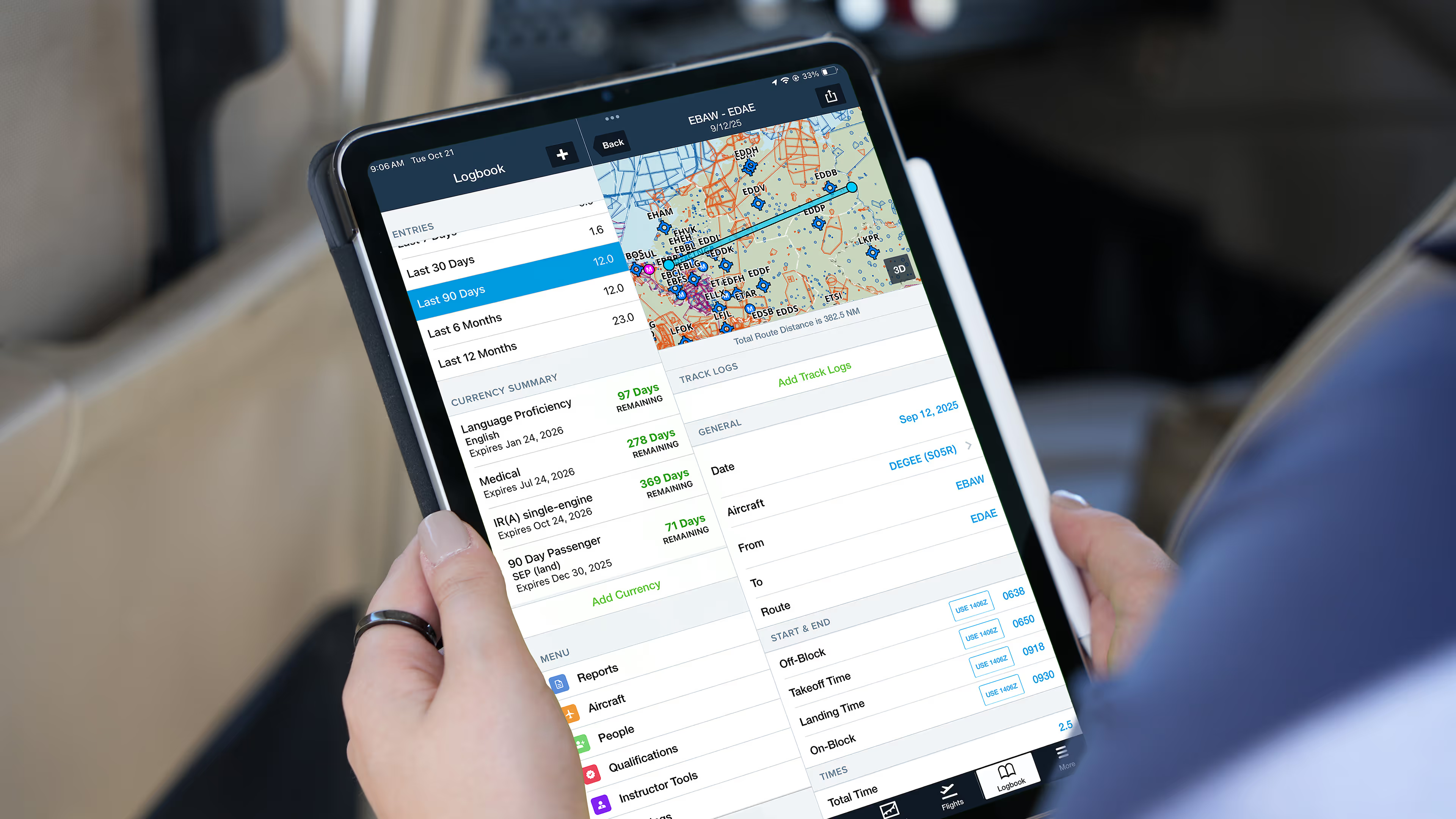
Have you been logging in ForeFlight but flying in Europe? The familiar capabilities that support your FAA-compliant flying are now tailored to pilots operating under EASA guidelines. Access updated fields aligned with European logging practices, covering times, tags, aircraft, recencies, reports, and more—all within the same ForeFlight Logbook setup you’re already using.
What’s going to be different?
When you switch to the European region, ForeFlight adapts to show updated, region-specific features:
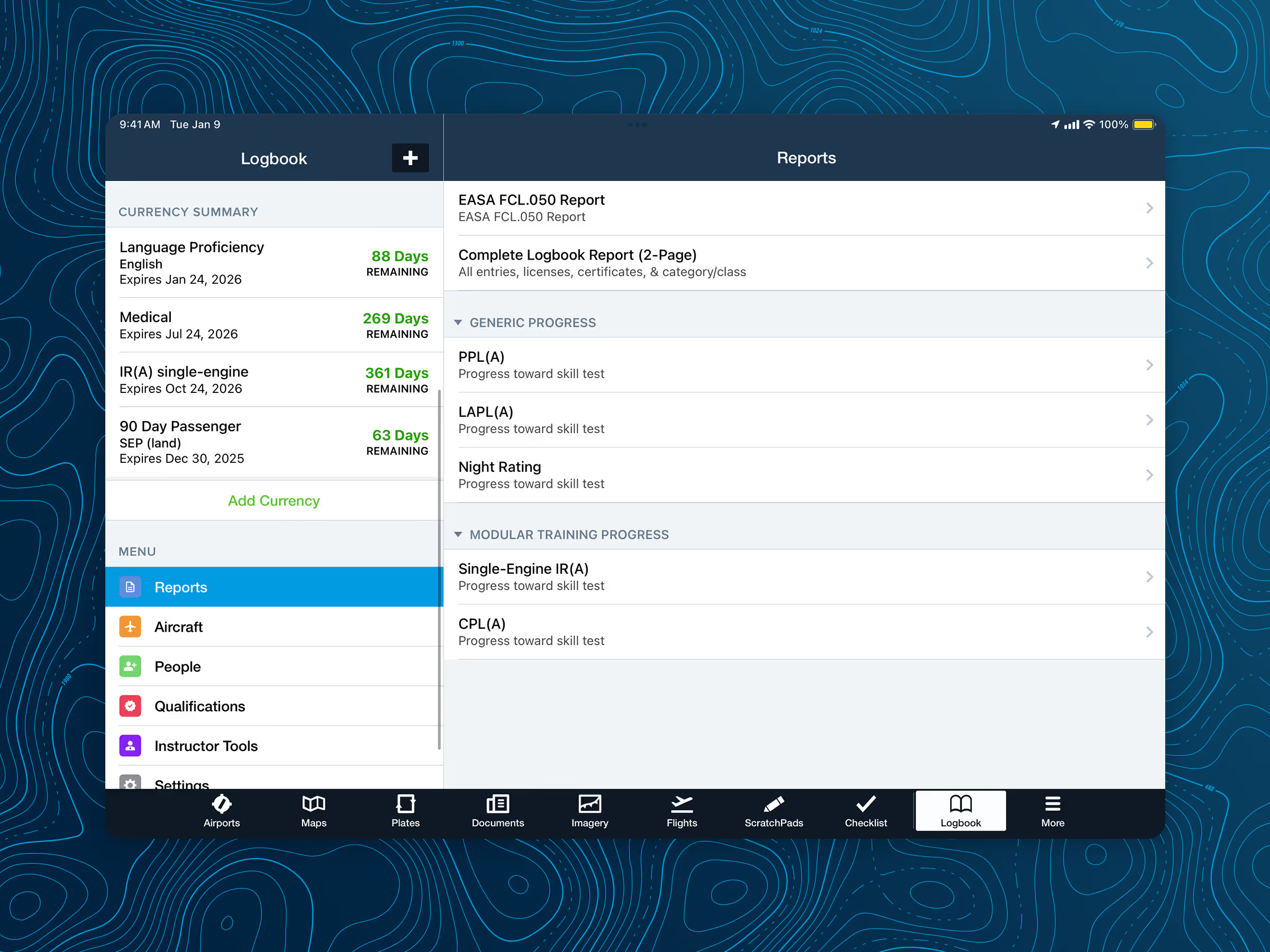
- FCL.050 Reports: Generate flight time summaries instantly, making it easy to download and print an FCL.050-inspired report.
- Qualification tracking: Add your EASA-specific licenses and certificates, and track progress towards skill tests, including PPL, LAPL, Night Rating, and more.
- Recency monitoring: Track European recencies like 90 Day Passenger, IR, and Language Proficiency in the Currency Summary section, similar to your FAA currencies. For even quicker monitoring, download the Currency Widget to check the status right from your device’s home screen.
- Flexible field types: New field options let you log dedicated Co-Pilot time, specify more granular Off-Block and On-Block times, and more, making logging easier and more efficient.
- Time logged: After switching from the FAA to the European region, instrument time will appear differently. Under FAA rules, instrument time is logged when the pilot is flying solely by reference to instruments in Simulated or Actual IMC. Under EASA, instrument time is logged whenever the flight is conducted under IFR. That means you may find yourself logging more instrument time, as all time spent under an IFR clearance now counts.
Note: IFR time logged using Actual/Simulated Instrument fields or a custom field will not automatically transfer to the IFR field used under the European Logbook Region. If you have existing IFR time logged, please fill out this short form so our team can migrate it and ensure correct reporting and recency calculations.
How do I make the switch?
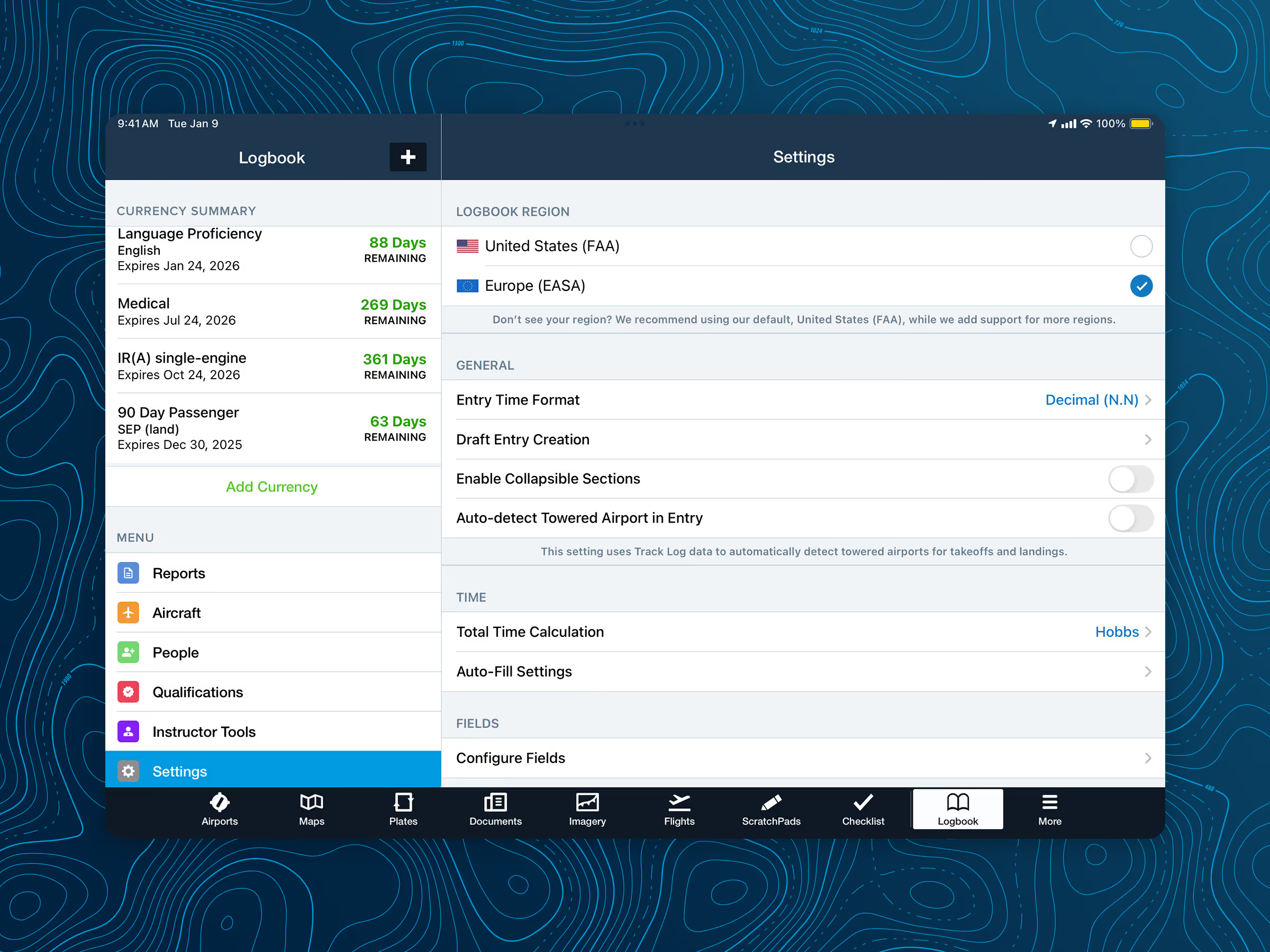
Activating European Logbook Support is simple: Go to Logbook > Settings > Logbook Region and select Europe (EASA).
If you’re unsure, you can always return to the Logbook Region selector and toggle between the United States and Europe. Your view and fields will update to match the selected region, but your data stays intact—nothing is removed or overwritten.
It’s important to note that you can only view one region at a time. For pilots who operate under both FAA and EASA certificates and want to track multiple types of currencies, Custom Currencies offers a flexible way to monitor both sets of requirements.
I’ve switched—where did my data go?
After switching, you may notice missing qualifications, outdated recencies, or incomplete reports. Don’t worry, your data is safe! You just need to update a few EASA-specific settings to display your totals correctly.
Take a few minutes to update the following:
- Add your EASA Qualifications: Navigate to the Qualifications tab and add your European licenses and ratings.
- Define your EASA Recencies: Set up any EASA-specific recencies in the Currency Summary view to begin tracking.
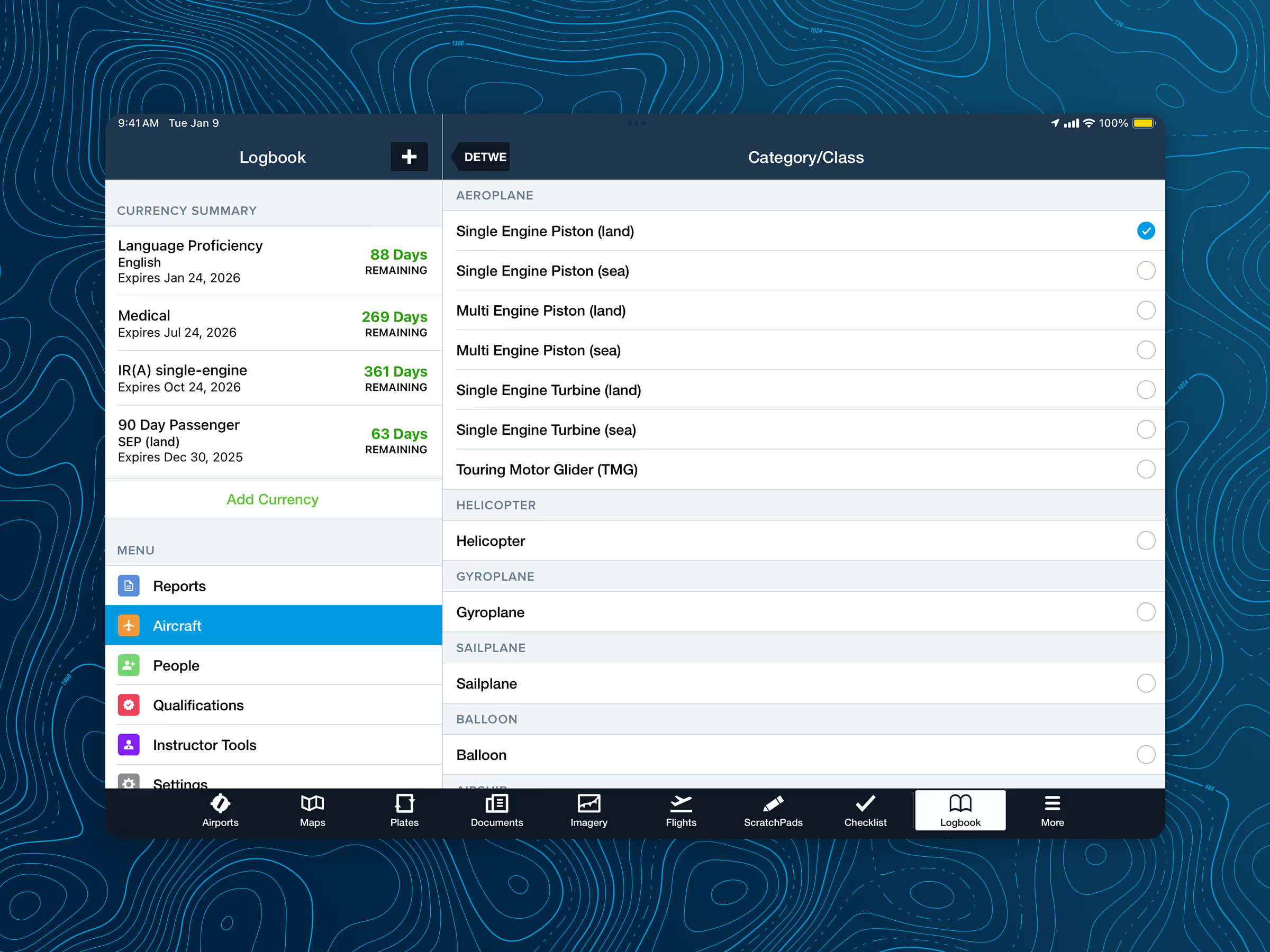
- Verify Category/Class on every aircraft: Confirm each aircraft in your logbook has the correct Category/Class selected. The FCL.050 report relies on this to total experience hours.
Taking a moment to verify the correct Category/Class is especially important. It will immediately resolve incomplete report totals and ensure your recencies display accurately.
Once these are set, you’re ready to continue logging in accordance with EASA guidelines.
European Logbook Support is available to all ForeFlight customers at no extra cost. Interested in making the switch to digital logging? Check out our How-To guide on setting up your ForeFlight Logbook, from entering your information to logging your first flight.