If you've ever wished you could just ask someone to brief your next flight for you, analyze your logbook to look for small errors, or re-run performance calculations on an upcoming flight, all without tapping through a half-dozen screens, the ForeFlight AI Connector now available in both ChatGPT and Claude is built for you.
ForeFlight can connect directly to both AI assistant through a new integration we're calling the ForeFlight AI Connector. You can have a conversation about your flying in plain English, and the AI will pull real, live data from ForeFlight to give you answers personalized to your aircraft, your routes, and your logbook, and grounded in ForeFlight’s objective aeronautical data. No new app to download. No new interface to learn. Just connect ForeFlight to the LLM and start asking questions.
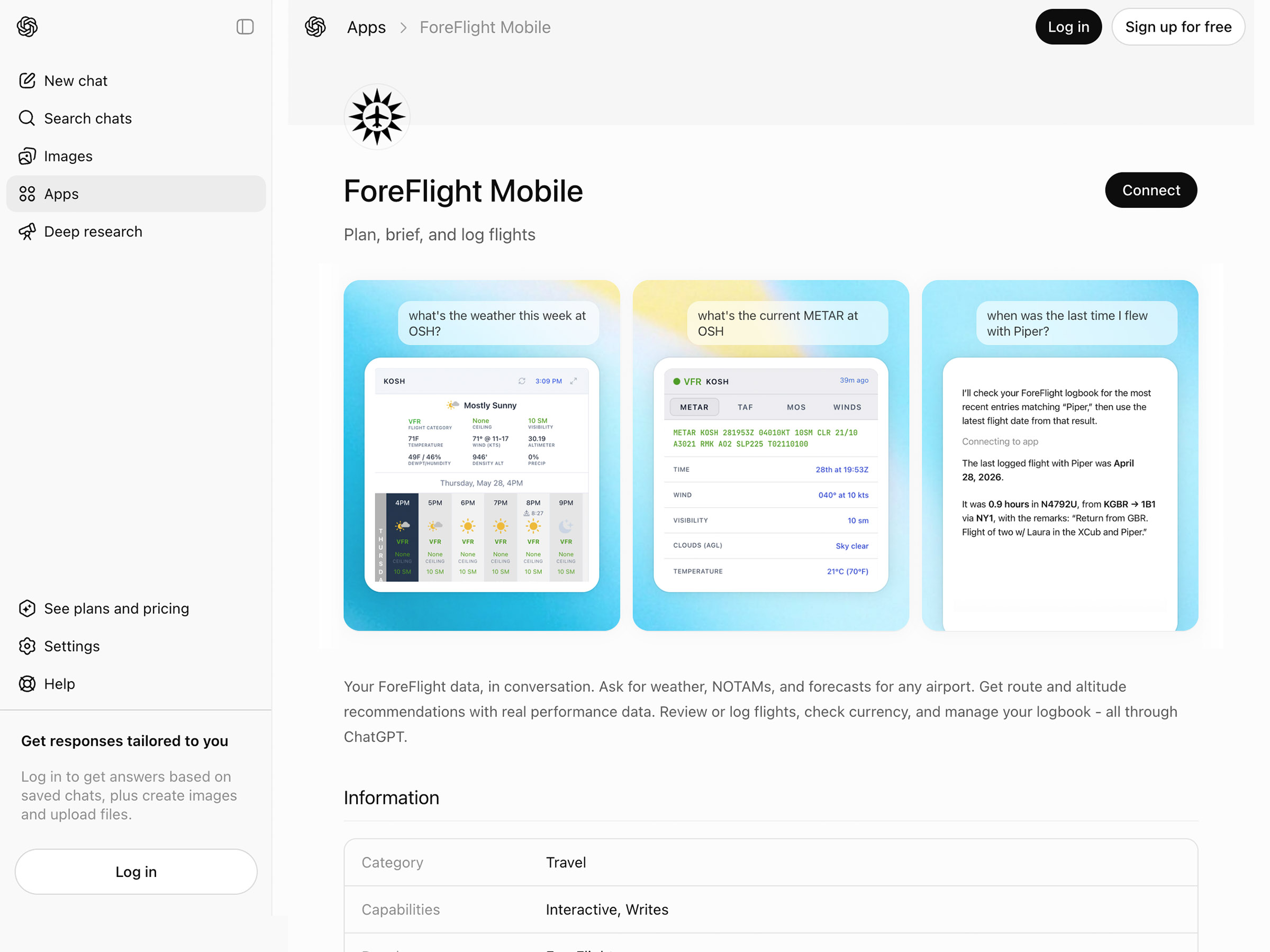
The AI Connector is available now as an “Open Preview” for all ForeFlight subscribers with an active individual plan. To enable it, visit the ForeFlight Mobile page in ChatGPT’s App Directory or the same page in Claude and click Connect, then log into your ForeFlight account to authenticate the connection.
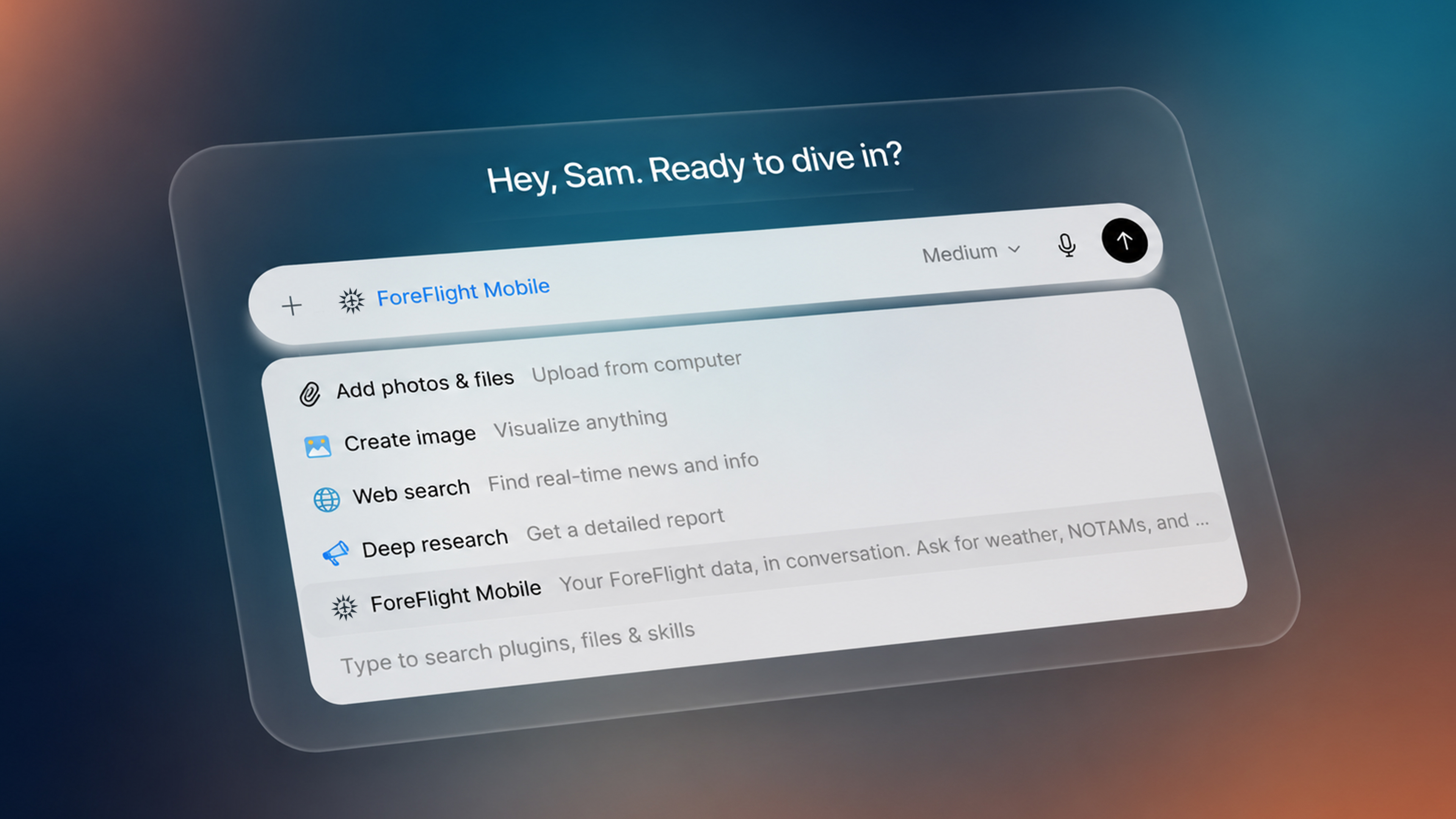
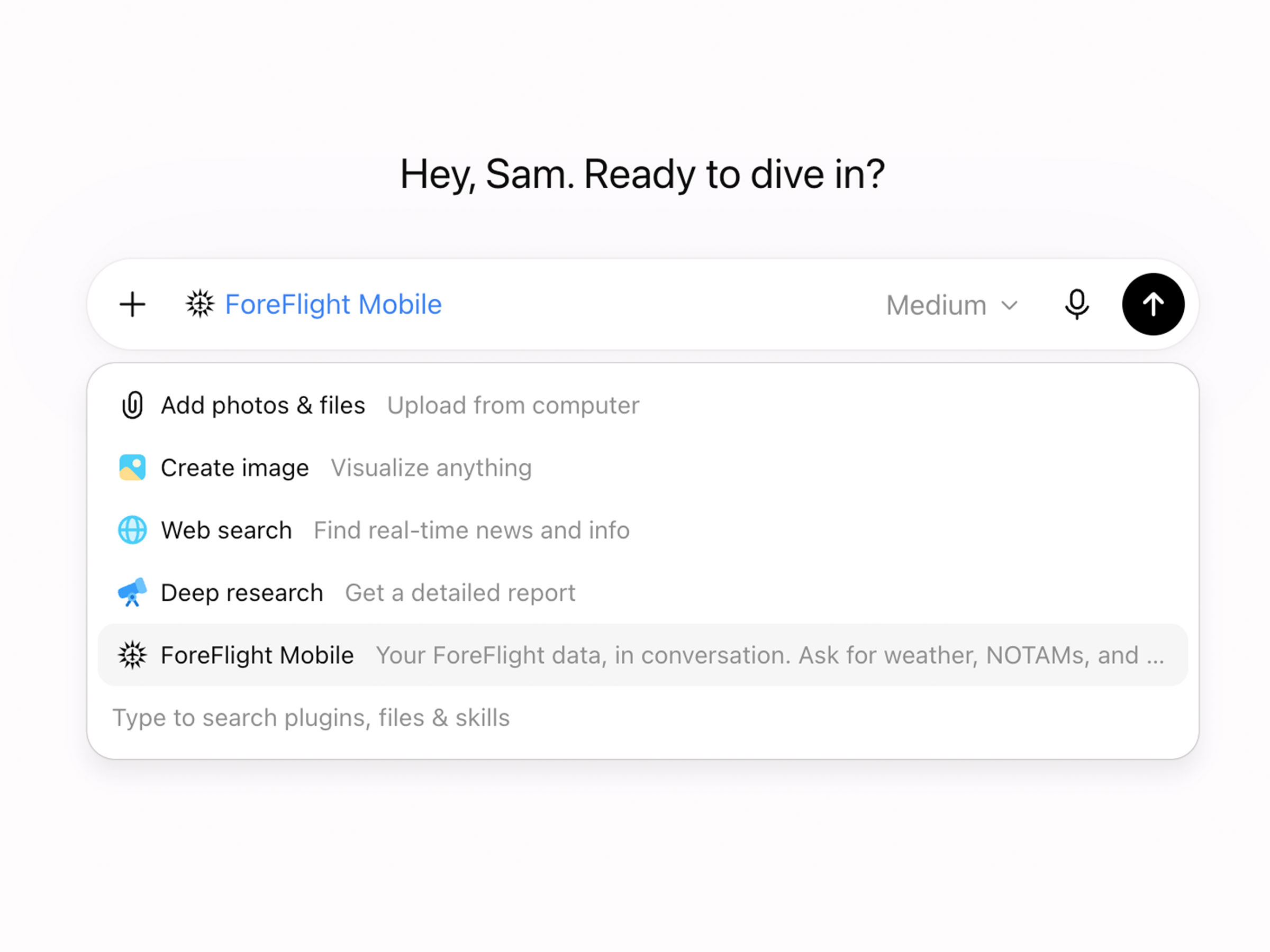
Using the AI Connector is then as simple as clicking the + button to the left of the prompt field and selecting ForeFlight Mobile to let the AI know that you want it to use information from ForeFlight in answering your prompt. ChatGPT or Claude may also proactively ask if you want to use the connector in response to relevant questions.
What Is the ForeFlight AI Connector?
Under the hood, the AI Connector uses something called a Model Context Protocol, or MCP. MCP is an open standard that lets AI assistants securely connect to outside services and pull in data on your behalf in response to your prompts.
Once you enable the connector, the AI can access your flights, weather tools, logbook, aircraft profiles, and performance data, all tied to your ForeFlight account and all authorized by you.
The simplest way to think about it: instead of opening ForeFlight, navigating to the right screen, and looking up information yourself, you just type (or speak) what you want to know. Your AI assistant does the rest.
An Evolving Preview
We're releasing the AI Connector as an “Open Preview”, and we want to be upfront about what that means. This product is brand new and our team is actively building, testing, and improving it. You may notice changes between sessions. There may be times when the connector is briefly unavailable during updates. The set of features you can access should grow and change over time, as will the format or content of each AI model's responses when using the AI Connector.
We're launching now because we believe it's already useful enough to put in our customers’ hands, and because real-world usage will help shape what it becomes. We’re incredibly excited to see how pilots use this new tool, so don’t hesitate to share examples of innovative prompts and helpful real-world workflows with us over social media or email!
What Can It Do?
The AI Connector gives you conversational access to the core tools in ForeFlight that pilots use every day: current and forecast weather, aircraft performance calculations, the preflight briefing, and your logbook entries.
Weather, without the decoding.
The AI Connector pulls current METARs, TAFs, MOS forecasts, winds aloft, ten-day forecasts, and Area Forecast Discussions. Then it synthesizes everything into a plain-English summary. Ask "What's the weather at KAUS for my flight Saturday afternoon?" and get back a readable answer covering conditions, trends, ceilings, winds, and more. If the airport you ask about doesn't have a weather station, it finds the nearest one automatically, just like the ForeFlight app.
Performance calculations at your fingertips.
Ask "which altitude provides the optimal balance of speed and efficiency for a flight from Portland to Boise tomorrow in my Skylane?" and get a specific and personalized answer based on your actual aircraft performance and forecast weather, not generic textbook figures.
Preflight briefings, summarized.
Pull a full briefing for a flight in your account and ask targeted questions instead of scanning the whole thing. "Any TFRs along my route?" "What's the forecast crosswind at my destination?" The AI generates a briefing and highlights what matters.
Your logbook, analyzed.
Ask questions and gain insights about your flight trends that would be difficult to answer using only ForeFlight Logbook, like "How do my hours break down by aircraft type, local vs cross-country flights, and passengers I’ve flown with?", or "Chart my flight time by month over the last two years." The AI queries your logbook and gives you direct answers or generates visualizations on the fly. No scrolling, no filtering, no mental math.
A Few Practical Scenarios
Here's where the AI Connector really shines: questions and tasks that are very easy to ask, yet difficult or impossible to quickly answer using ForeFlight Mobile due to their deceptive complexity. With the help of a reasoning partner like ChatGPT or Claude, real-world hurdles like these can be overcome quickly and effectively.
"Fetch a briefing for tomorrow’s flight every 2 hours before departure and let me know what changes each time."
Imagine telling your AI assistant to brief your flight tomorrow morning and then check back every few hours, flagging only what's changed. Instead of re-reading a full briefing each time, you'd get a short update: "The crosswind at your destination increased from 8 to 11 knots, and a new TFR was published 20 miles south of your route." Everything else stayed the same, so the AI doesn't bother repeating it.
Because the briefing tools are available to the AI through the connector, there's a natural path toward automations that generate fresh briefings on a schedule, compare them to previous versions, and surface only the meaningful differences. For pilots planning a trip a day or two out, that turns the briefing process from something you do all at once before the flight into something that comes to you gradually as conditions evolve.
"I’m worried there might be errors in my logbook, can you check and let me know?"
Logbooks can easily accumulate small mistakes over time. A mistyped Hobbs time, a total that doesn't add up, a missing entry after a quick local flight. These only surface when you need accurate totals for an insurance application or a job interview, and by then you've got hundreds of entries to sift through.
Pilots using the AI Connector have already reported that it caught errors they didn't know they had. Just ask: "Look through my logbook for anything that seems off." The AI flags inconsistencies, unusual gaps, and entries that don't match typical patterns.
"Help me digitize my paper logbook."
If you've got a stack of paper logbooks tucked away in a drawer, you either know the pain of digitizing them or haven't even bothered to try. With the AI Connector and a camera, you can photograph a page, feed it to the AI assistant, and let it extract the entries and draft digital records in ForeFlight. What used to take days of squinting at handwriting becomes an afternoon of point, shoot, and upload. You should still always review entries before approving them, but the AI handles the heavy lifting of data extraction.
The Big Picture
For years, ForeFlight has been the place where pilots store their most valuable aviation data: logbooks, aircraft profiles, flight plans, briefings. And since launching only a few years ago, usage of powerful AI assistant like ChatGPT and Claude have grown to hundreds of millions of users every week.
For everyone who exists at this intersection between aviation and artificial intelligence, the ForeFlight AI Connector is what will finally bridge the gap and make AI models a practical tool for your daily pilot workflows, because its answers are grounded in ForeFlight’s industry-leading capabilities as well as your own account and flight data.

.png)