No items found.
Skip to main content
April 2026

Dynamic Procedures: SID/STAR Support

Access SIDs and STARs in the Dynamic Procedures sidebar.

No images available to display.
back
next

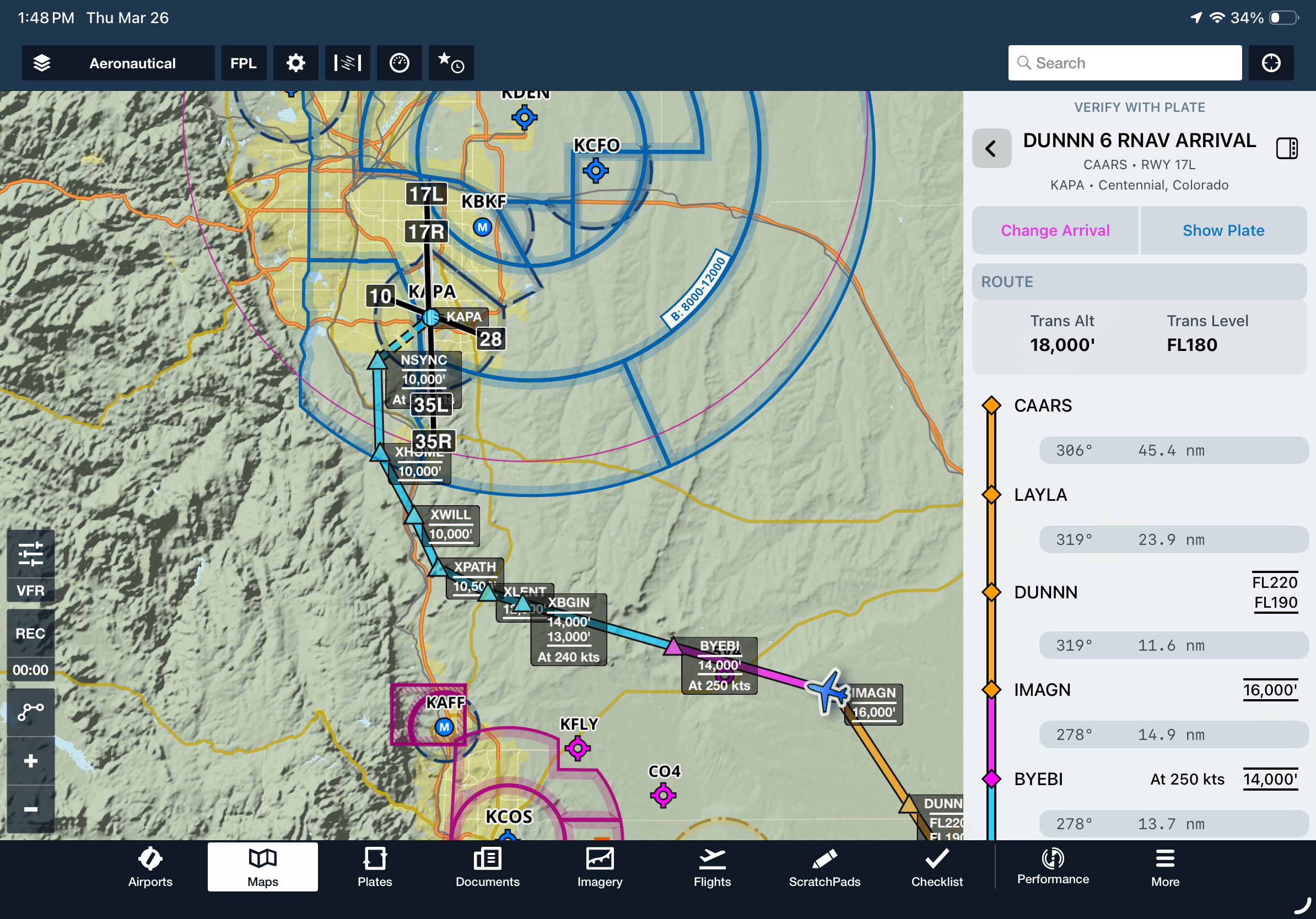
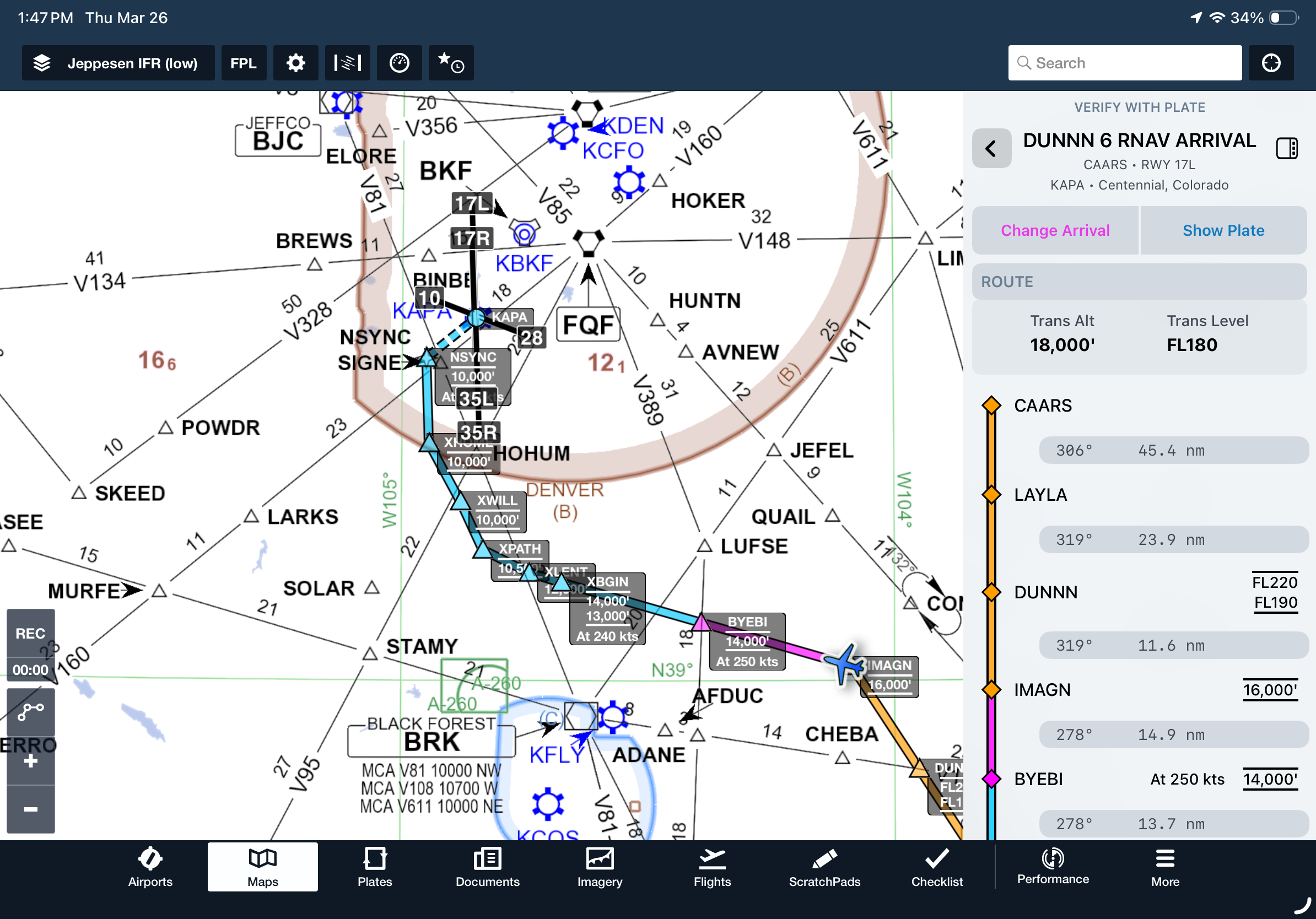
Brief and fly departure and arrival procedures with a streamlined view of key fixes, frequencies, and notes in the Dynamic Procedures sidebar.

Add a SID or STAR to your route from the Maps view to enable the Dynamic Procedures button in the top-right corner. Tap it to open the sidebar and view details for the selected procedure.

If your route includes more than one procedure, use the sidebar to choose which one to view. Tap the back button in the top left corner to return to the selection view at any time.

Dynamic Procedures is available on Essential plans and above in the US and Canada.
Release notes

Release notes

  • Brief and fly departure and arrival procedures with a streamlined view of the key fixes, frequencies, and notes you need in the Dynamic Procedures sidebar. 
  • Like with approach procedures, adding any SID or STAR to your route on the Maps view will add a button in the top-right corner to expand the Dynamic Procedures sidebar and view information about the procedure.
  • When more than one procedure is included in your route, the sidebar allows you to select which one to view information for, and a back button in the top-left corner of the sidebar allows you to return to this selection view from the details of any procedure.
  • Dynamic Procedures is available with Essential plans and above in the US and Canada.
Support

Support

FAQs
Find answers to your questions
Pilot's Guide
The complete ForeFlight handbook
Video Library
ForeFlight videos all in one place
Buying Guide
Choose the right iPad and plan