No items found.
Skip to main content
September 2026

ForeFlight Debrief

Review flights with automatic Track Log segmentation, scoring, and 3D playback on both mobile and web.

No images available to display.
back
next

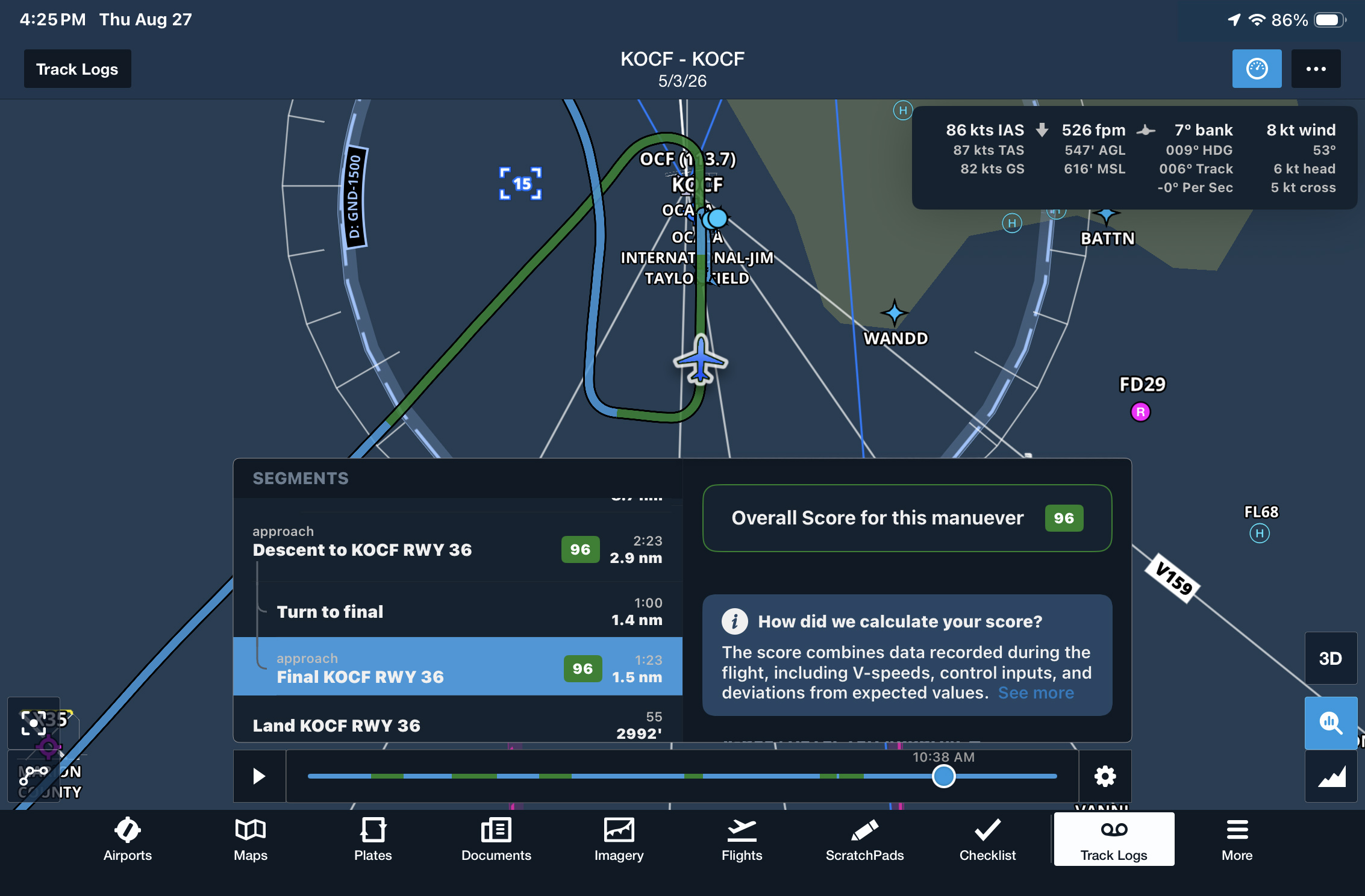
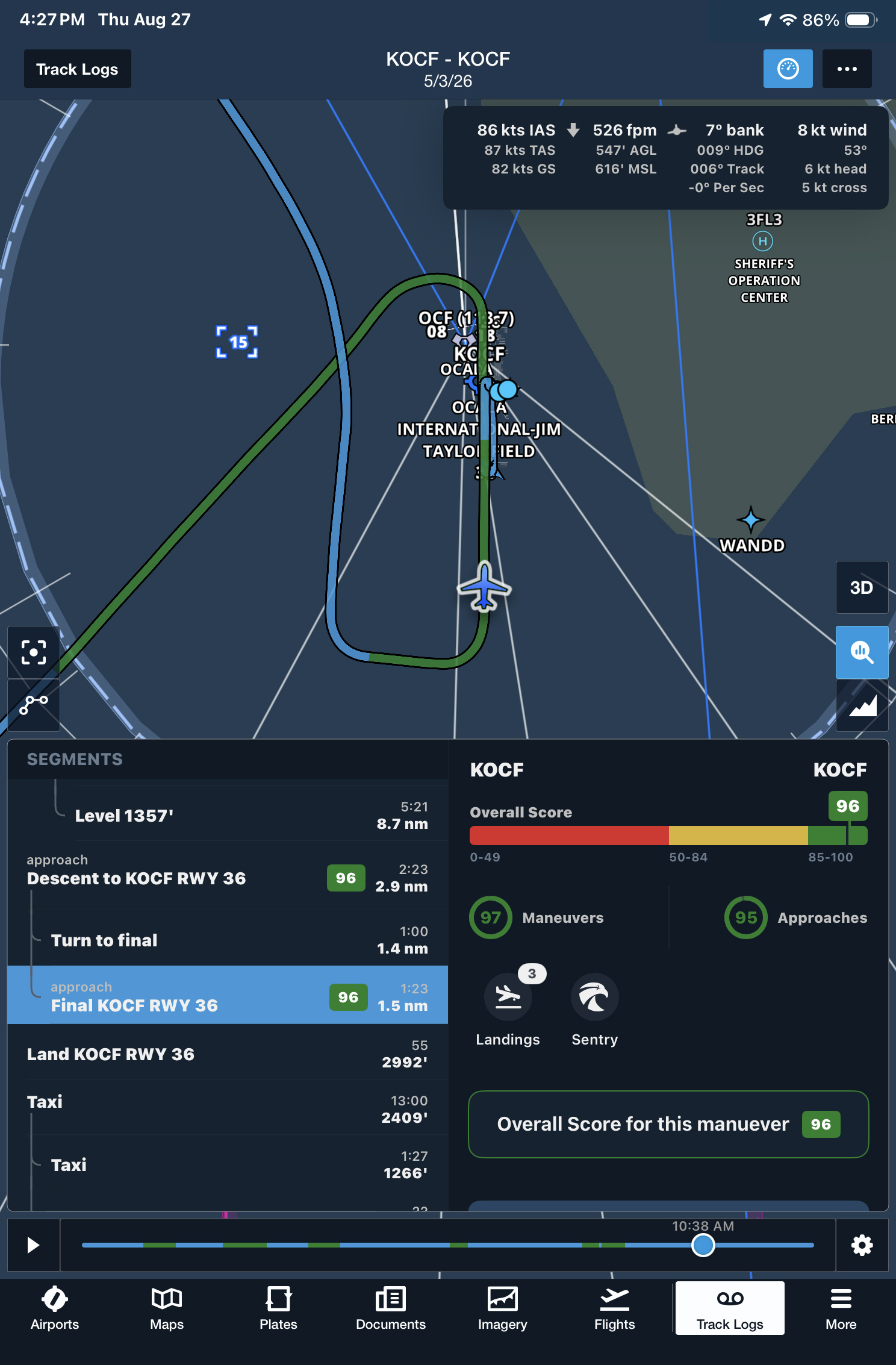
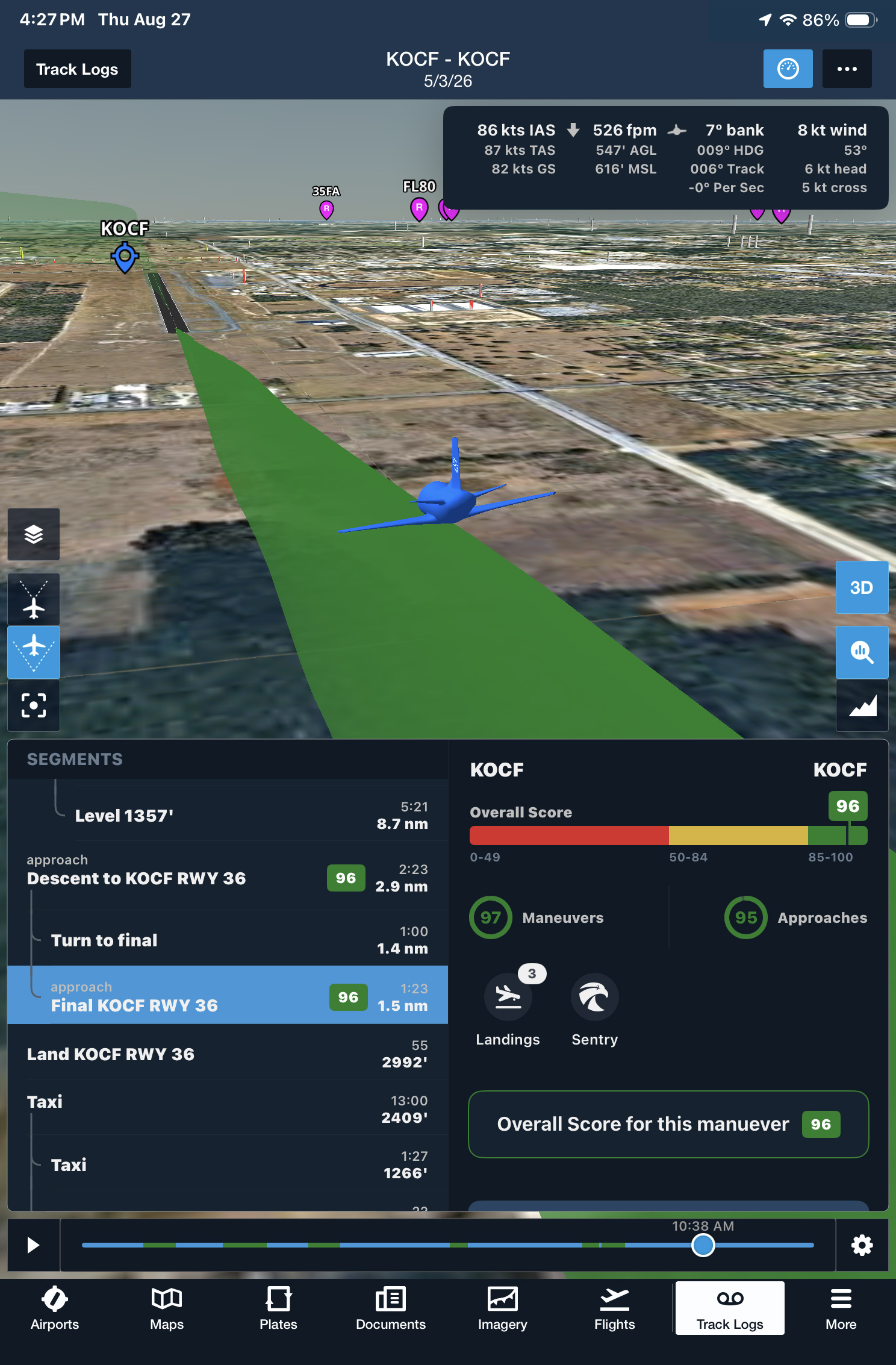
Bring ForeFlight Debrief with you on mobile to review, analyze, and learn from every flight. Enable Debrief in More > Account > ForeFlight Labs, then open a recorded flight in More > Track Logs and tap the magnifying glass button to enter the Debrief view.

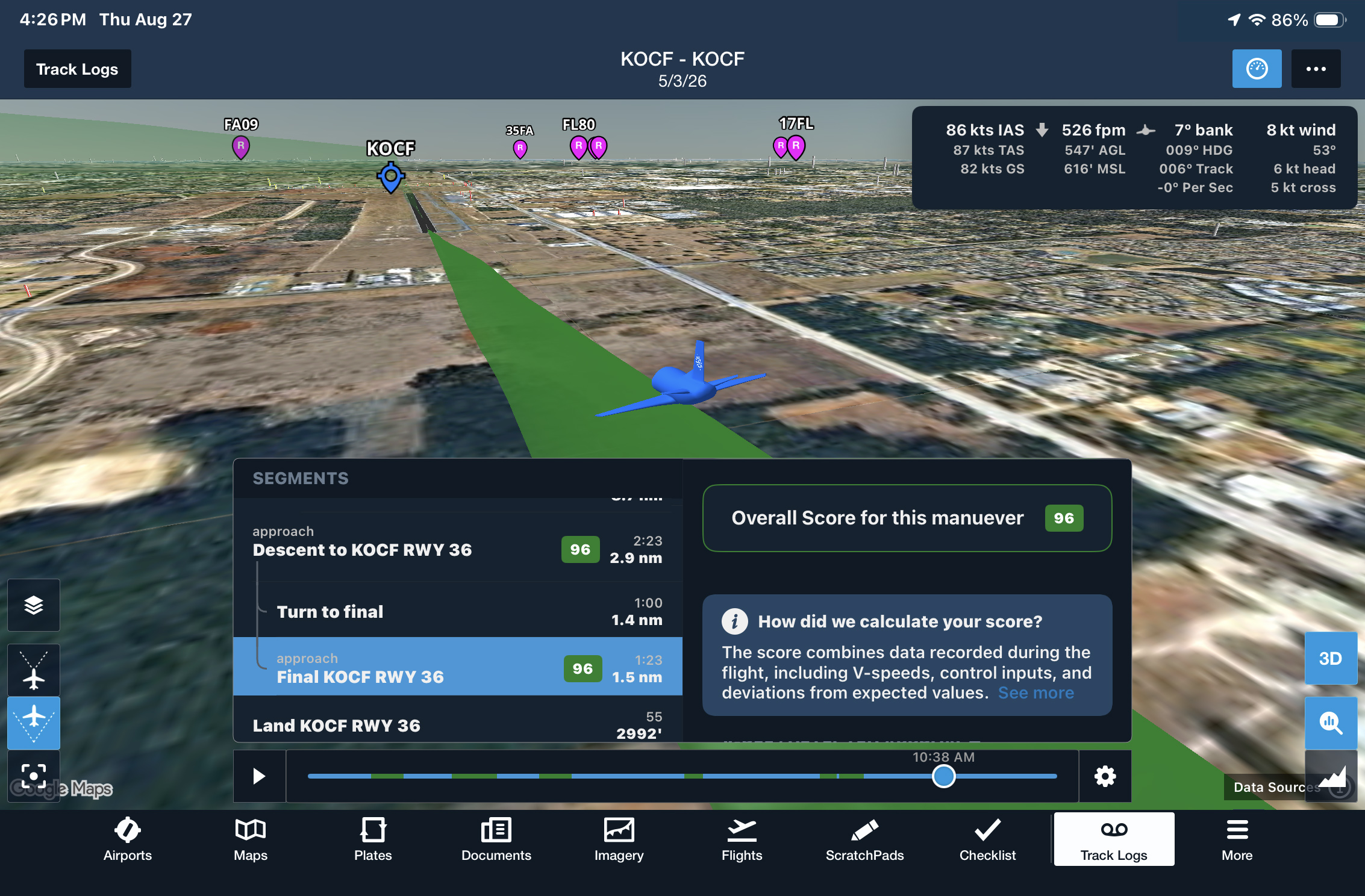
ForeFlight automatically separates your flight into phases such as takeoff, airborne segments, approach, and landing. It also analyzes identified maneuvers and procedures against published Airmen Certificate Standards, assigning scores out of 100 to help you spot training opportunities. The 3D Review feature lets you review your flight using the overhead map or first- and third-person views alongside the Track Log graph and Debrief view.

ForeFlight Debrief is available on ForeFlight Mobile and Web with Essential subscription plans and above.
Release notes

Release notes

  • Review, analyze, and learn from every flight with automatic Track Log segmentation and scoring, now available on both mobile and web.
  • Debrief is disabled by default but can be enabled in More > Account > ForeFlight Labs.
  • Visit More > Track Logs to review recorded flights using either the existing graph-and-map view, or tap the magnifying glass button in the lower-right corner of the map to enter the new Debrief view.
  • Debrief automatically segments flights into multiple phases such as takeoff, airborne segments, approach, and landing, allowing you to jump to any segment by tapping on it.
  • Debrief also analyzes certain maneuvers and procedures it identifies using recorded flight data, comparing this data to published Airmen Certificate Standards and assigning each segment a score out of 100 to help you identify training opportunities.
  • The 3D Review feature built into the Track Logs view is also now integrated with both the Track Log graph and the Debrief view, allowing you to review your flight using either the default overhead map view or first- or third-person 3D view in the same interface.
  • Available with Essential subscription plans and above.
Support

Support

FAQs
Find answers to your questions
Pilot's Guide
The complete ForeFlight handbook
Video Library
ForeFlight videos all in one place
Buying Guide
Choose the right iPad and plan