No items found.
Skip to main content
February 2020

New Route Constraints: Include/Avoid Waypoints & FIRs

Customize your flight plan with greater precision.

No images available to display.
back
next

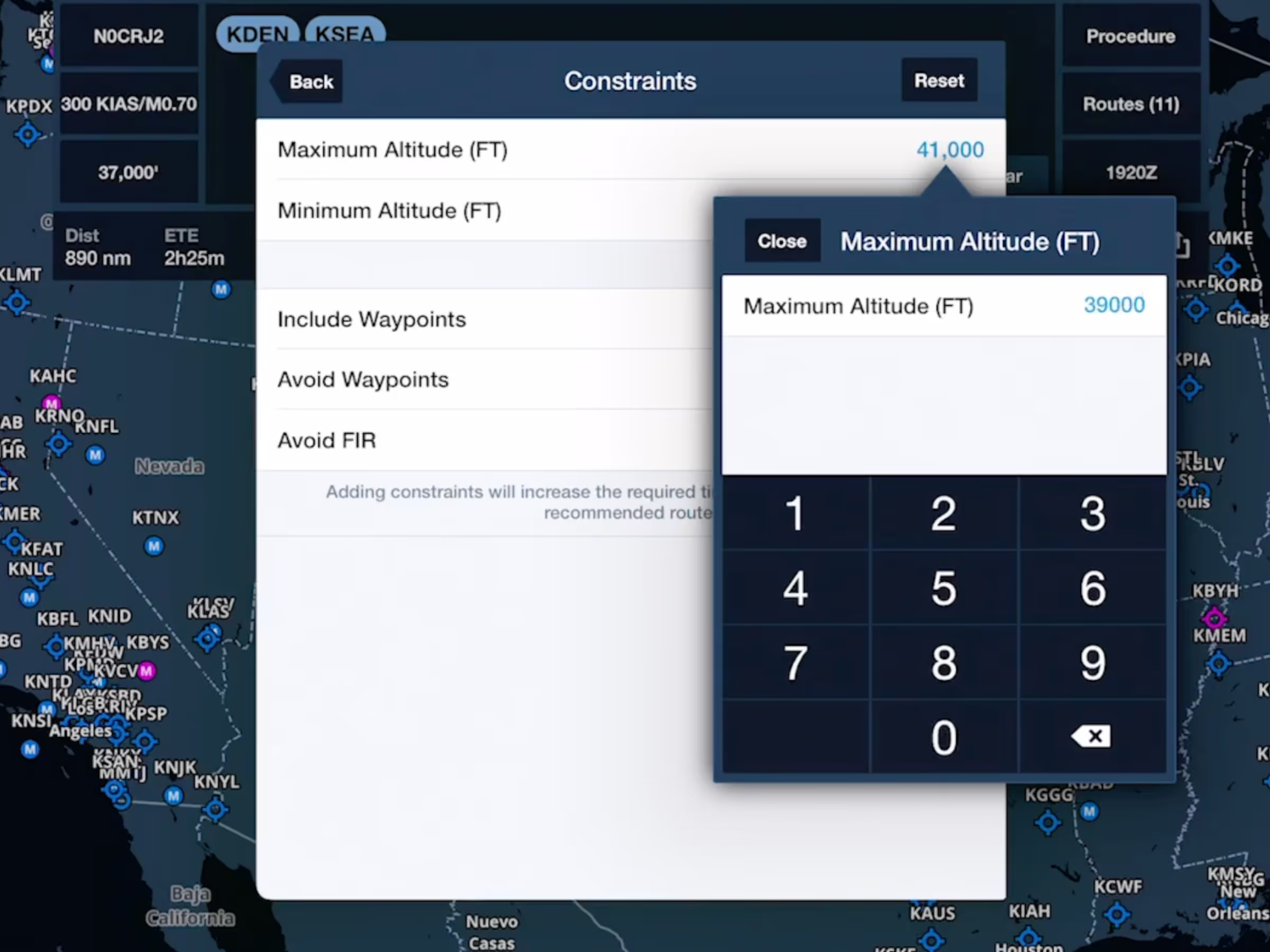
Customize your flight plan with greater precision using Advanced Route Constraints in Route Advisor, a feature available for ForeFlight Premium customers.

These new constraints allow you to specify any waypoint, navaid, or airport that must be included in your route using the Include Waypoints option, or excluded from your route with Avoid Waypoints. The Avoid FIR constraint also allows you to specify any Flight Information Region that your route must not cross, helping you to reduce overflight fees or steer clear of hazardous airspace.

After setting a constraint, Route Advisor will automatically regenerate the Recommended Route to comply with your new requirements and will also filter out any other routes (such as recently cleared or FAA preferred) that don't comply.

Release notes

Release notes

  • Customers with ForeFlight Premium plans can further customize their route with more advanced constraints for the Recommended Route. 
  • The new constraints allow you to specify any waypoint, navaid, or airport that must be included in or excluded from your route, using the Include Waypoints and Avoid Waypoints constraints, and specify any FIR that your route must not cross using the Avoid FIR constraint, helping you to reduce overflight fees and steer clear of dangerous airspace.
  • Route Advisor will automatically regenerate the Recommended Route so it complies with your new constraints, and also excludes any other routes (recently cleared, FAA preferred, etc.) that don’t comply with your constraints.

Support

Support

FAQs
Find answers to your questions
Pilot's Guide
The complete ForeFlight handbook
Video Library
ForeFlight videos all in one place
Buying Guide
Choose the right iPad and plan