FOREFLIGHT MOBILE
MAPS & CHARTS
ForeFlight provides access to a full library of always-current VFR, IFR, and data-driven map layers projected onto a 3D representation of the world.

Global Data-Driven Aeronautical Maps
ForeFlight’s Aeronautical Maps feature incredibly fast Continuous Zoom technology and dynamic decluttering, powered by a completely rebuilt map engine. ForeFlight’s High Resolution Basemap depicts detailed ground features and cultural elements that you can individually toggle on and off.
WATCH: ForeFlight Global Aeronautical Maps
Useful Information at Every Zoom Level
Never lose the details to see the big picture - the right information is there at any zoom level. For example, when viewing the entire United States, major airports and ARTCC boundaries are shown; as you zoom in, altitude markers for Class B, C, and D airspace, Mode C rings, Terminal Radar Service Areas, VORs, waypoints, airways, and smaller airports materialize.
Watch the Video

EMBEDDED AIRPORT DIAGRAMS
Zoom in to view airport diagrams, complete with runways, taxi labels, hotspots, and FBO locations. See your aircraft position without having to open the published airport chart.
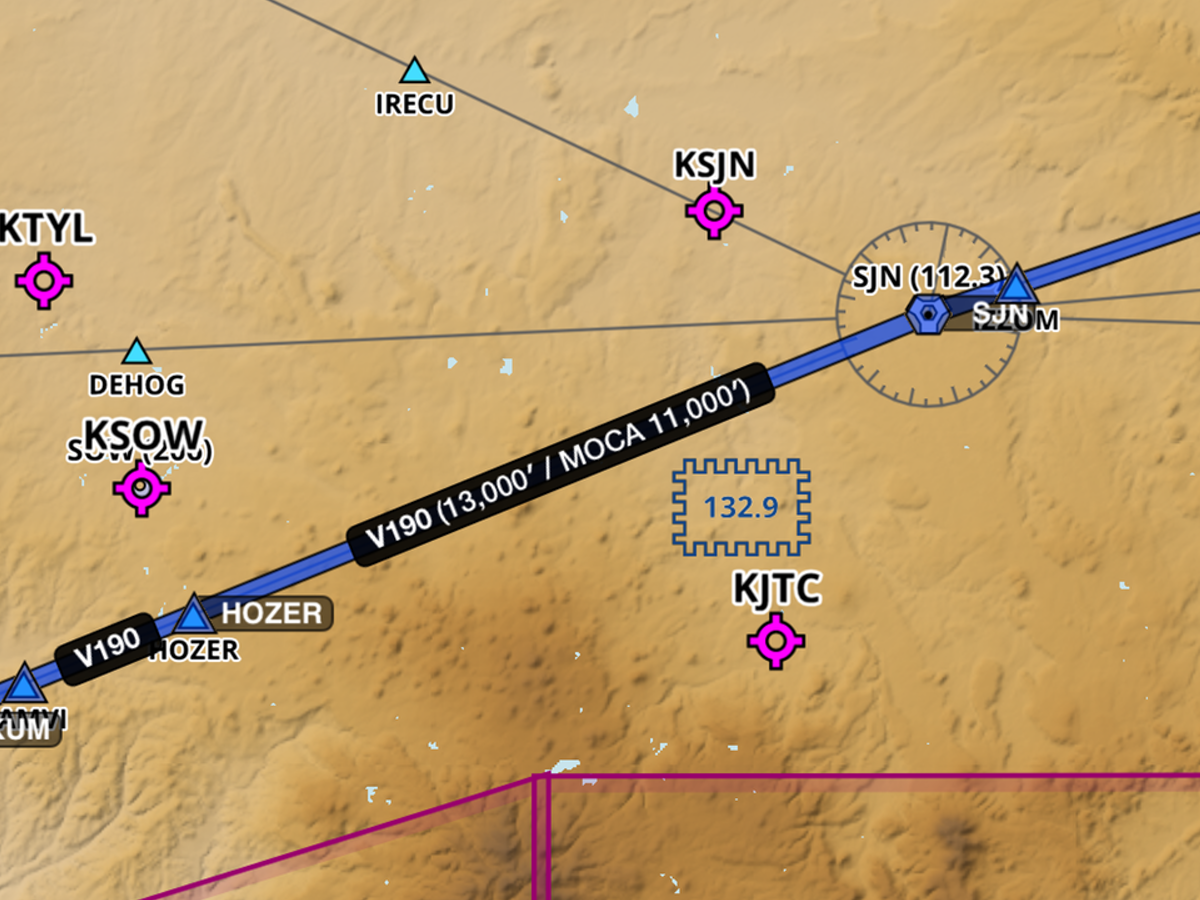
SMART AIRWAY LABELS
Smart Airway Labels make efficient use of the space between waypoints on an airway. As you zoom in, the labels dynamically expand to display additional information.

CUSTOMIZE THE MAP
Customize the Aeronautical Maps layer using the Map Settings menu. Configure airports, airspace, airways, map themes, text label size, and more.
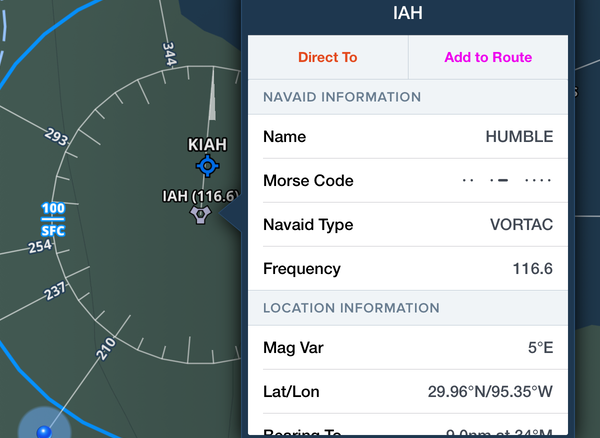
SINGLE-TAP ACCESS TO DETAILS
Simply tap on any Aeronautical Map element – VORs, airways, airports – to view detailed information about that element.
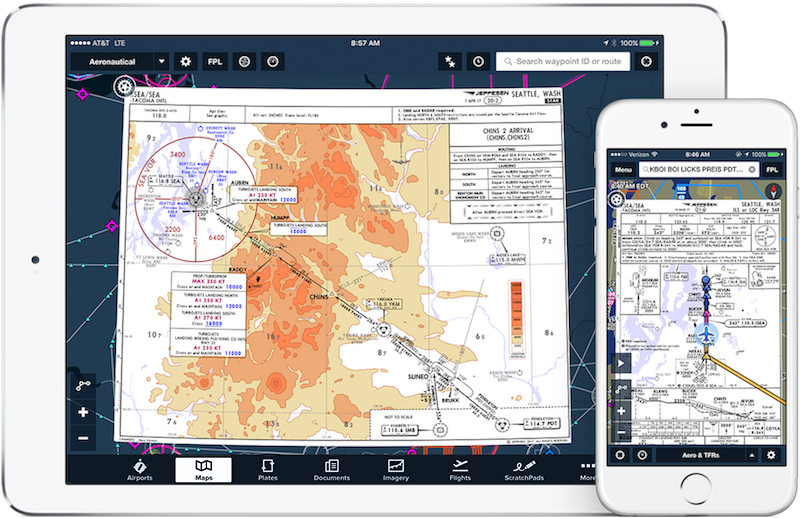
Integrated Jeppesen Charts
Access Jeppesen's worldwide library of terminal procedures and data-driven VFR & IFR enroute charts in ForeFlight Mobile. ForeFlight's advanced electronic flight bag technology combined with Jeppesen's world-class aeronautical data products is a powerful combination.
ForeFlight + Jeppesen for Individuals
ForeFlight + Jeppesen for Flight Departments
Always-Current VFR & IFR Charts
ForeFlight provides access to a full library of always-current VFR, IFR, TACs, Gulf of Mexico charts, VNCs, and more.

US VFR CHARTS
Nationwide VFR Sectionals, including Grand Canyon, Terminal Area Charts, and VFR Flyway Charts.
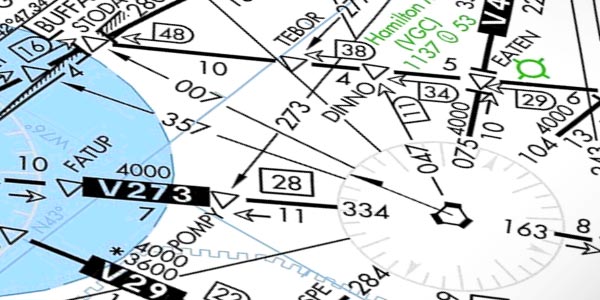
US IFR CHARTS
IFR High & Low Enroutes for the United States, Caribbean, and Mexico, and IFR and Ocean Route Planning charts.

US HELICOPTER
Full library of metropolitan VFR Helicopter charts, and VFR and IFR Gulf of Mexico charts.
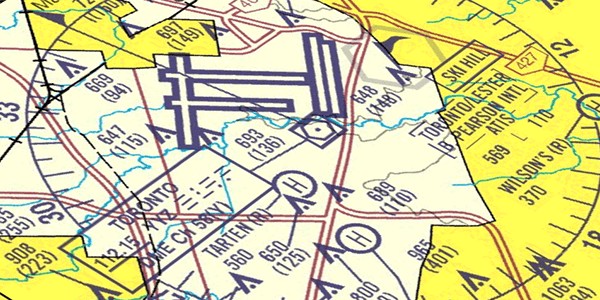
CANADA VFR & IFR
For Canadian customers, ForeFlight offers Nav Canada VNC, VTAs, and IFR High and Low Enroutes.
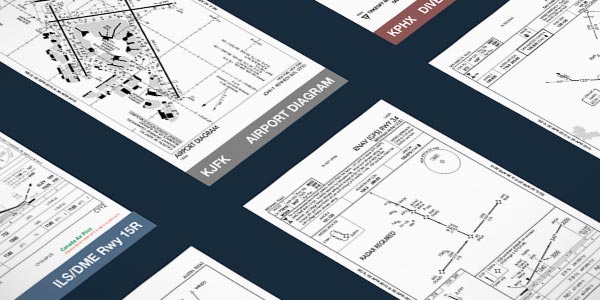
Procedures
FAA, NAVCANADA, and Jeppesen procedure charts, including: departures, arrivals, terminal procedures, and airport diagrams.
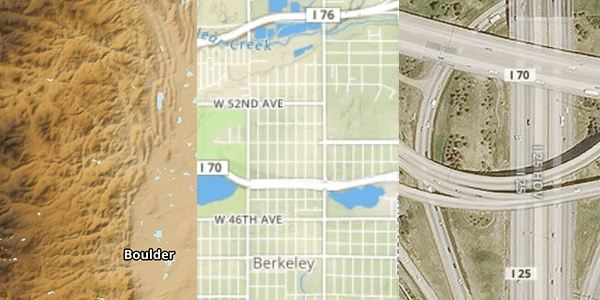
Terrain, Street, & Aerial
A selection of surface map layers help you get oriented with terrain, country boundaries, rivers, lakes, and cities.
Watch the Video
High-Resolution Basemap
ForeFlight’s High Resolution Basemap depicts ground features and cultural elements in much greater detail for improved inflight reference. Notable improvements include higher-resolution roads and railroads with highway labels, more detailed coastlines, and new terrain peak and mountain pass markers with associated altitudes.
Map Annotations
Write and draw directly on ForeFlight’s map for easier and more convenient note taking. Tap the Annotations button on the left side of the screen to enter Drawing mode. Annotations show up above any Map or Layer and you can easily undo, redo, and clear notes, as well as change the ink and brush properties.
Watch the Video
Watch the Video
Specify Approach Minimums
Specify an altitude minimum in Procedure Advisor when adding an IFR approach to your route to display the minimum directly on the map for quick reference during final approach. After choosing an approach in Procedure Advisor, enter an approach minimum in the Altitude (MSL) field on the left before adding the approach to your route. Once you add the approach to your route the minimum appears as a prominent magenta label at the very end of the route on the map.
Approach Minimum labels are available with ForeFlight Premium plans.
Map Layers
To better aid pilots in planning and navigation, ForeFlight has over a dozen interactive graphical overlays that give pilots the full picture of how weather and TFRs will impact their mission. Seeing current weather conditions overlaid on the route line helps pilots make better go/no-go decisions.


Terrain & Obstacles
Hazard avoidance features highlight hazardous terrain and obstacles near your aircraft's GPS location.

Weather
A full suite of interactive, animated weather products are built into the ForeFlight Mobile map view.
Internet Traffic via FlightAware
In partnership with FlightAware, stream live global aircraft traffic directly in ForeFlight to analyze airport activity, check on an active flight, and more. ForeFlight displays both airborne and ground traffic received via the internet just like it does ADS-B traffic, with altitude and tail number available at a glance, and many other details available with a tap for most traffic targets.
Glide Advisor™️ Helps You Locate a Safe Landing Space
If you lose engine power, quickly assess your options with Glide Advisor™️. Using terrain, GPS data, winds aloft, and your aircraft’s best glide speed and ratio, ForeFlight shapes a glide range ring around your ownship icon on the moving map display. Pair with Distance Rings for a quick way to report your position to ATC, or for the ultimate inflight situational awareness, combine with Synthetic Vision and Hazard Advisor.
Watch the video

Import Custom User Content
Easily import custom waypoints, charts, and map layers via hyperlink, email attachment, AirDrop, or drag-and-drop in iTunes for viewing on the map. Ideal for flight schools, search and rescue operations, pipeline patrol, aerial firefighting, and more.
Fuel
Easily see the best fuel prices in an area or along a route by toggling on the Fuel map layer. Prices for 100LL and Jet A are plotted on the map and color coded based on affordability for the area.

Stay Alert on the Ground
& in the Air
ForeFlight puts your safety at the forefront by providing audio and visual alerts that give you better situational awareness on the ground and in the air. You can manage all alerts in the app settings menu.
RUNWAY PROXIMITY ADVISOR
Receive visual and auditory warnings when you approach and enter a runway. Upon entering the runway, you will also hear the length remaining in hundreds of feet. This is a helpful cross-check to ensure you are departing from the correct runway.

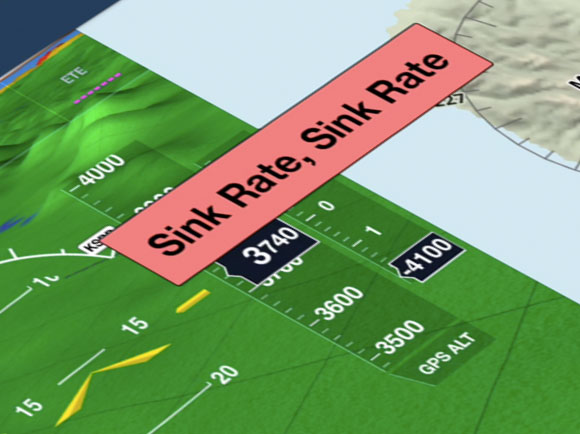
Sink Rate Alert
In an emergency situation, the Sink Rate Alert warns you of an excessive descent rate.

TFR Alerts
TFR Alerts warn you when you are approaching or have entered TFR airspace. Alerts are shown (and heard) whether you have the TFR map layer on or off.
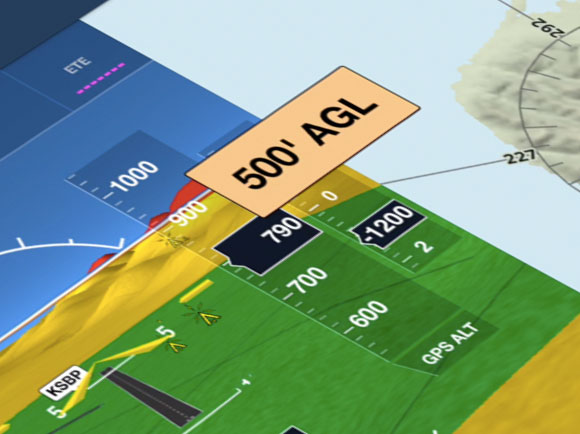
500' AGL Alert
This alert lets you know when you have descended through 500’ AGL. Stay aware of your altitude while keeping your eyes outside the aircraft during final approach.
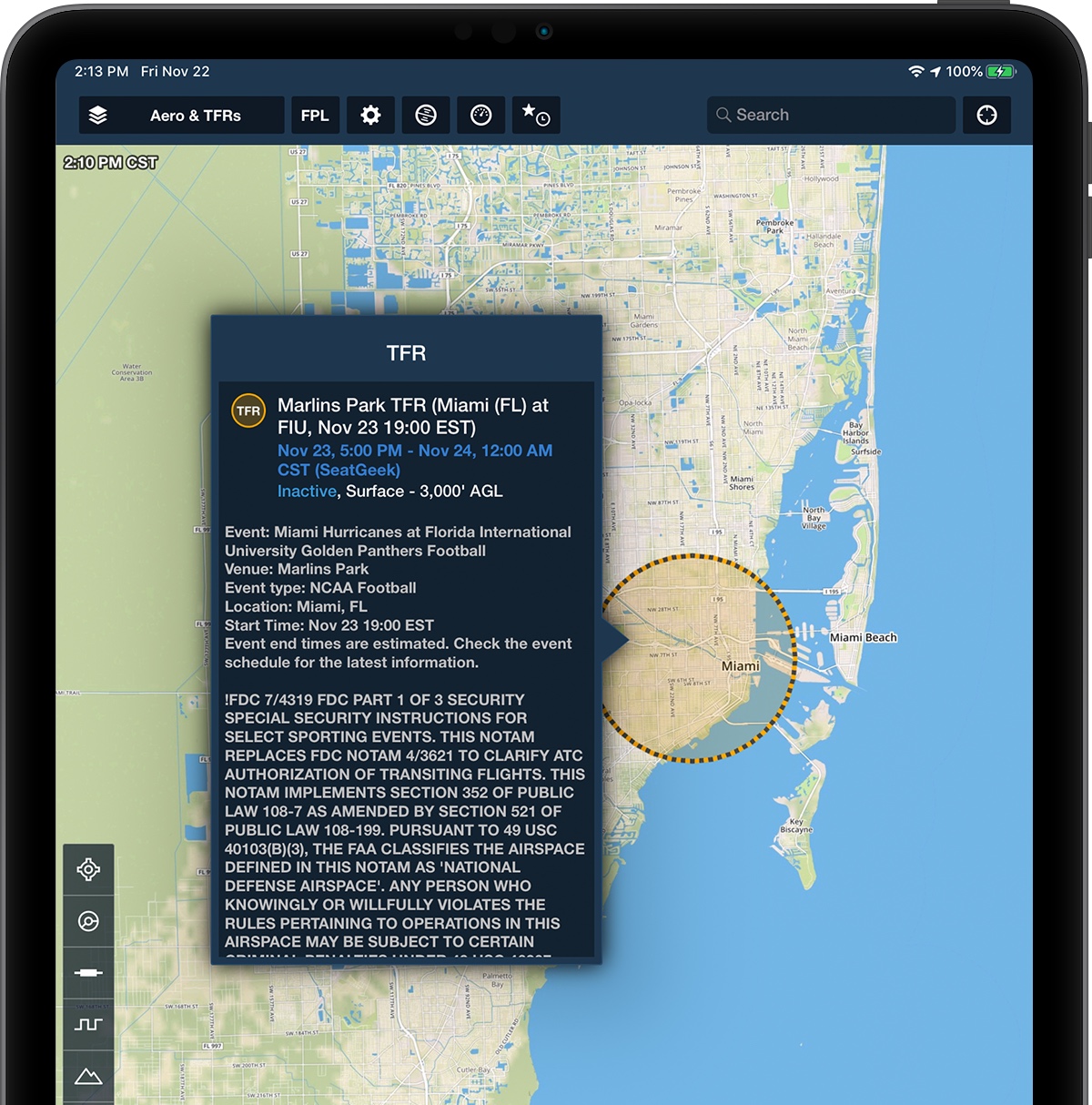
Steer Clear Of TFRs
No more plotting by hand. ForeFlight displays both active and upcoming TFR data in a graphical format right on the map. Future TFRs are yellow, active or soon-to-be active TFRs are red. Tap on a TFR to view the full FAA text.
STADIUM TFRS
Figuring out when and where Stadium TFRs are active can be a pain. ForeFlight continuously monitors event schedules for Major League Baseball, the National Football League, NCAA Football, Indy Car, NASCAR Sprint Cup, and Formula 1 and integrates that information into the TFR map layer.