Dynamic Procedures: Terminal Arrival Altitudes
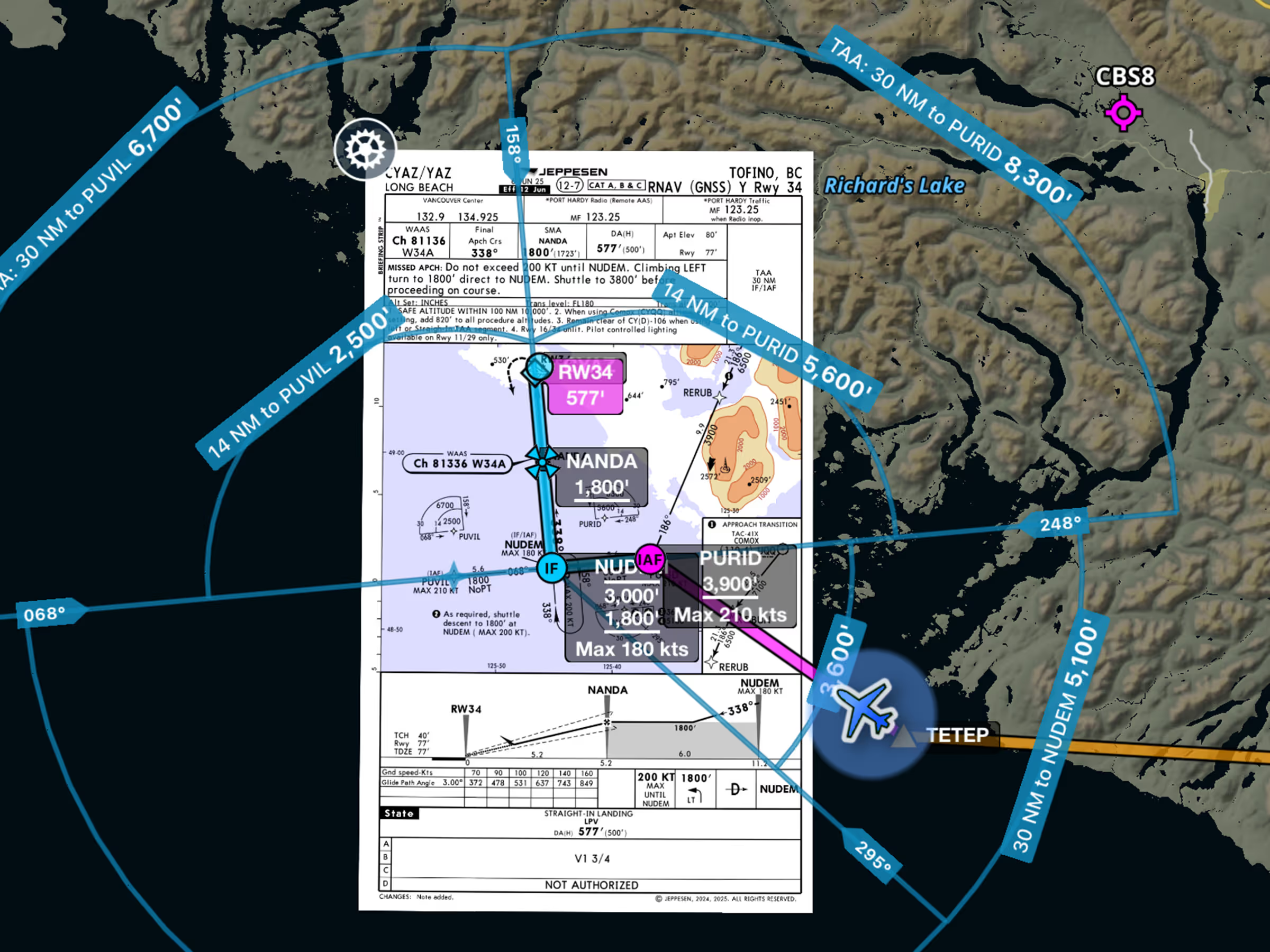
- Easily find your approved descent altitudes on supported instrument approaches with TAAs now drawn directly on the map.
- Adding any approach to your route via Procedure Advisor will automatically display either an MSA or a TAA, depending on which is specified for the approach.
- In addition to drawing the TAA boundaries on the map in blue, ForeFlight also labels each boundary arc or semi-circle with its associated altitude and the distance and fix which define the boundary, as well as labeling the radials defined by the TAA.
- Dynamic Procedures is currently available with ForeFlight’s Essential subscription plan and above for all customers in the U.S. and Canada, with more regions coming soon.
European Logbook Support
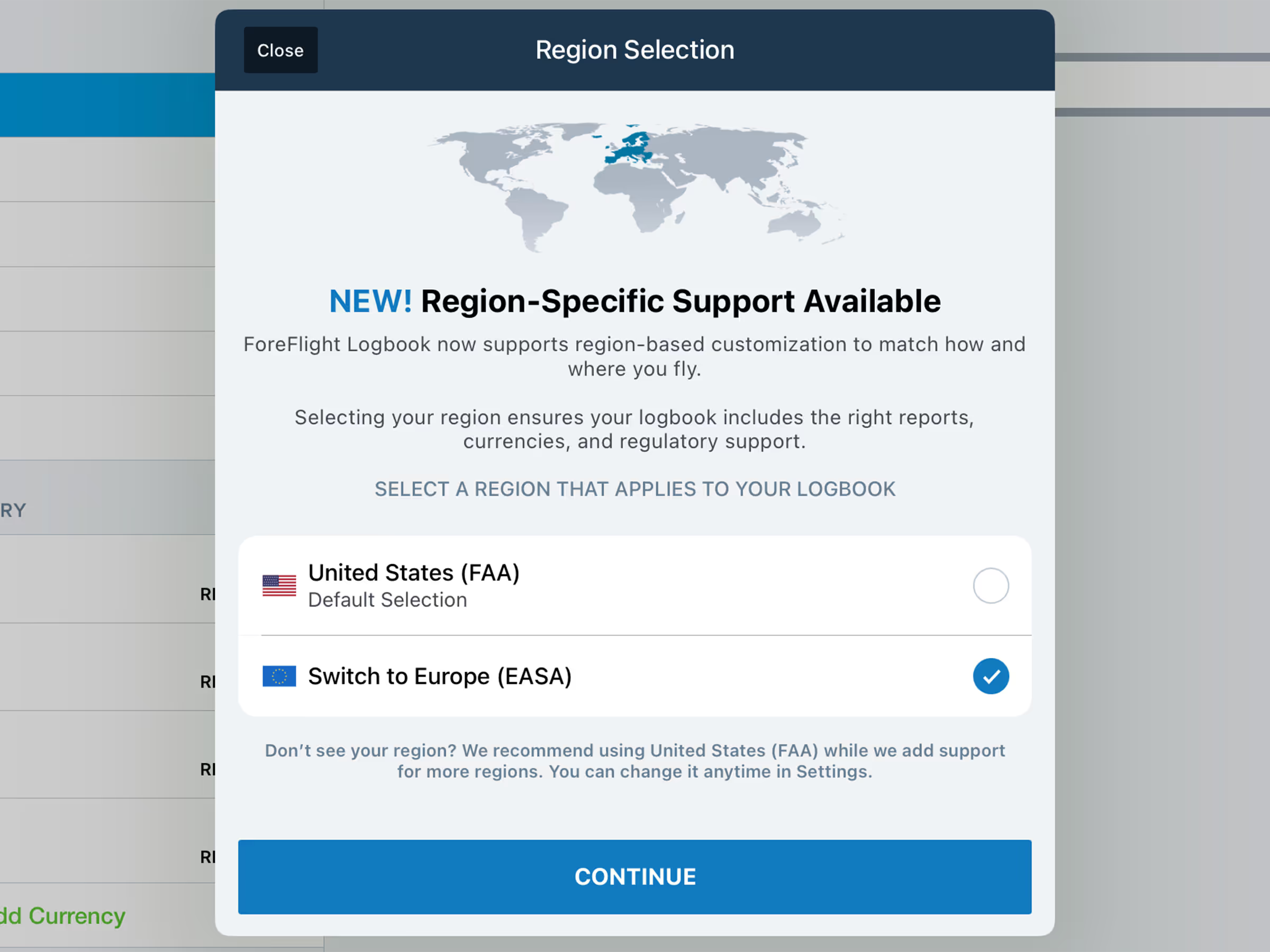
- ForeFlight Logbook can now support flight logging in Europe with the new Logbook Region setting to apply Europe-specific terminology, recency tracking, exportable reports, and more.
- European customers who visit More > Logbook will automatically be prompted to switch from the existing FAA region to the new Europe region, and can change their selection at any time from the Logbook Settings menu.
- Switching to the Europe region does not delete or alter any existing Logbook data, but replaces many of the existing FAA-specific items with their EASA equivalents. These include entry fields for tracking flight time and skill tests, new Europe-specific qualifications and licenses, aircraft configurations and selections, etc.
- Logbook then uses this information to power Europe-specific recency trackers such as 90 Day Passenger, Light Aircraft, Language Proficiency, and more, as well as generating standardized EASA FCL.050 reports, progress reports towards European skill tests such as PPL(A) and LAPL(A), and others.
- The European Logbook Region is available with all ForeFlight subscription plans and all regions.
Google Aerial Map Imagery
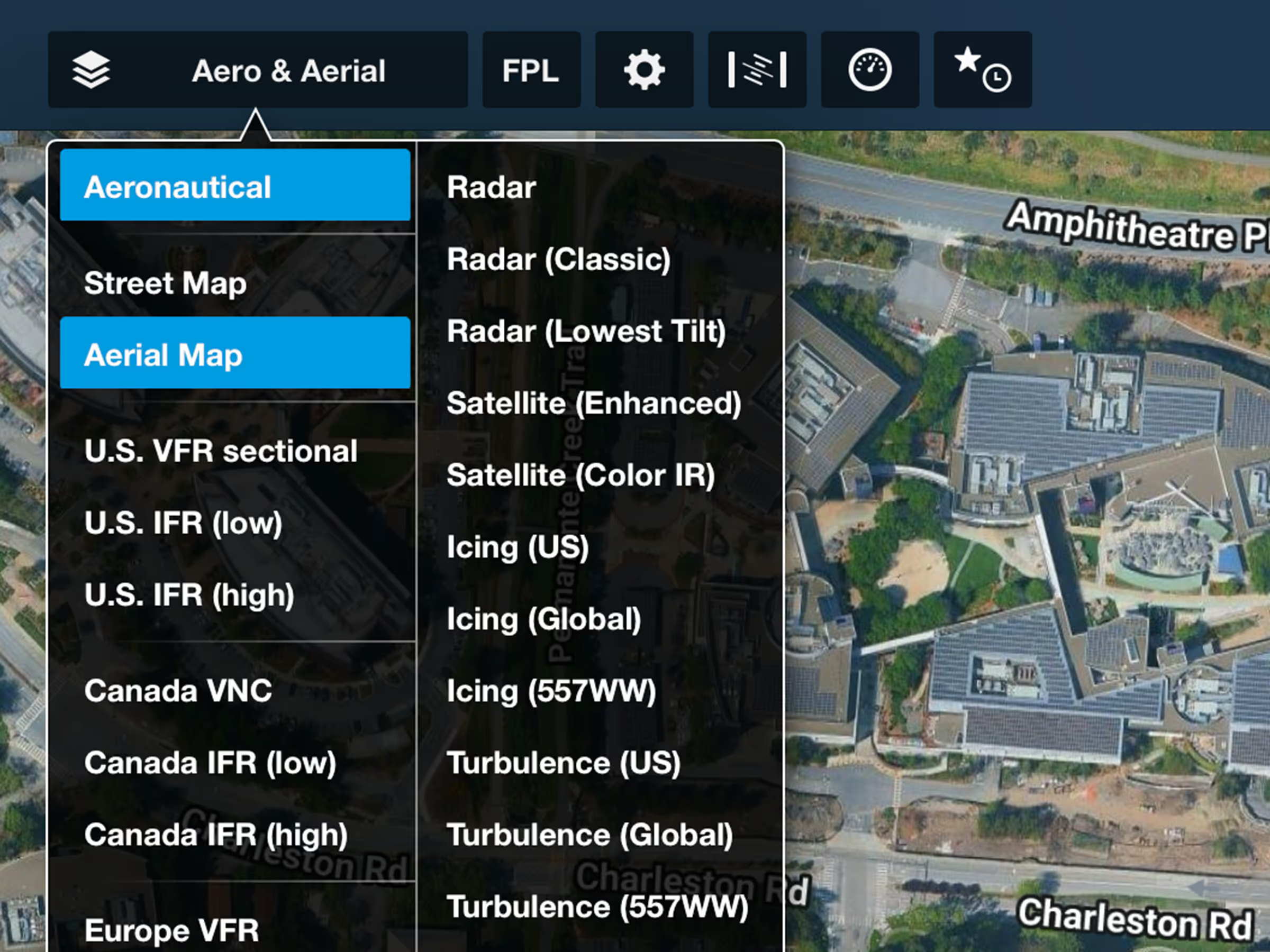
- Plan with higher-quality and more frequently updated views of Earth with ForeFlight’s Aerial map layer, 3D views, and more now powered by Google’s satellite imagery.
- Enable the Aerial Map layer in the Maps view Layer Selector to see and plan with Google-sourced aerial imagery.
GPS Cross Check
- When you suspect interference with your GPS position, use the GPS Cross-Check tool to compare your GPS-derived position with one calculated from nearby VOR/DME navaids.
- Access the tool by tapping any VOR/DME navaid on the Aeronautical Map. Select GPS Cross-Check and input the radial and distance from that navaid to view any deviation between the two sources.
- Available with ForeFlight Premium for individuals, Business Performance for flight departments, and MFB One for military and government.
Weight & Balance: Custom Curtailments
- Create custom W&B curtailments for any aircraft to handle unique scenarios that affect your W&B envelope.
- Create new curtailments in More > Aircraft > Weight & Balance or on ForeFlight Web by specifying a name and the forward and aft curtailment amounts.
- Custom curtailments appear as options alongside the default ones in the W&B planning view for that aircraft.
MFB: Multiple Briefing Formats
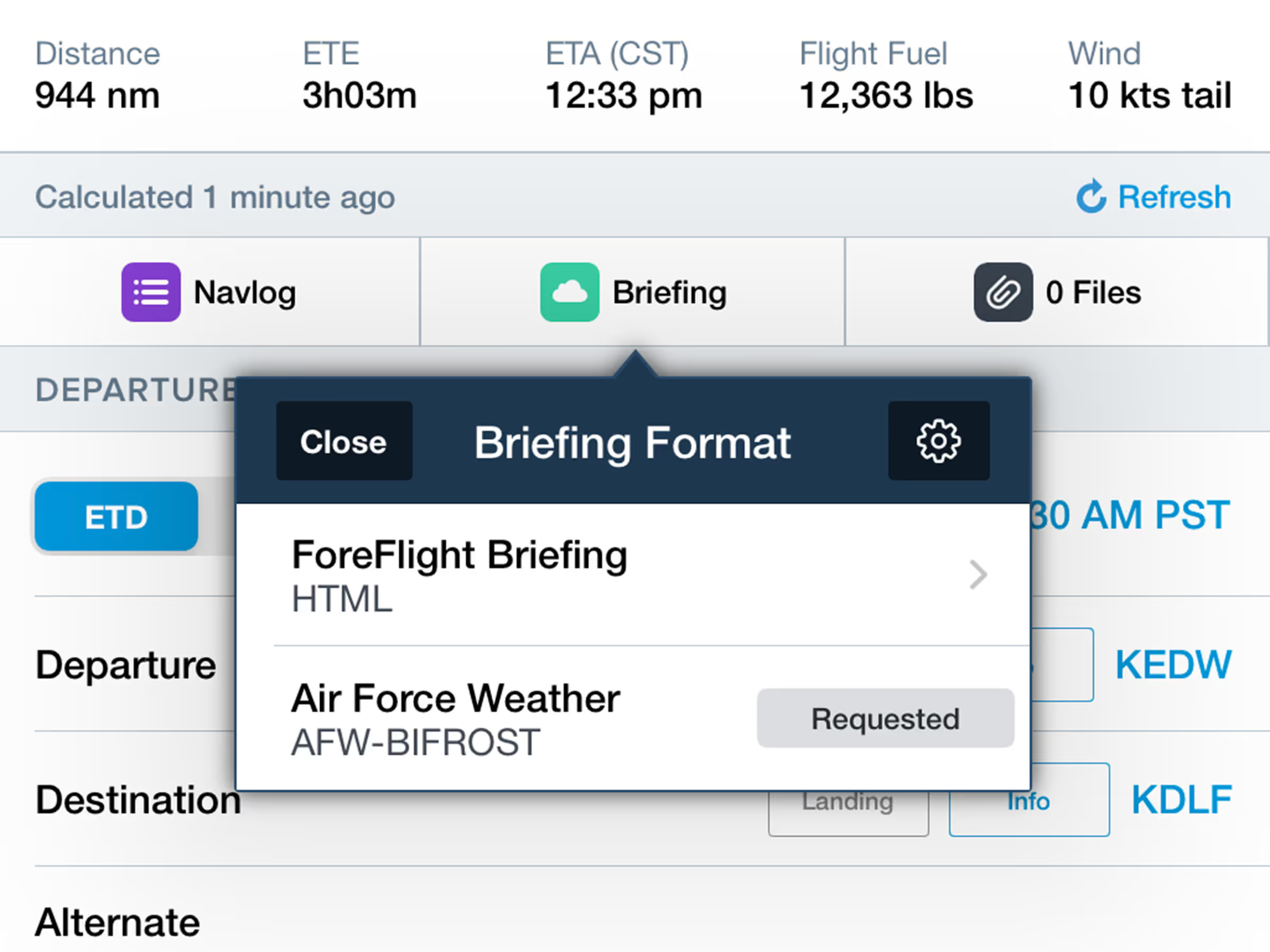
- US Air Force and Army pilots can now use ForeFlight’s Graphical Briefing format even after requesting an official USAF Weather Briefing with support for multiple briefing formats.
- ForeFlight will automatically prompt users to select their preferred briefing formats, with options to enable or disable the USAF DD-175-1 format and select between ForeFlight’s Graphical HTML or PDF briefing formats.
- Users can then choose between DD-175-1 and the selected ForeFlight format by tapping the Briefing button to generate, view, or refresh either one.
- Available with ForeFlight MFB One subscription plans for US Air Force and Army pilots.
.avif)
.avif)