Skip to main content
18.2
March 2026
ForeFlight 18.2 includes Per-Aircraft Ownship Markers, Mobile Fuel Releases, and E-Sign Weight & Balance.
Business Plans
Mobile Fuel Releases
Compare JetFuelX contract prices and request fuel releases directly in the Flights view.
.jpg)
Active Navlog
E-Sign Weight & Balance
Sign and lock a Weight & Balance load summary with a secure PIN code.
Release Notes
Release Notes
Per-Aircraft Ownship Markers
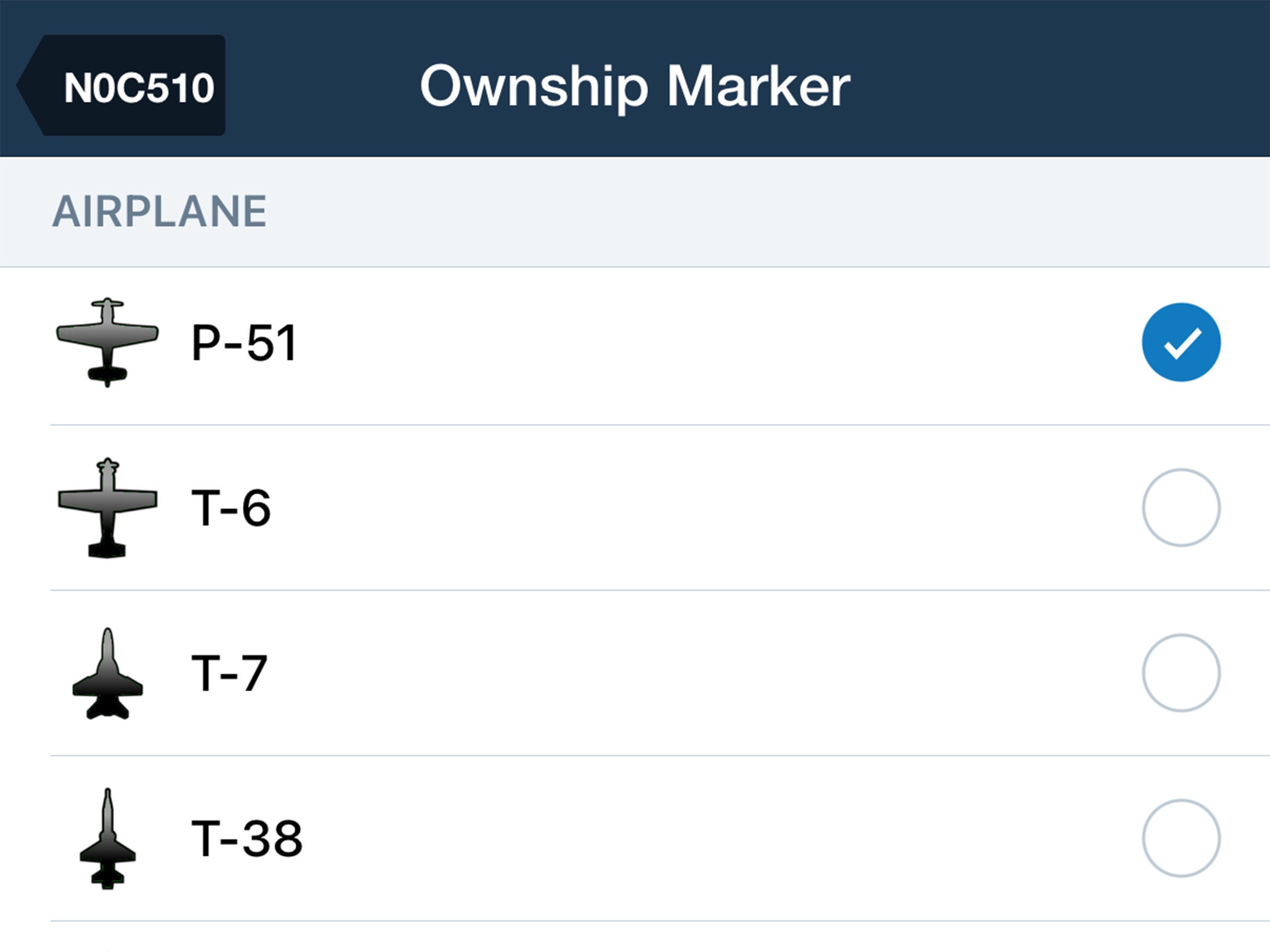
- Customize the appearance of each of your aircraft’s ownship markers so every one has a unique appearance.
- Update the ownship marker for any of your aircraft in More > Aircraft > Ownship Marker, where you can set both the color and aircraft type, with dozens of current and historic aircraft models to choose from.
- ForeFlight will automatically show a given aircraft’s customized ownship marker when that aircraft is selected in the FPL Editor on Maps.
- The existing Ownship Marker menu in More > Settings is still available for customizing your ownship marker independently of which aircraft is selected, as long as you haven't customized the ownship marker for the currently-selected aircraft.
Mobile Fuel Releases
- Handle all your Jet-A fueling needs right in ForeFlight by comparing your JetFuelX contract prices and requesting fuel releases from vendors.
- Mobile fuel releases are available for customers who’ve added Jet-A fuel cards and prices via the JetFuelX tab on ForeFlight Web.
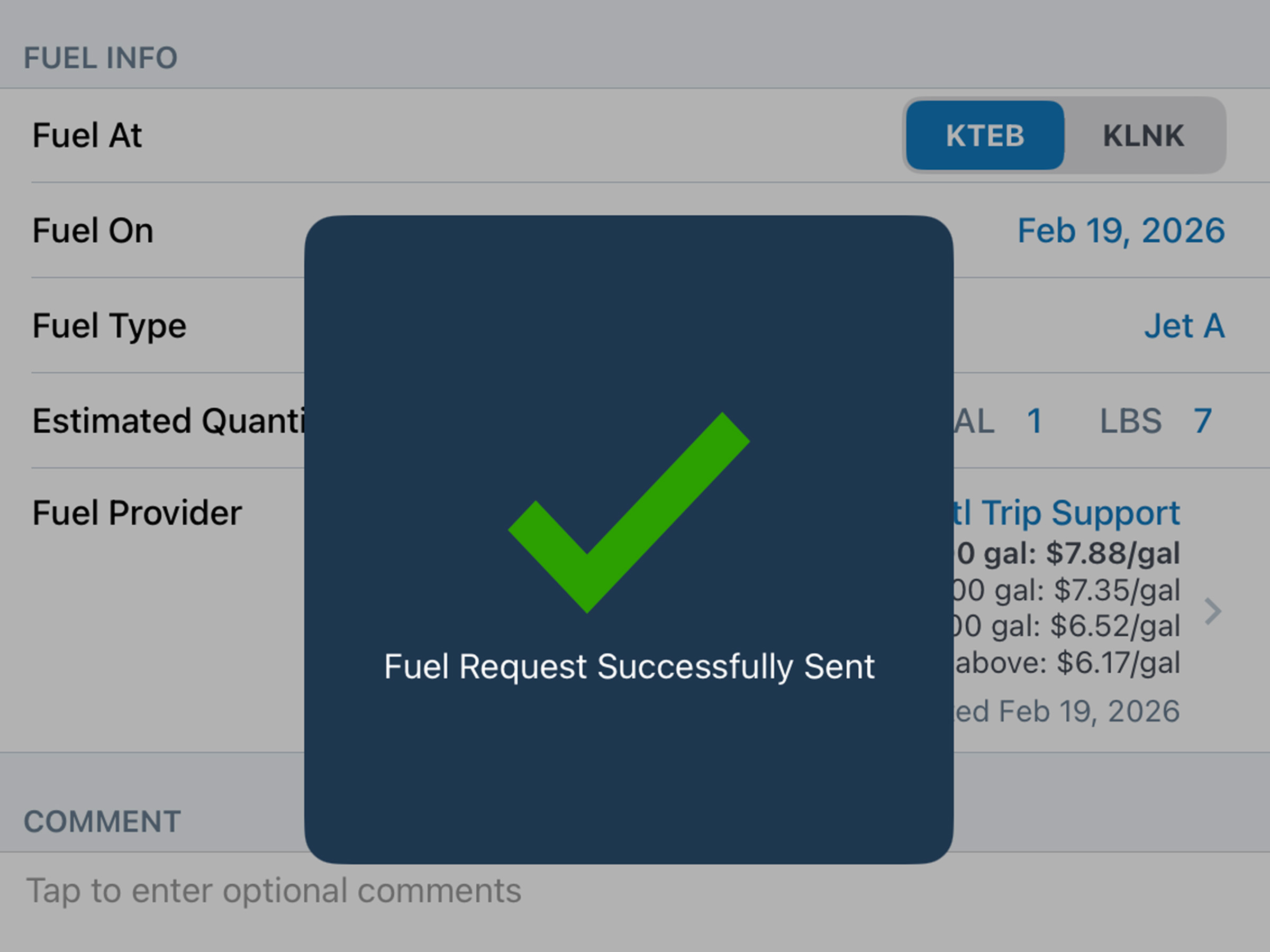
- Tap Fuel Release near the bottom of the Flights view after planning a flight to begin your fuel release request. Select which airport you wish to fuel at, specify the date (if different from the date of the flight), fuel type, and estimated fuel quantity.
- Tap Fuel Provider to review and select from a list of available FBOs and the retail or contract prices offered by each, along with associated price tiers and notes. ForeFlight automatically highlights the least expensive option at the top of the view.
- After finalizing the details of your request and adding any comments, tap Request Fuel Release to trigger an email to the selected fuel vendor and yourself with the details of your request.
- Mobile Fuel Releases and JetFuelX are available with ForeFlight Essential plans and above for individuals and all ForeFlight Business accounts.
E-Sign Weight & Balance
- Electronically sign and lock a flight's Weight & Balance load summary with a secure PIN code for fast and effortless compliance.
- Visit More > Account and tap Pilot Signature & PIN to adopt your electronic signature and configure a 6-digit PIN code to secure it.
- After planning a flight and calculating its weight and balance, tap the signature button in the top-right of the W&B view to enter your PIN and apply your signature, locking the W&B view from further edits and automatically adding your signature to the W&B Summary document.
- Tap the signature button again to remove your signature and unlock the W&B view if you need to make further changes.
- E-Sign Weight & Balance is available with the Active Navlog add-on for Business Performance subscription plans.