Skip to main content
18.3
April 2026
ForeFlight 18.3 includes Emergency Glide Mode, SID/STAR Support for Dynamic Procedures, Enhanced US Icing & Turbulence Map Layers, and more.
Essential & Above
Dynamic Procedures: SID/STAR Support
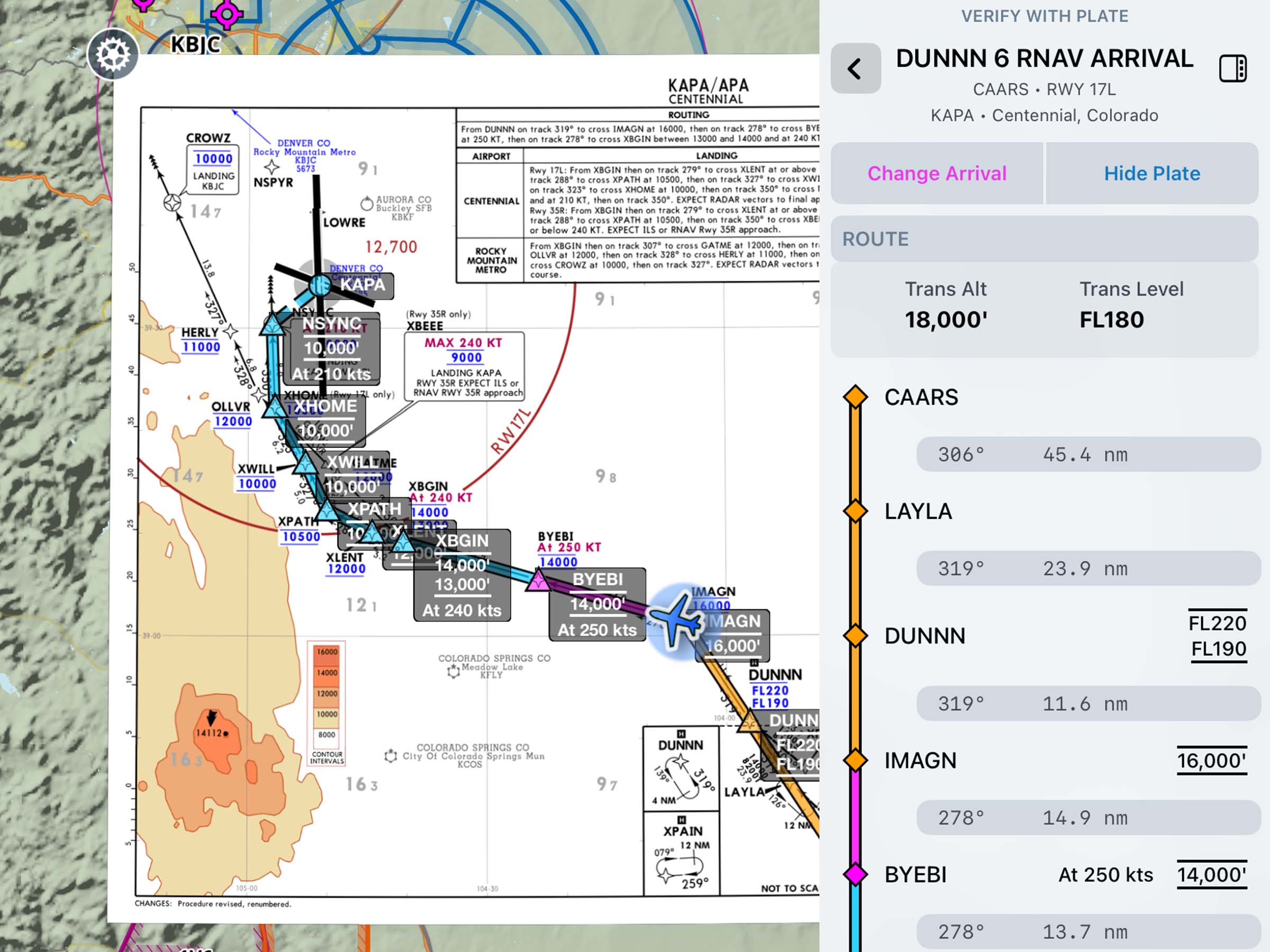
Access SIDs and STARs in the Dynamic Procedures sidebar.
Essential & Above
Enhanced US Icing & Turbulence Map Layers
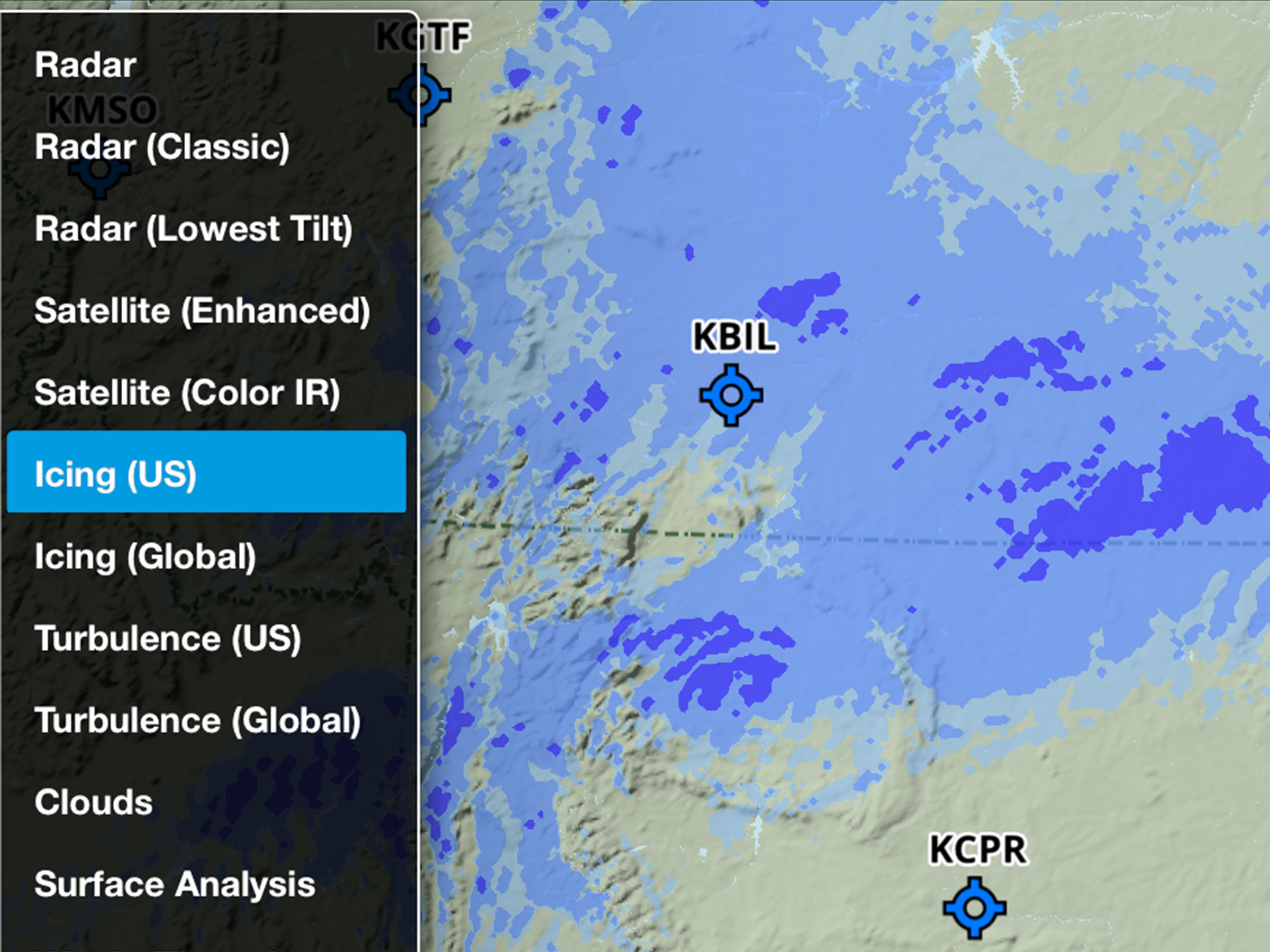
Plan more accurately with improved US Icing and Turbulence layers.
All Plans
Documents: European Supplements & AICs
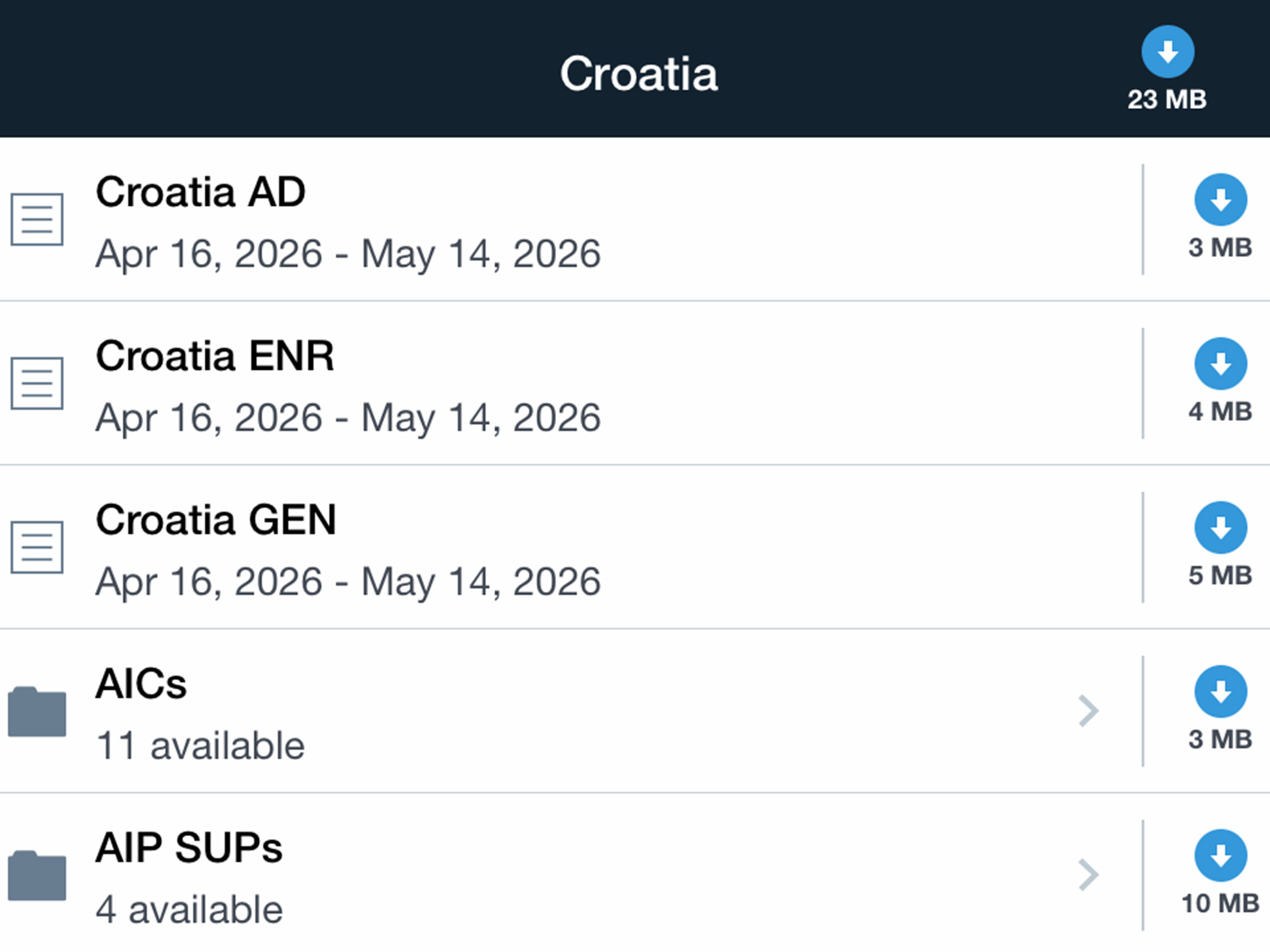
Stay up to date with European AICs and AIP supplements.
Release Notes
Release Notes
Emergency Glide Mode
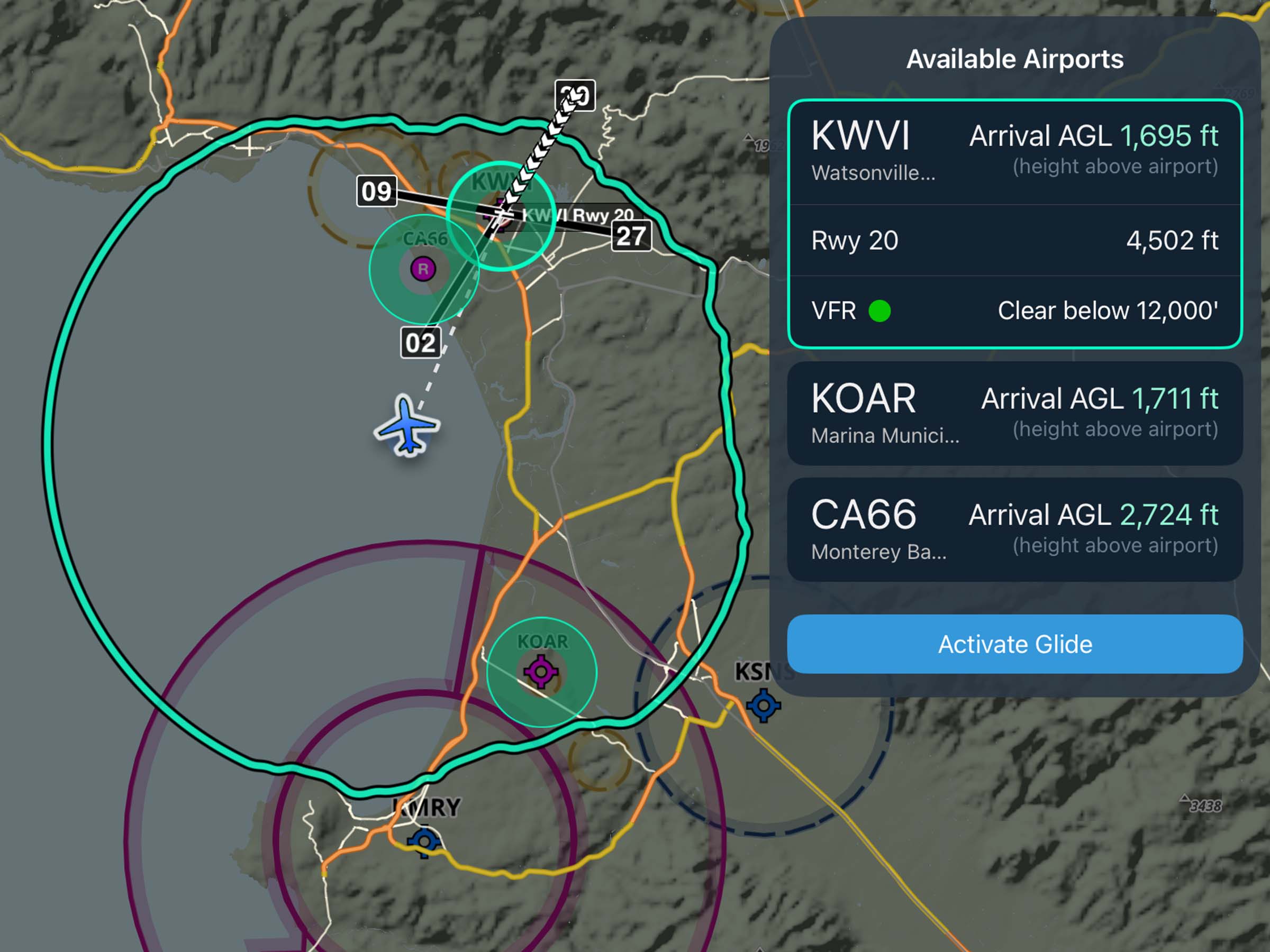
- Quickly identify nearby airports and potential off-airport landing areas in the event of an engine failure when every second counts.
- Enable the Glide Advisor map overlay in the Maps Settings menu and configure the best glide speed and ratio for your aircraft to make Emergency Glide Mode available during a flight.
- A green button in the bottom-right corner of the Maps view shows the current number of airports within glide range. Tap this button to enter Emergency Glide Mode, which provides a focused and distraction-free view of your landing options.
- ForeFlight lists promising airports within your glide range in the top right, with information about each airport such as runway length, current weather conditions (if known), and your expected arrival altitude above the airport.
- Tap Activate Glide to set up a direct route to the selected airport and expose the Maps view Instrument Panel with real-time metrics as you approach the airport.
- If no airports are within your glide range, Emergency Glide Mode highlights roads and power lines, and identifies Possible Landing Areas directly on the map in green. Built from U.S. Geological Survey data, this virtual map layer helps narrow and direct your scan for “best-bet” landing sites most likely to be suitable for an emergency landing.
- Emergency Glide Mode is available globally with all ForeFlight plan levels, while the Possible Landing Areas map is available in the lower 48 states of the contiguous U.S.
Dynamic Procedures: SID/STAR Support
- Brief and fly departure and arrival procedures with a streamlined view of the key fixes, frequencies, and notes you need in the Dynamic Procedures sidebar.
- Like with approach procedures, adding any SID or STAR to your route on the Maps view will add a button in the top-right corner to expand the Dynamic Procedures sidebar and view information about the procedure.
- When more than one procedure is included in your route, the sidebar allows you to select which one to view information for, and a back button in the top-left corner of the sidebar allows you to return to this selection view from the details of any procedure.
- Dynamic Procedures is available with Essential plans and above in the US and Canada.
Enhanced US Icing & Turbulence Map Layers
- Plan with higher-resolution graphical icing and turbulence forecasts for the US with improved data from NOAA’s Domestic Aviation Forecast System (DAFS).
- Both the “Icing (US)” and “Turbulence (US)” map layers are now derived from higher resolution (3 km) model data, down from 13km, providing significantly more detail and precision.
- Icing severity forecasts now incorporate improved modeling of liquid water content and large droplet icing environments.
- Turbulence forecasts include improved detection of clear-air and mountain wave turbulence, enhanced low-level turbulence guidance, and the addition of convectively induced turbulence (CIT).
- The extent of both layers’ coverage outside U.S. borders has been slightly reduced due to the improvements in forecast precision. The global icing and turbulence forecast layers remain unchanged.
- Icing and Turbulence forecast map layers are available with Essential plans and above.
Documents: European Supplements & AICs
- European pilots can now view more complete country-specific documentation covering AIP supplements and AICs directly in ForeFlight via the Europe document drive.
- Thanks to new support for multiple layers of nested Document folders, each supported European country now has sub-folders containing AIP supplements and AICs, in addition to the existing General, Enroute, and Aerodrome AIP documents for each country.
- All European documents are available with ForeFlight’s Europe subscription region.