No items found.
Skip to main content
18.7

September 2026

ForeFlight 18.7 includes ForeFlight Debrief, ForeFlight Insurance Tab, MFB: ForeFlight TAK and more.

Essential & Above

ForeFlight Debrief

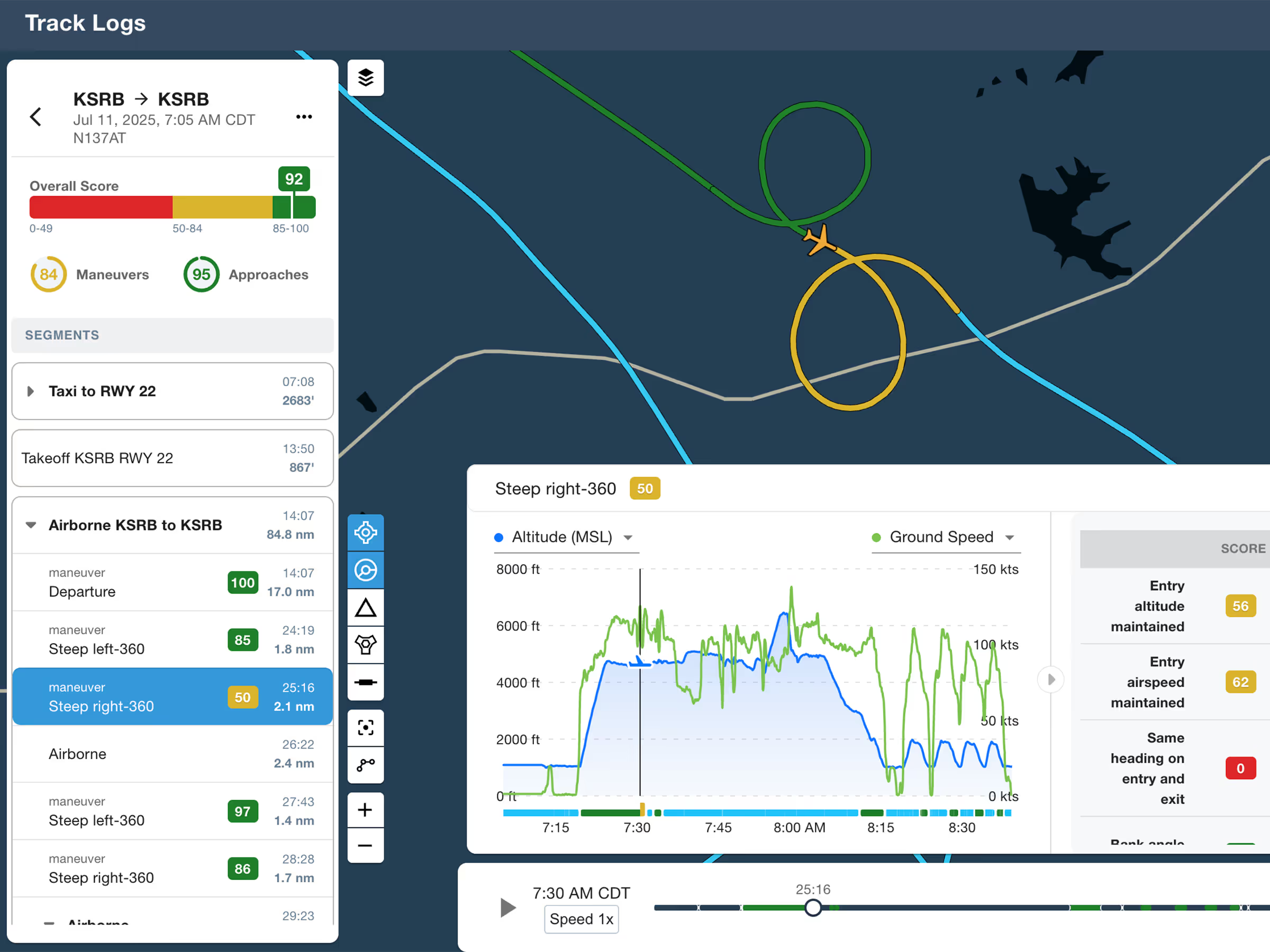
Review flights with automatic Track Log segmentation, scoring, and 3D playback on both mobile and web.

MFB One

MFB: ForeFlight TAK

Connect to TAK servers to share your position and view other connected assets as live traffic on the map.
All Plans

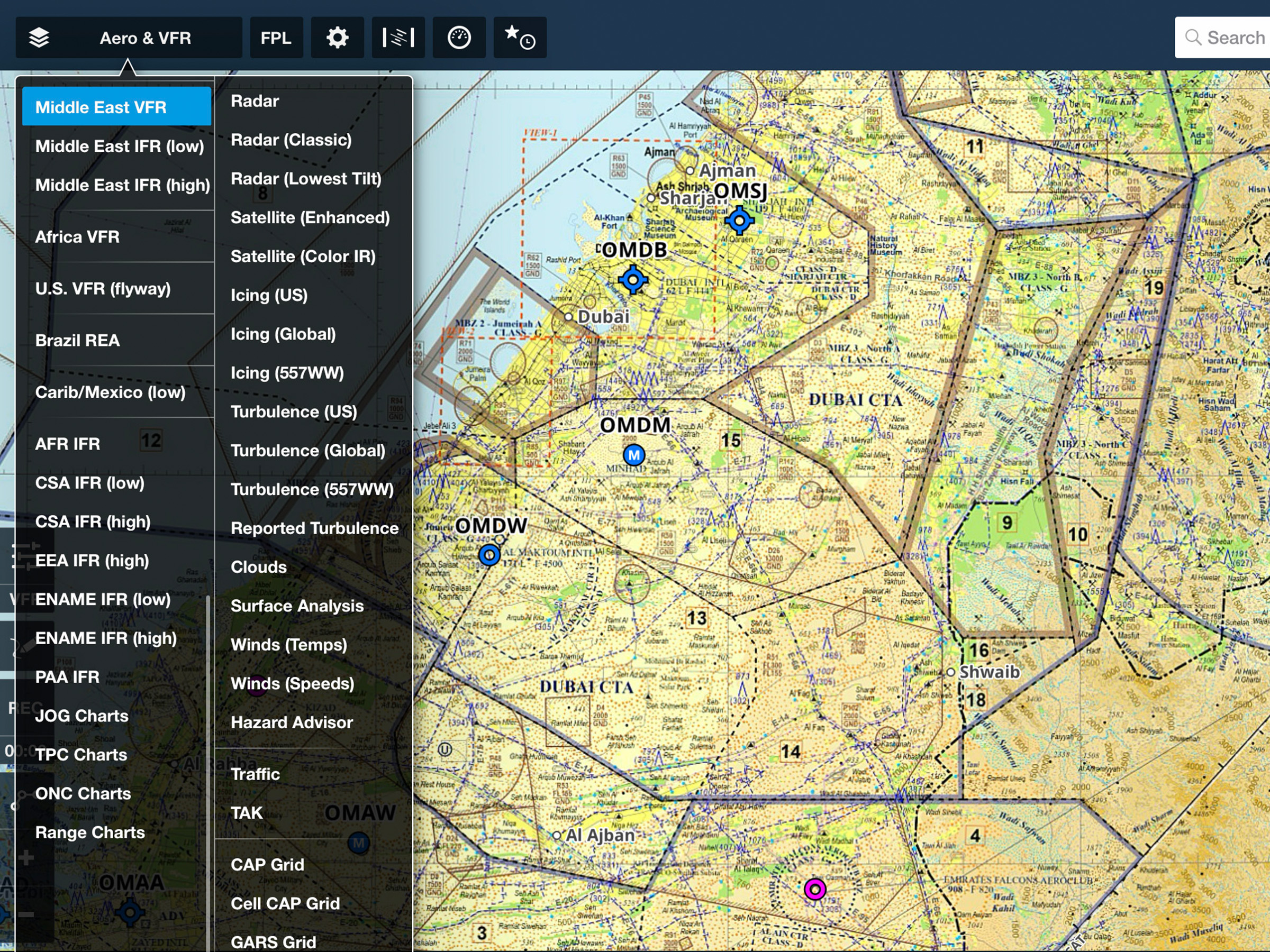
UAE Charts & Data

ForeFlight now provides government-sourced VFR and IFR charts and AIPs for the United Arab Emirates.
Release Notes

Release Notes

ForeFlight Debrief

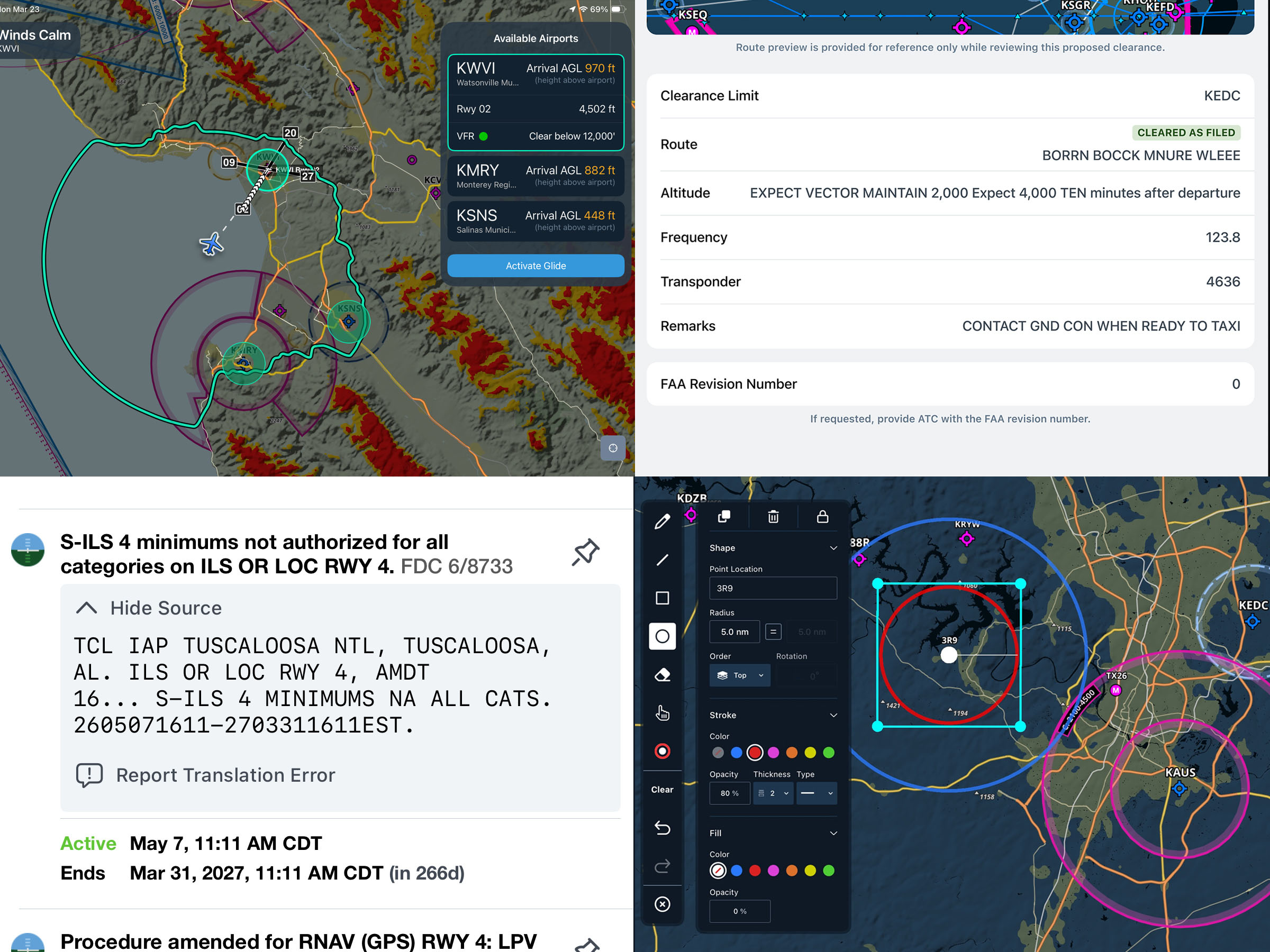
  • Review, analyze, and learn from every flight with automatic Track Log segmentation and scoring, now available on both mobile and web.
  • Debrief is disabled by default but can be enabled in More > Account > ForeFlight Labs.
  • Visit More > Track Logs to review recorded flights using either the existing graph-and-map view, or tap the magnifying glass button in the lower-right corner of the map to enter the new Debrief view.
  • Debrief automatically segments flights into multiple phases such as takeoff, airborne segments, approach, and landing, allowing you to jump to any segment by tapping on it.
  • Debrief also analyzes certain maneuvers and procedures it identifies using recorded flight data, comparing this data to published Airmen Certificate Standards and assigning each segment a score out of 100 to help you identify training opportunities.
  • The 3D Review feature built into the Track Logs view is also now integrated with both the Track Log graph and the Debrief view, allowing you to review your flight using either the default overhead map view or first- or third-person 3D view in the same interface.
  • Available with Essential subscription plans and above.

ForeFlight Insurance Tab

  • Affordable aviation insurance for aircraft owners, renters, and CFIs is now just a tap away in ForeFlight.
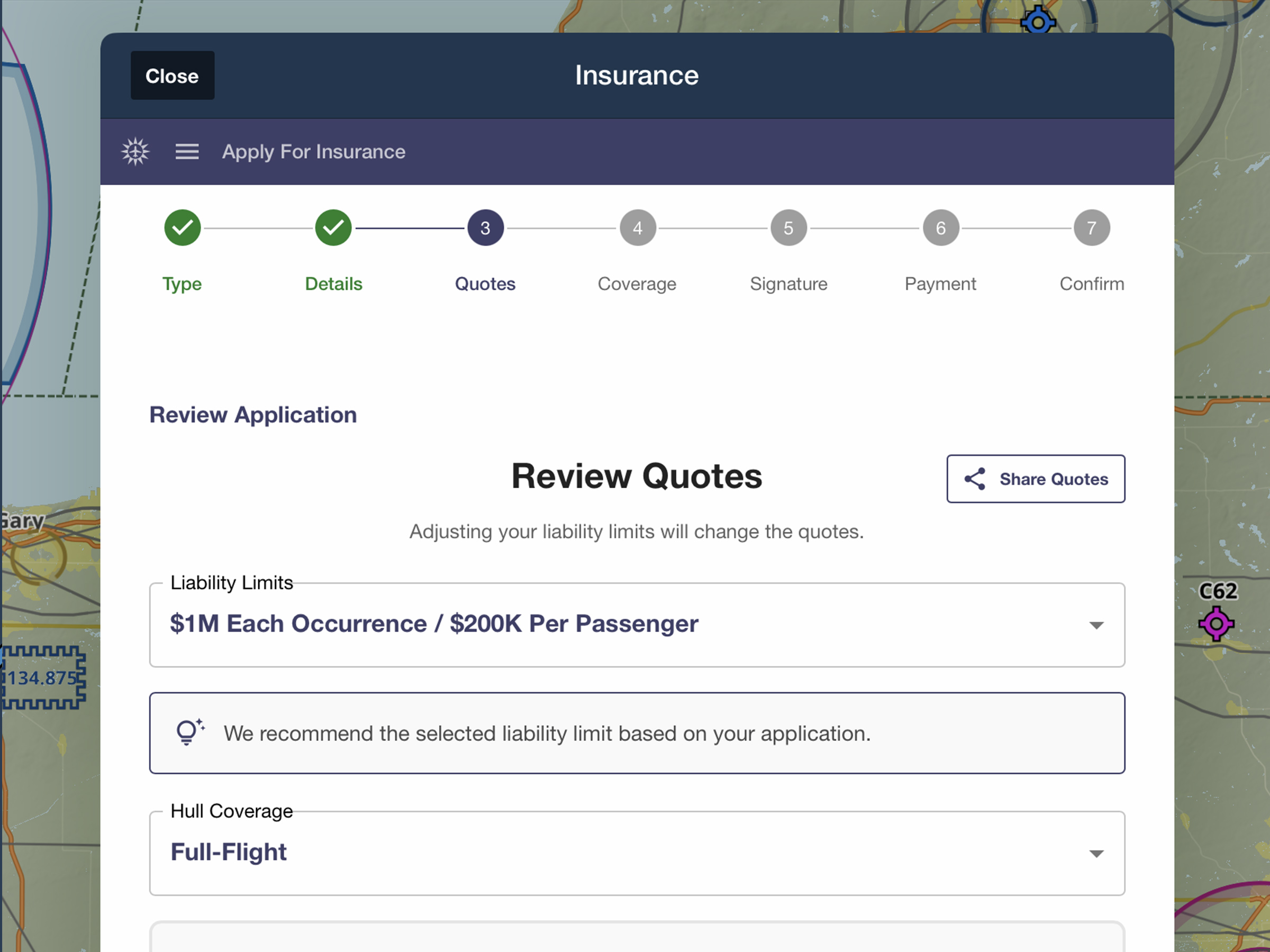
  • Visit More > Insurance to apply for owned or non-owned insurance quotes with a streamlined digital workflow that allows you to automatically populate your flight experience using your logged flights, invite co-owners to provide their pilot experience via email, and more.
  • Most quotes are returned and ready to review, sign, and purchase in minutes, with helpful comparisons, explanations of insurance terminology, and highlighted policy benefits to help you pick the best policy for how you fly.
  • After purchasing, view policy documents and save them to ForeFlight’s Documents tab for easy access whenever you need them.
  • Insurance is sold through ForeFlight Insurance Agency, LLC, which is a licensed insurance agency, not an insurance company.
  • Available for individual US customers in More > Insurance or on the web at foreflight.com/insurance.

MFB: ForeFlight TAK

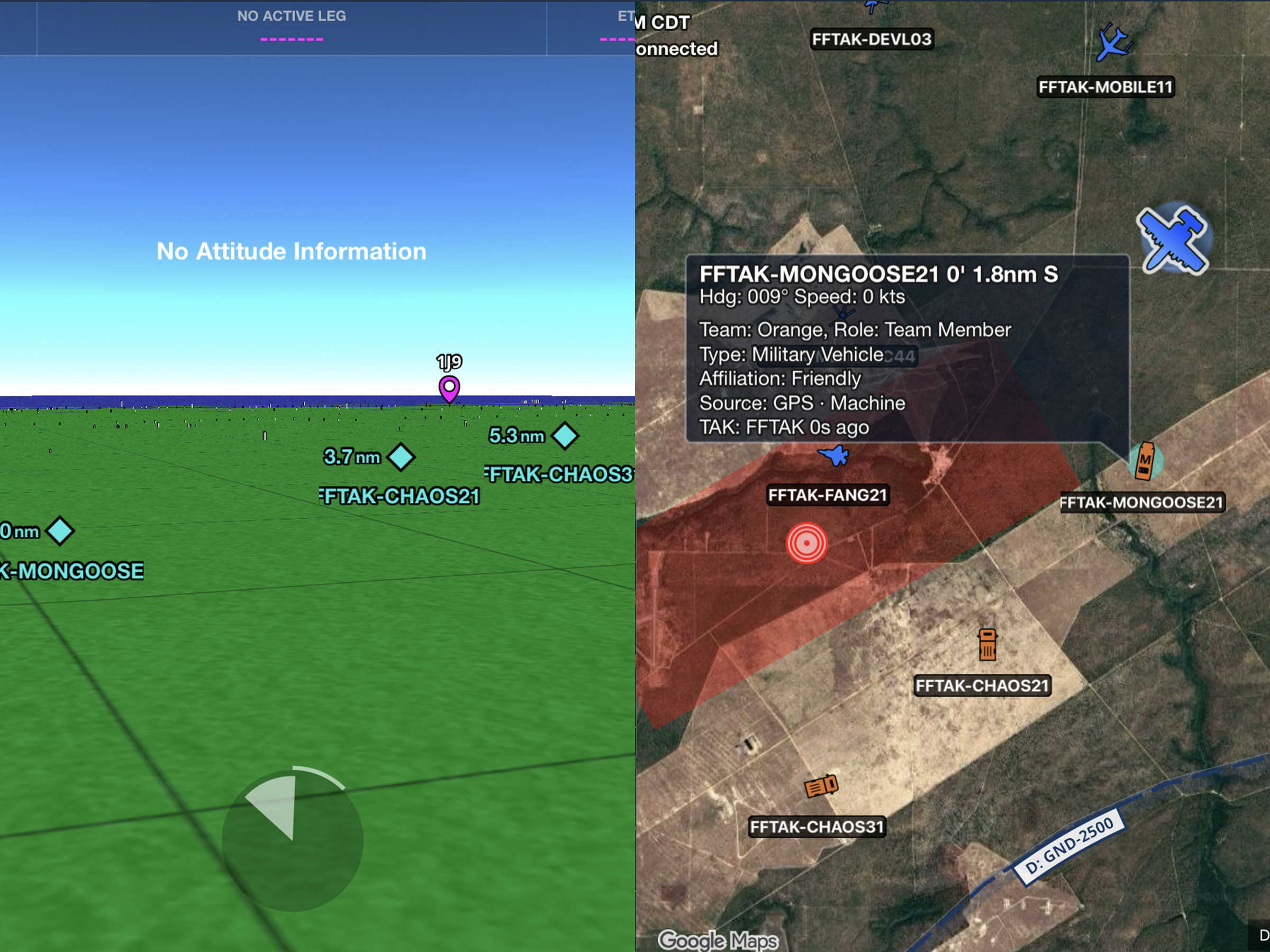
  • ForeFlight Mobile now connects to TAK servers, streaming your position to the network while bringing other TAK-connected assets onto your map as live traffic.
  • Servers can be added in More > Devices > TAK by entering address, port, and credentials in TAK Settings, or automatically by importing a TAK connection package (.zip) via AirDrop, email, or file share — which adds a read-only connection that begins syncing immediately.
  • In TAK Settings, configure your callsign, team, role, and display type, and set color priority by team assignment or affiliation, control per-server send/receive toggles, and more.
  • After enabling the TAK map layer from the Layer Selector, the map displays a TAK server count label in the top-left alongside any ADS-B or device traffic status, with no label shown when no servers are connected.
  • Available with ForeFlight MFB One subscription plans.

MFB: Dynamic Corridor Panel

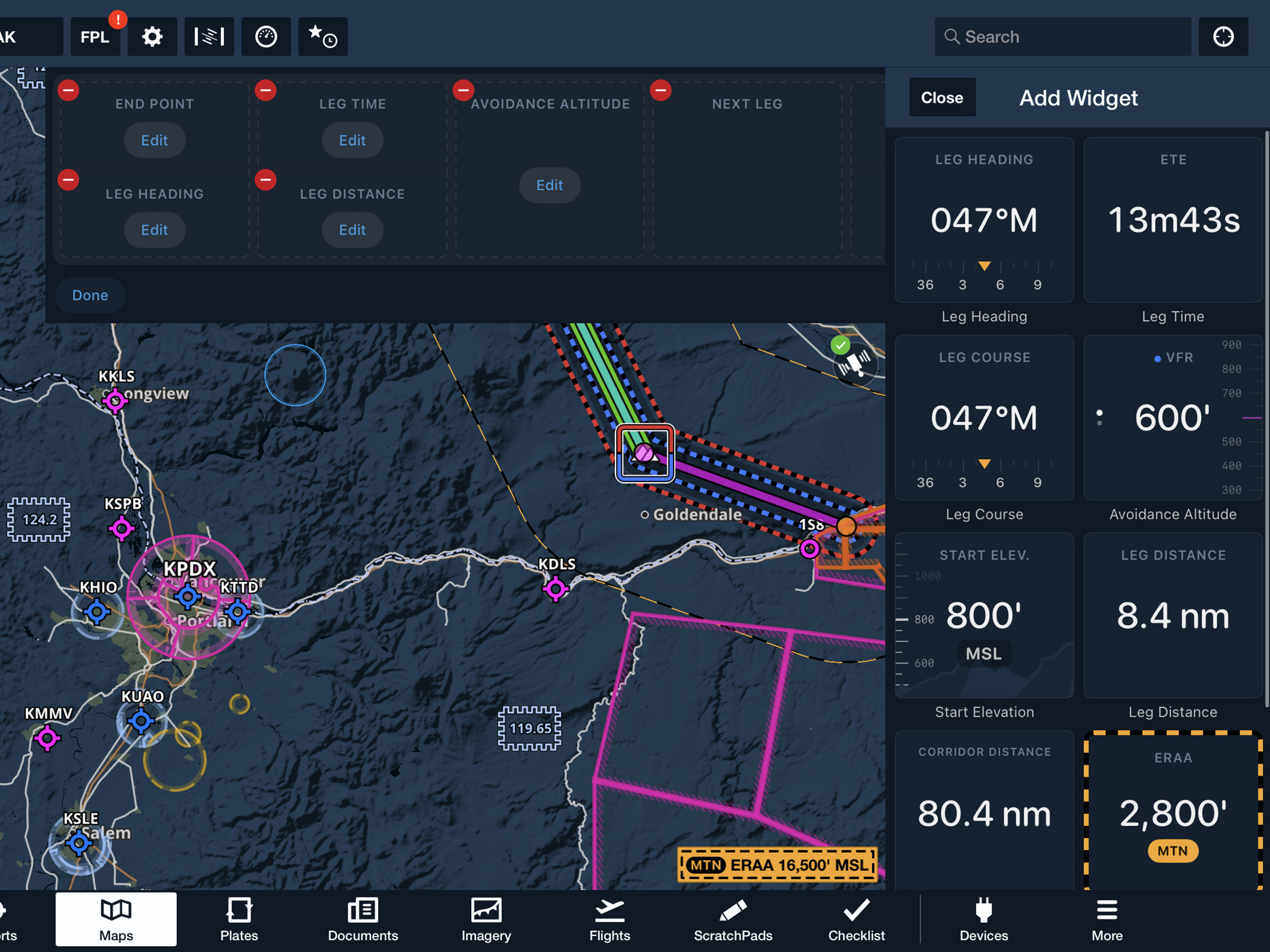
  • Leave static doghouses behind with a responsive information panel providing key details about the current leg including heading, distance, ETE, clearance altitudes, and more.
  • With Low Level Corridors created, tap the Dynamic Corridor Panel display button located underneath the tool bar in the top right corner of the screen to display the panel.
  • Tap the three dots to open the panel menu and adjust its position on the screen. The panel will automatically display information for your current leg, and you can swipe or use the arrows at the bottom to move to another leg.
  • Your leg end point, heading, estimated time enroute, and leg distance will display by default. Tap “edit panel” to choose from ten different widgets to display.
  • Available with ForeFlight MFB One subscription plans.

UAE Charts & Data

  • ForeFlight now provides government-sourced VFR and IFR charts and AIPs for the United Arab Emirates.
  • Available with all subscription plans that include the Middle East & South Asia region.