18.7
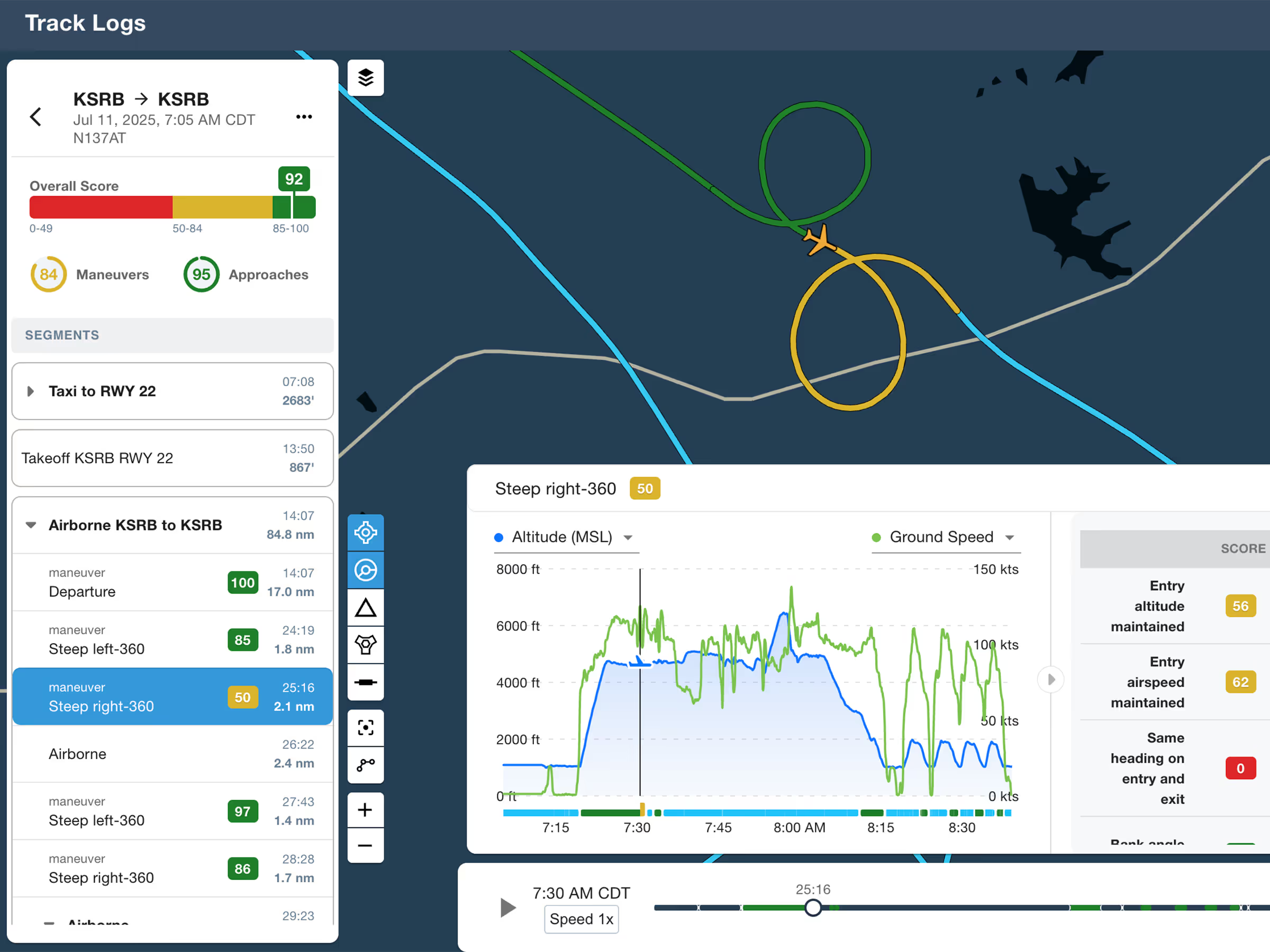
ForeFlight Debrief
Review flights with automatic Track Log segmentation, scoring, and 3D playback on both mobile and web.

Explore the latest ForeFlight features and browse past release notes to stay updated on new tools, enhancements, and improvements.
Review flights with automatic Track Log segmentation, scoring, and 3D playback on both mobile and web.
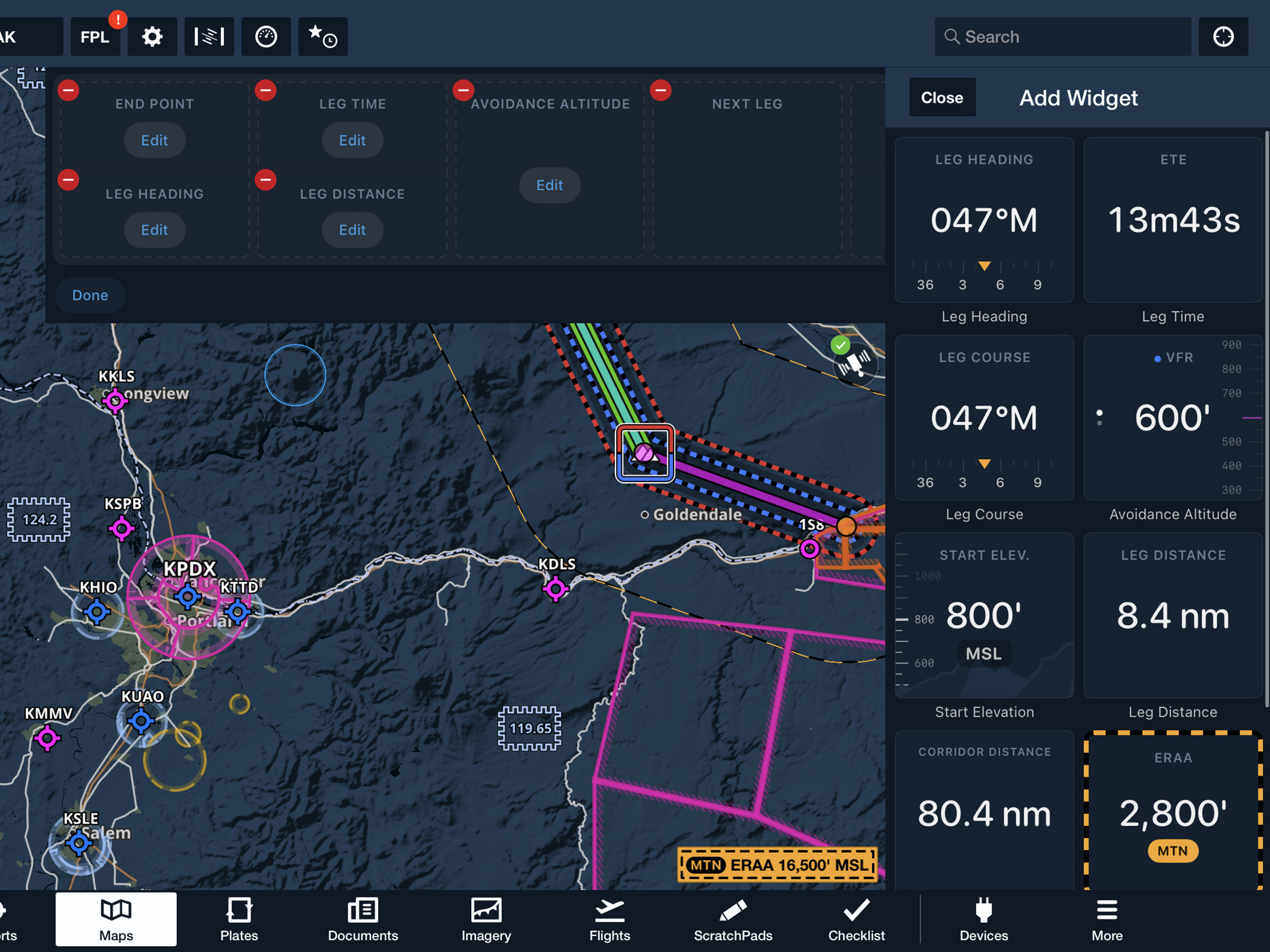
View current-leg details at a glance with a customizable information panel for Low Level Corridors.
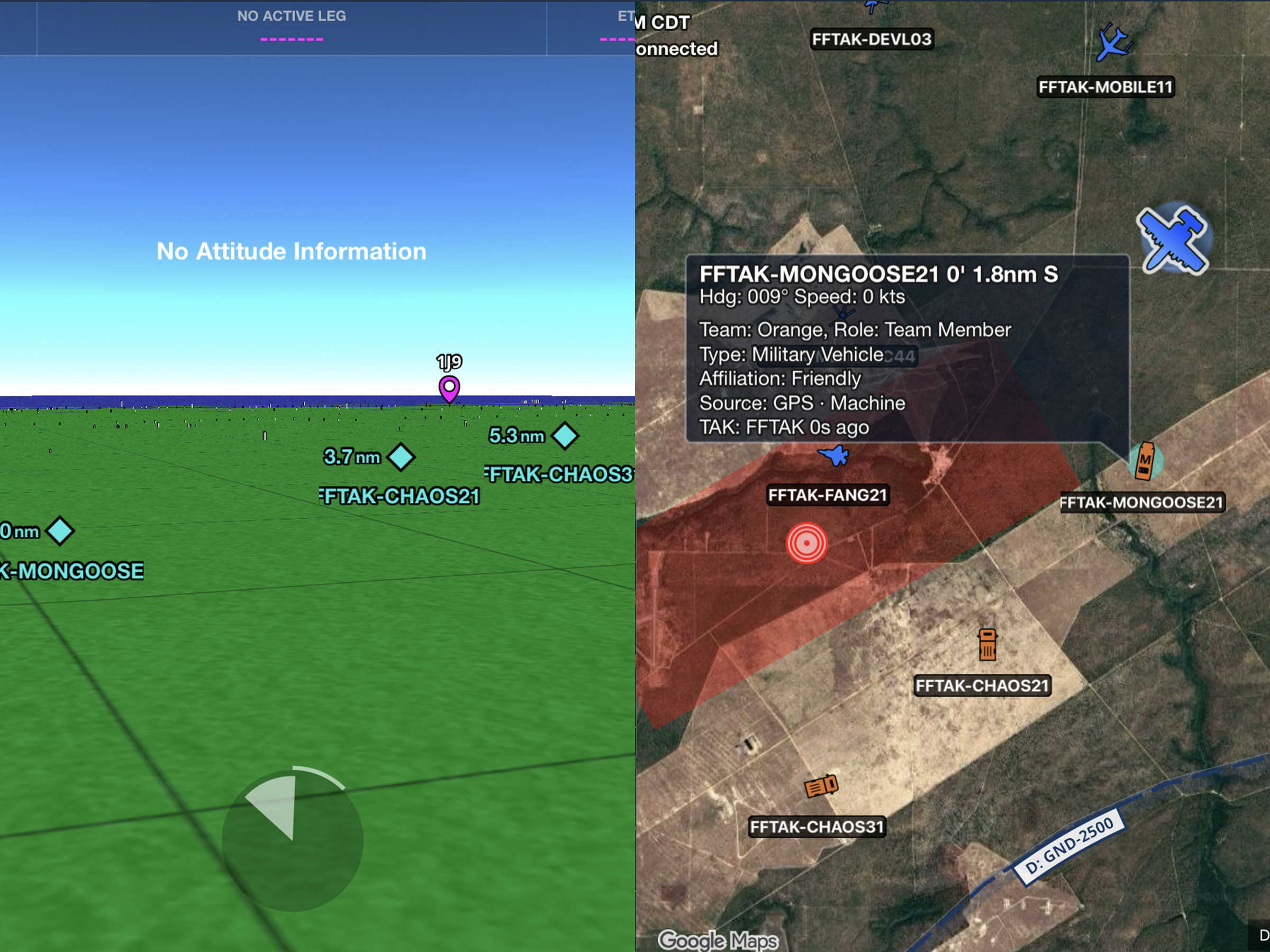
Connect to TAK servers to share your position and view other connected assets as live traffic on the map.
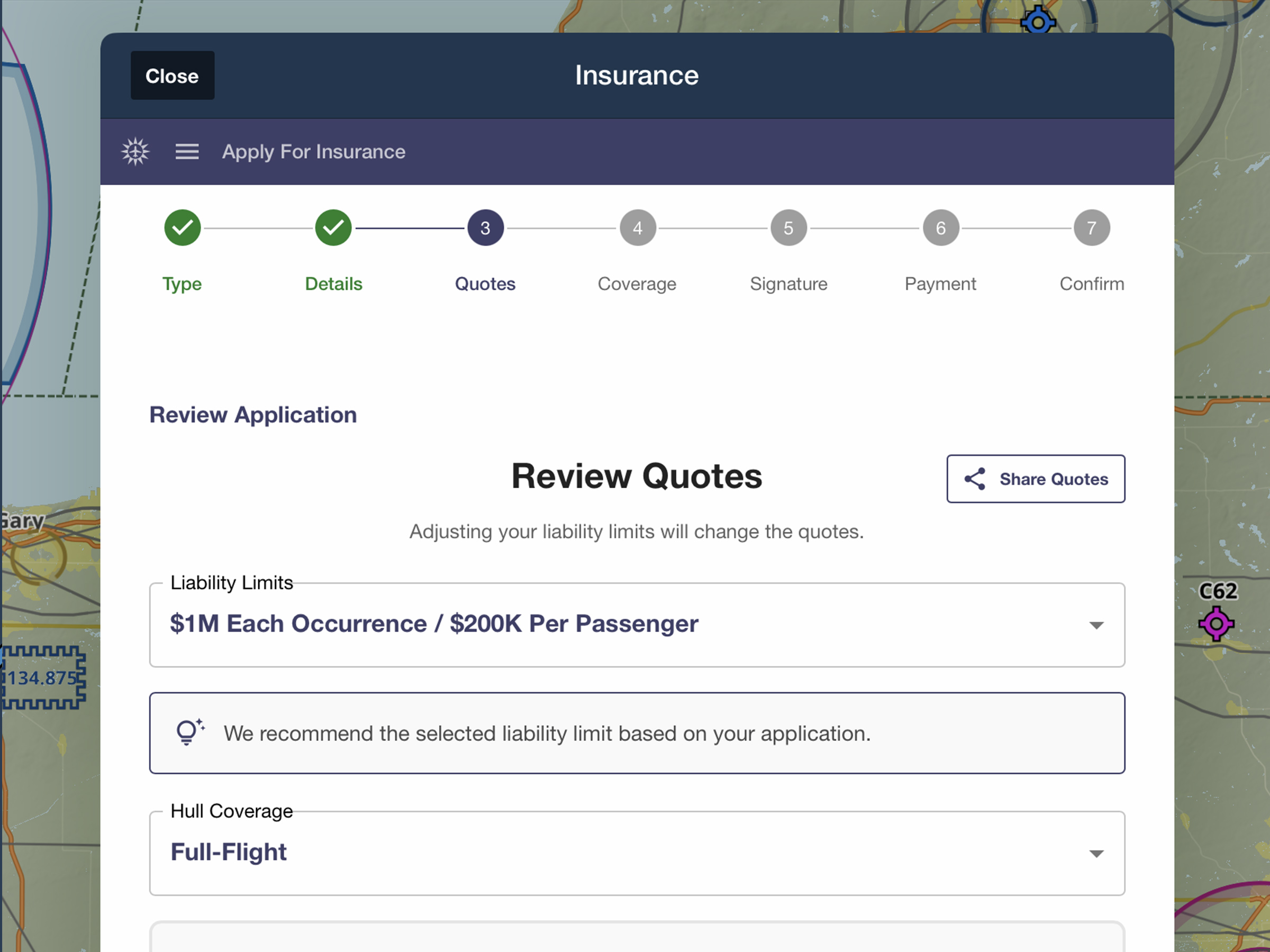
Quote, compare, purchase, and manage aviation insurance directly in ForeFlight.
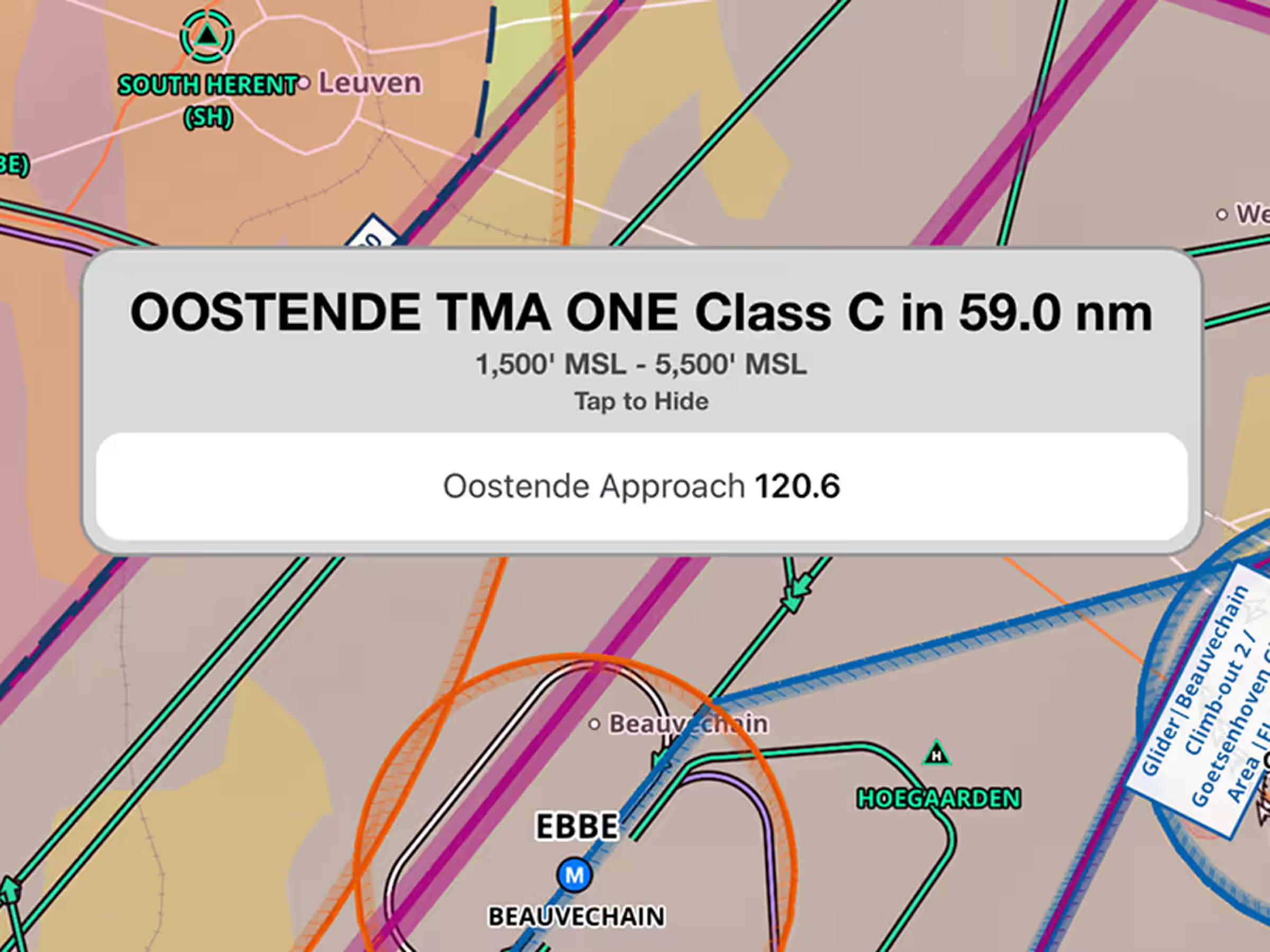
See relevant frequencies in airspace alerts as you approach controlled airspace.
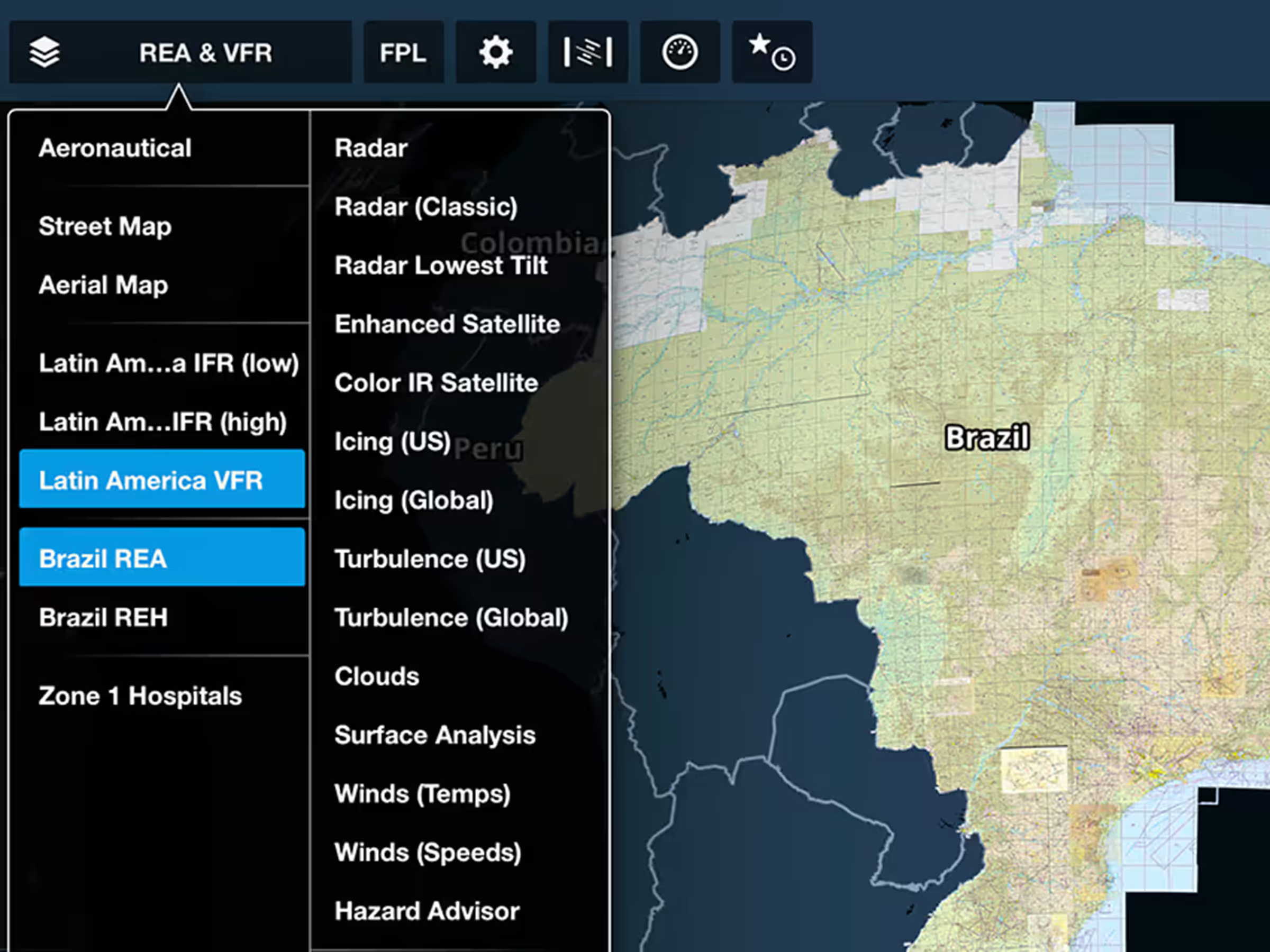
Access Brazilian government charts, data, and documents in the Latin America region.
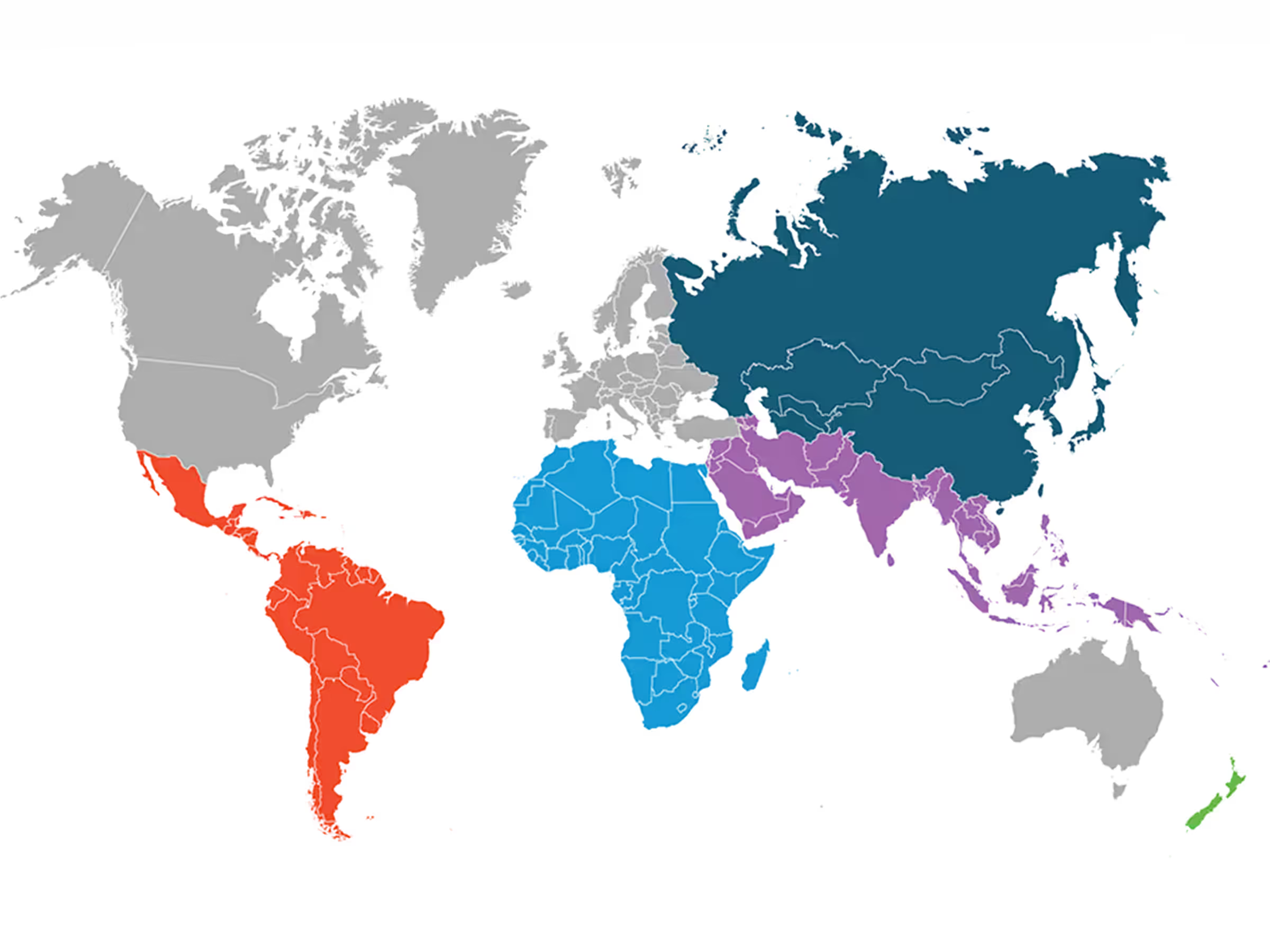
Access new global regions including Latin America, Africa, Middle East, Asia Pacific, and New Zealand.
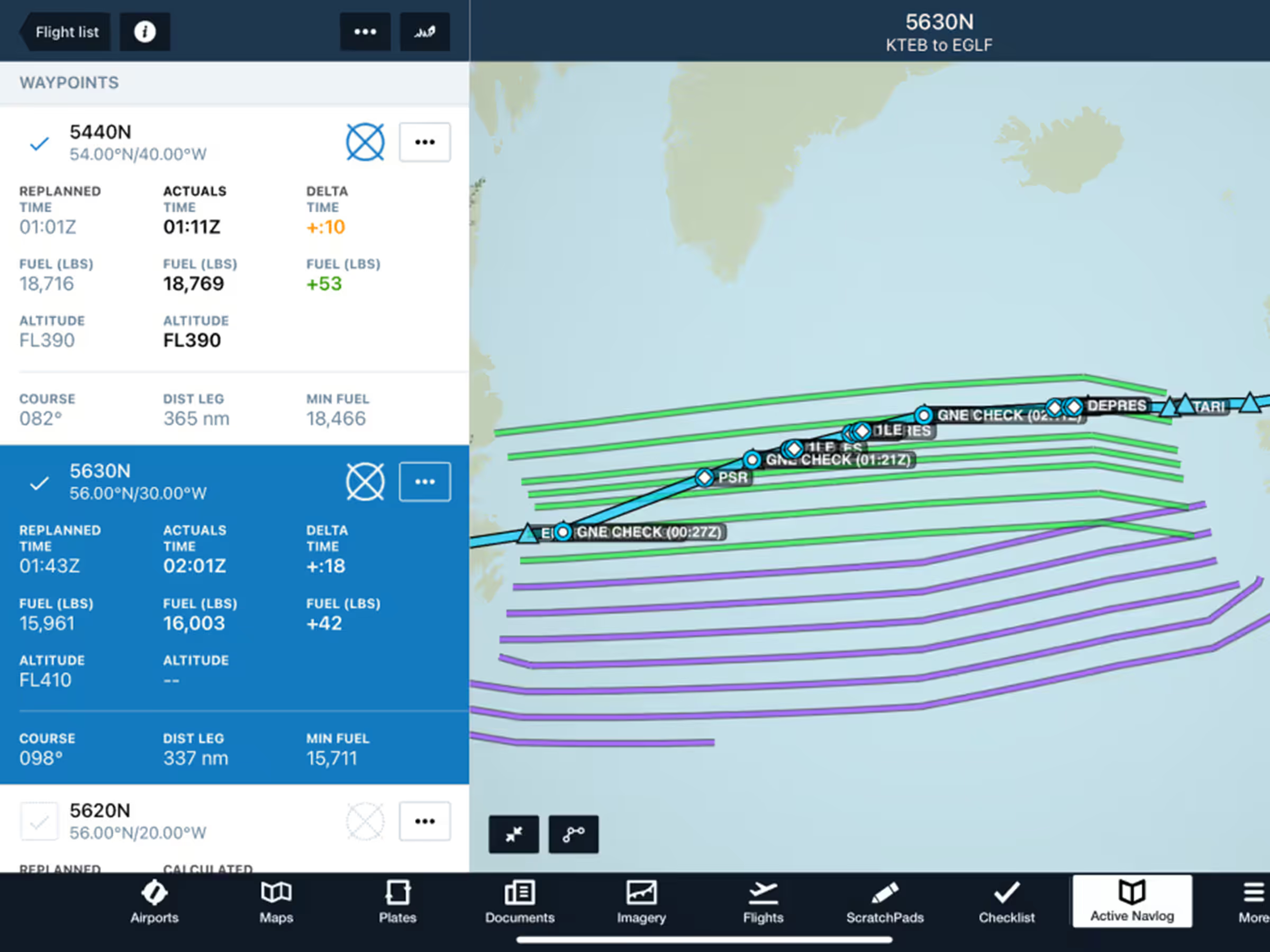
Record position reports and GNE checks with streamlined oceanic plotting in Active Navlog.
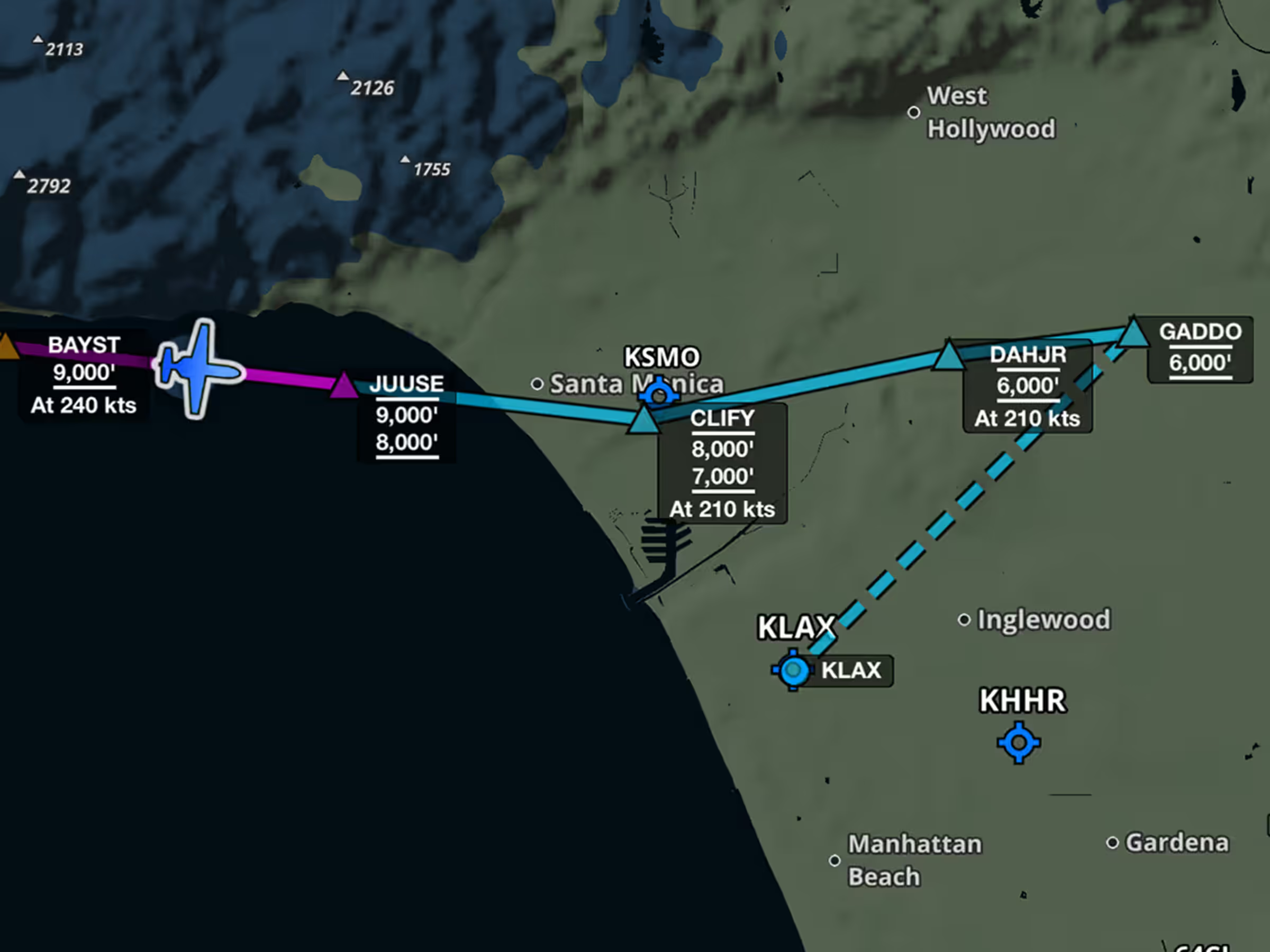
Check speed and altitude limits for every fix in SIDs, STARs, and approaches with Augmented Procedures.
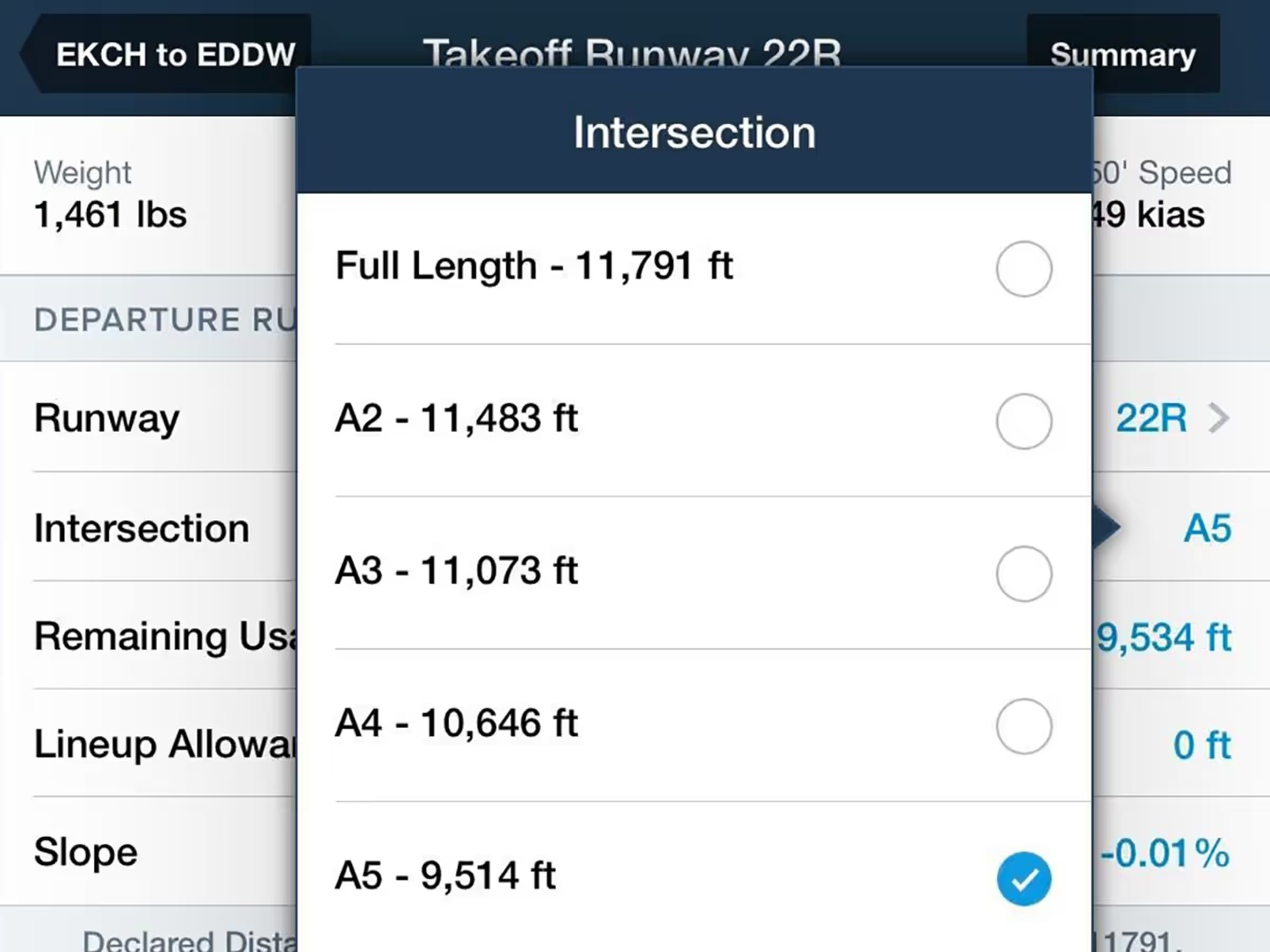
Specify runway intersections for takeoff with automatic reduced runway length calculations.
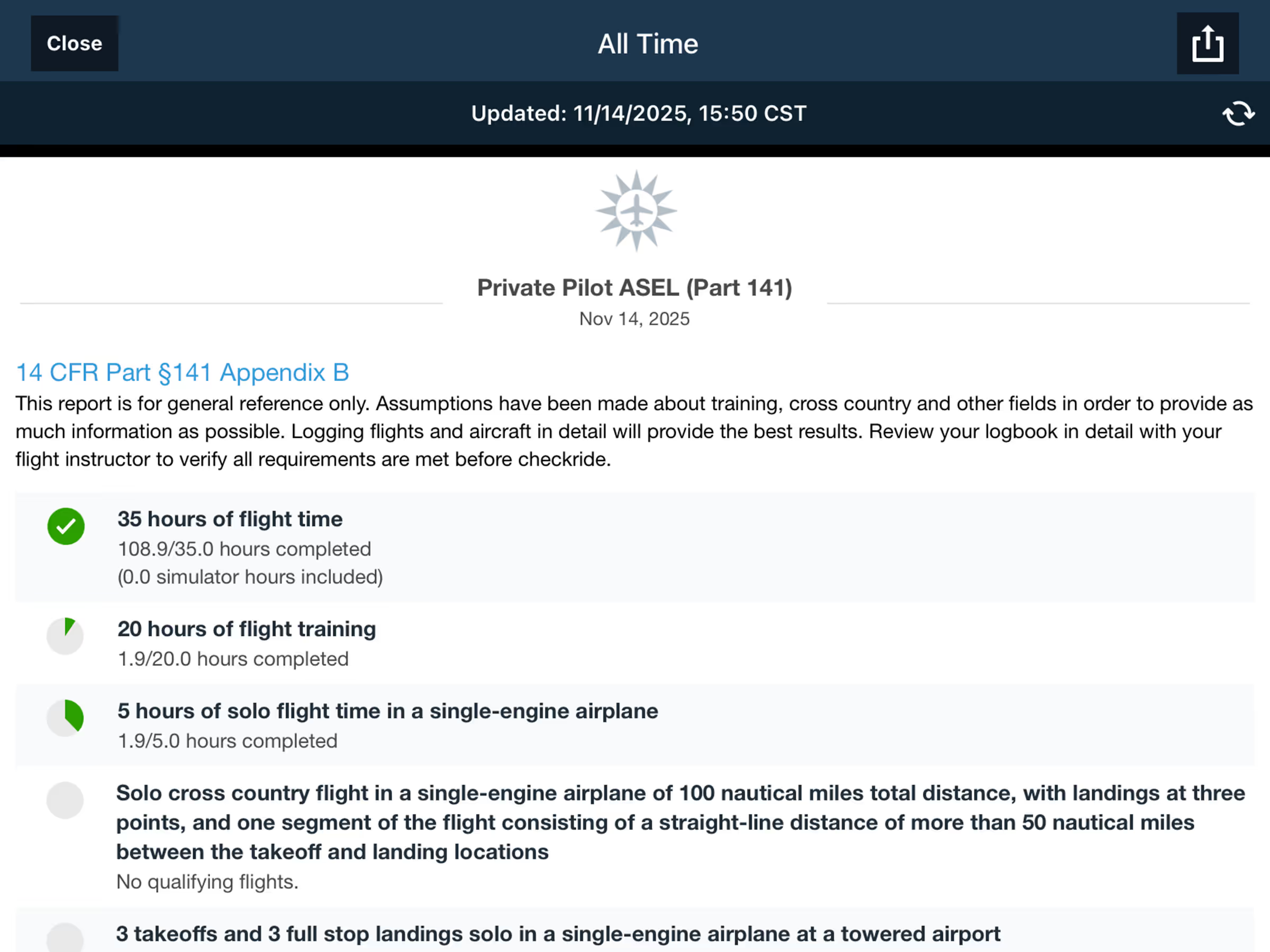
Enhanced logbook reporting features including report timestamps and better FAA Part 141 progress tracking,

Hide airspace activated by NOTAM to declutter the Aeronautical Map.
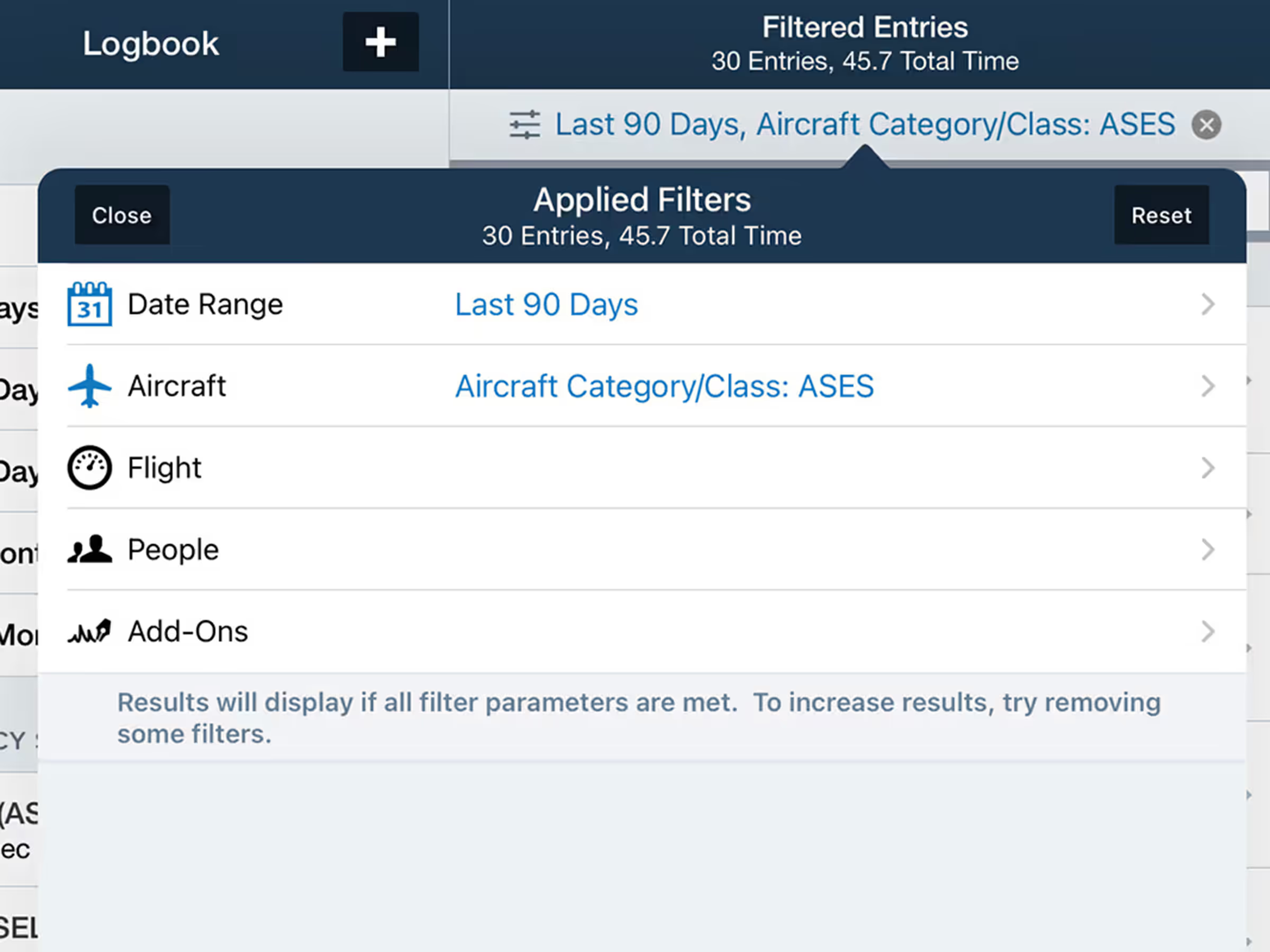
Search Logbook entries by date, aircraft, airports, and more with new filters.

Erase map annotations by dragging your finger across them using the new Eraser tool.
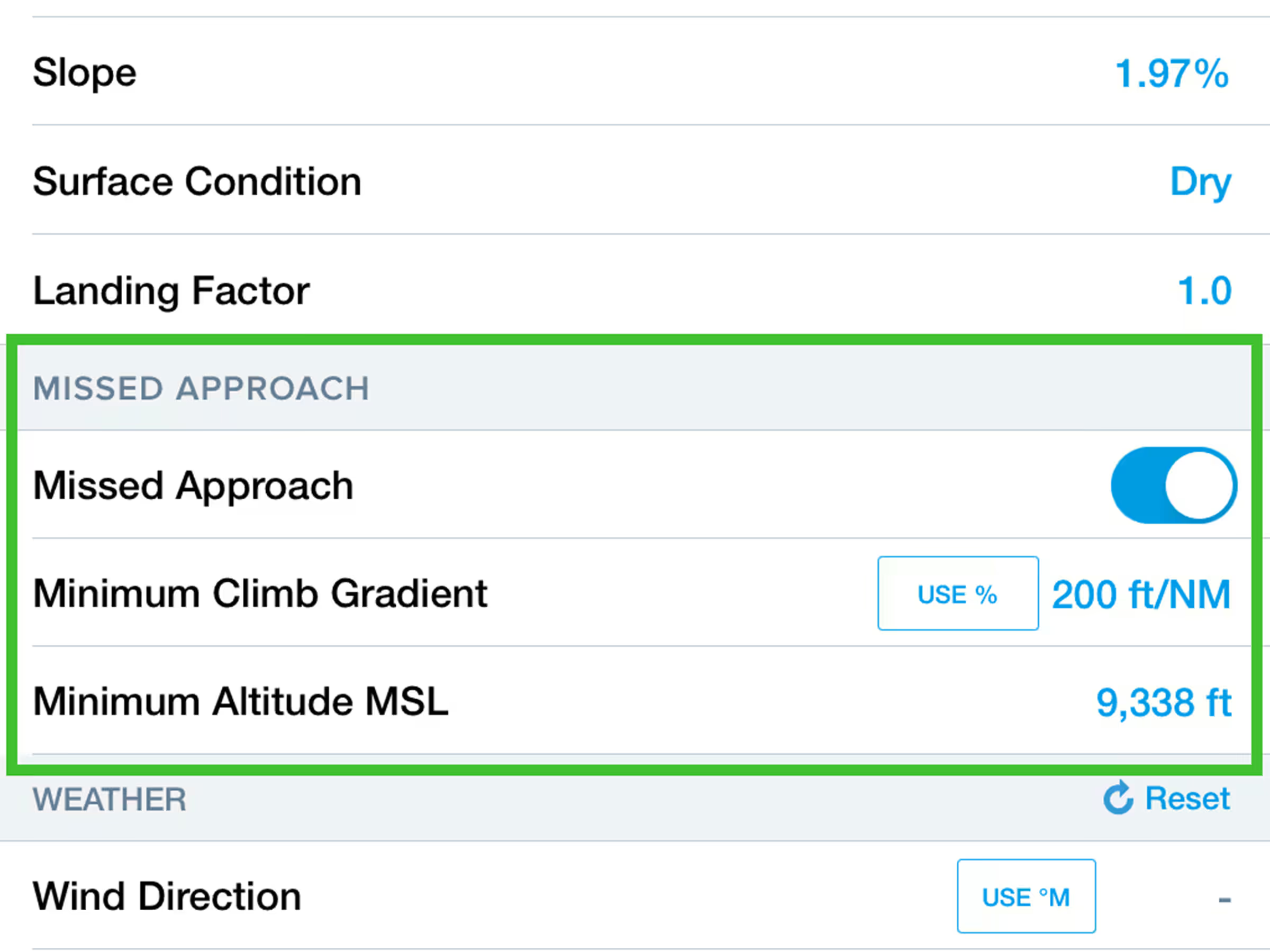
Include missed approach climb requirements in Landing Analysis calculations.

Pilots in New Zealand can now view, plan, and file with VFR Waypoints on the Aeronautical Map layer.
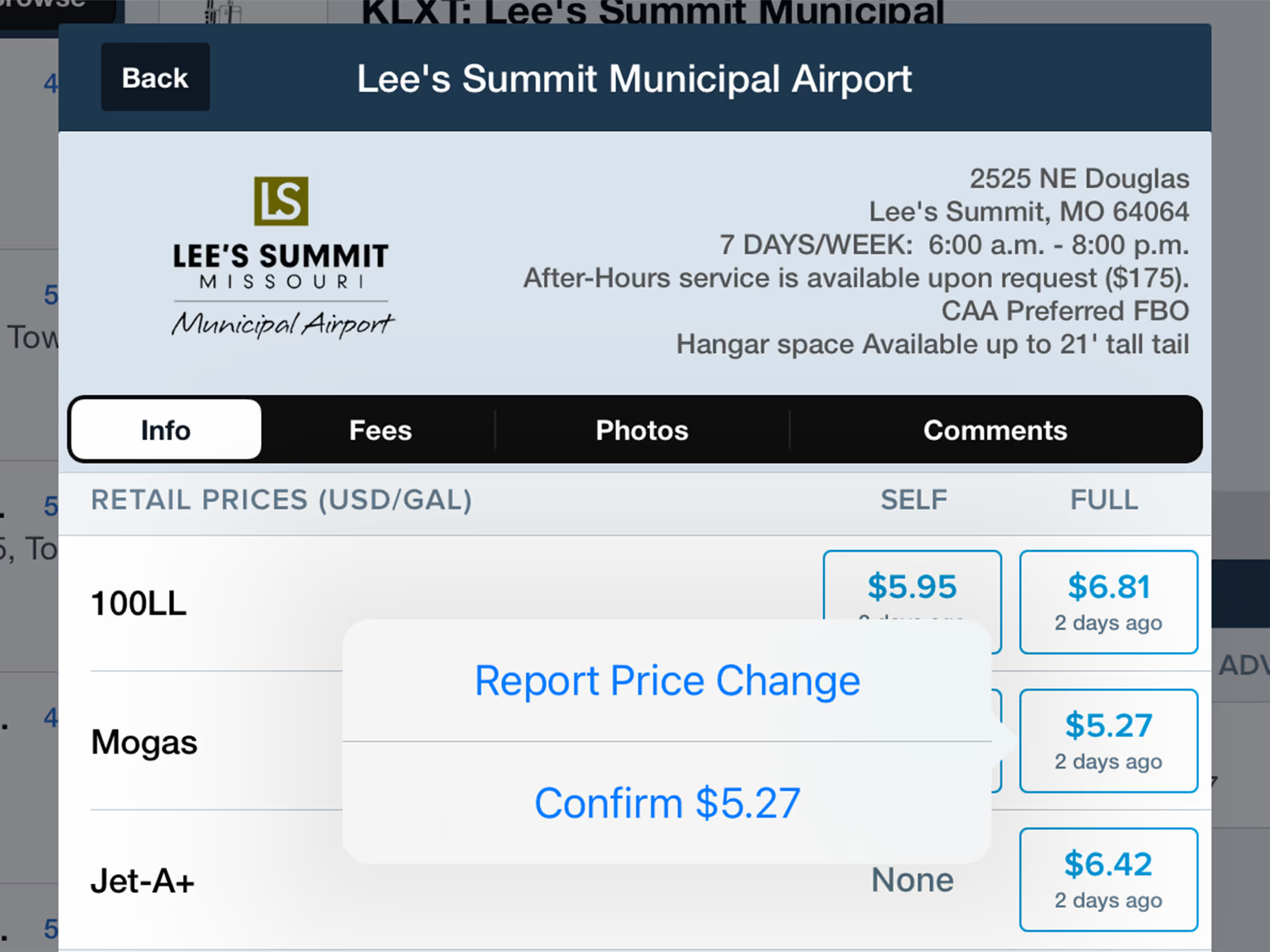
Report or confirm fuel prices with streamlined interface at airports and on fuel map layers.

Access ForeFlight on Apple Watch for weather and airport information.
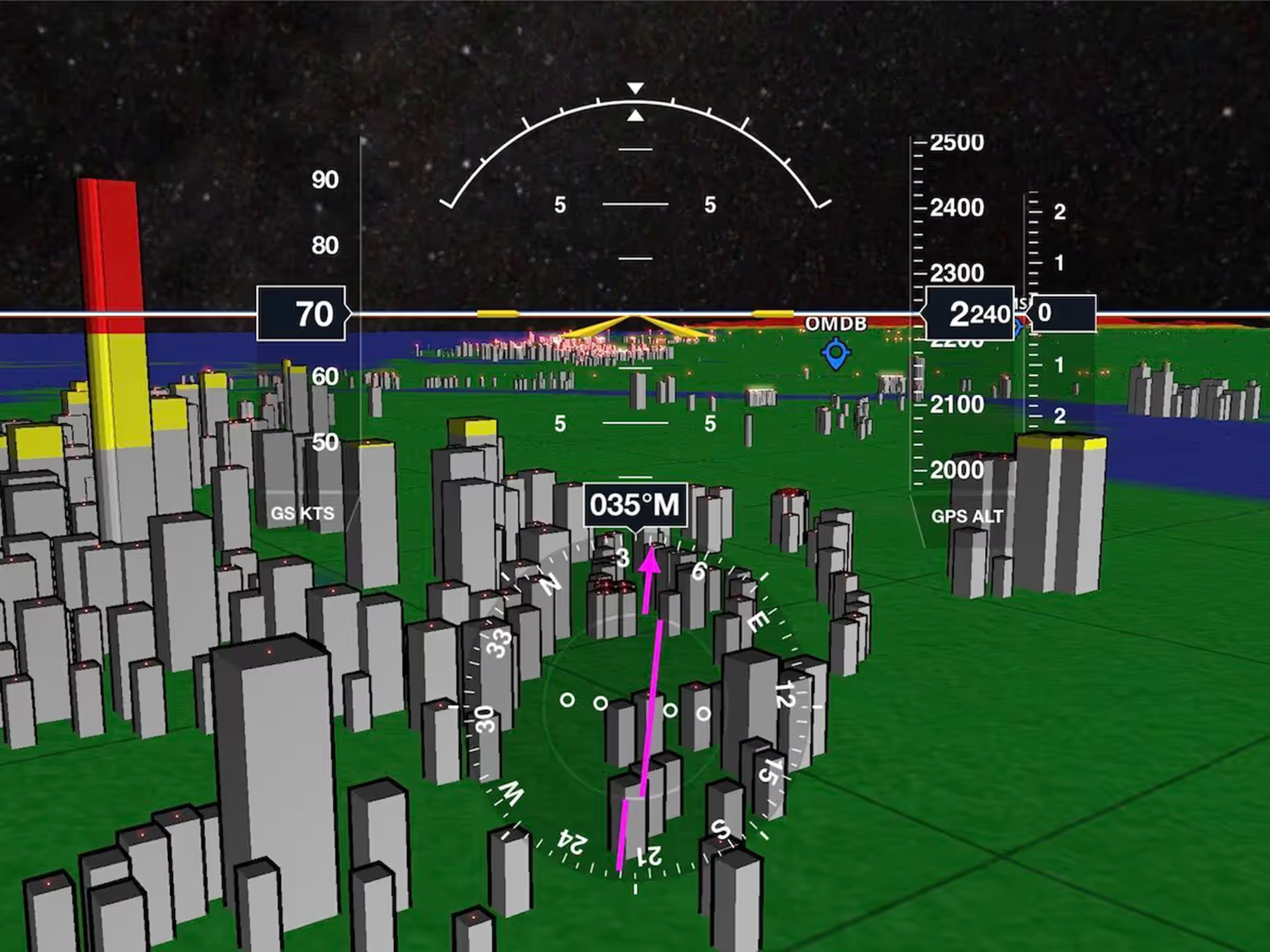
View enhanced 3D obstacles with nighttime lighting in different shapes for buildings, towers, and windmills.
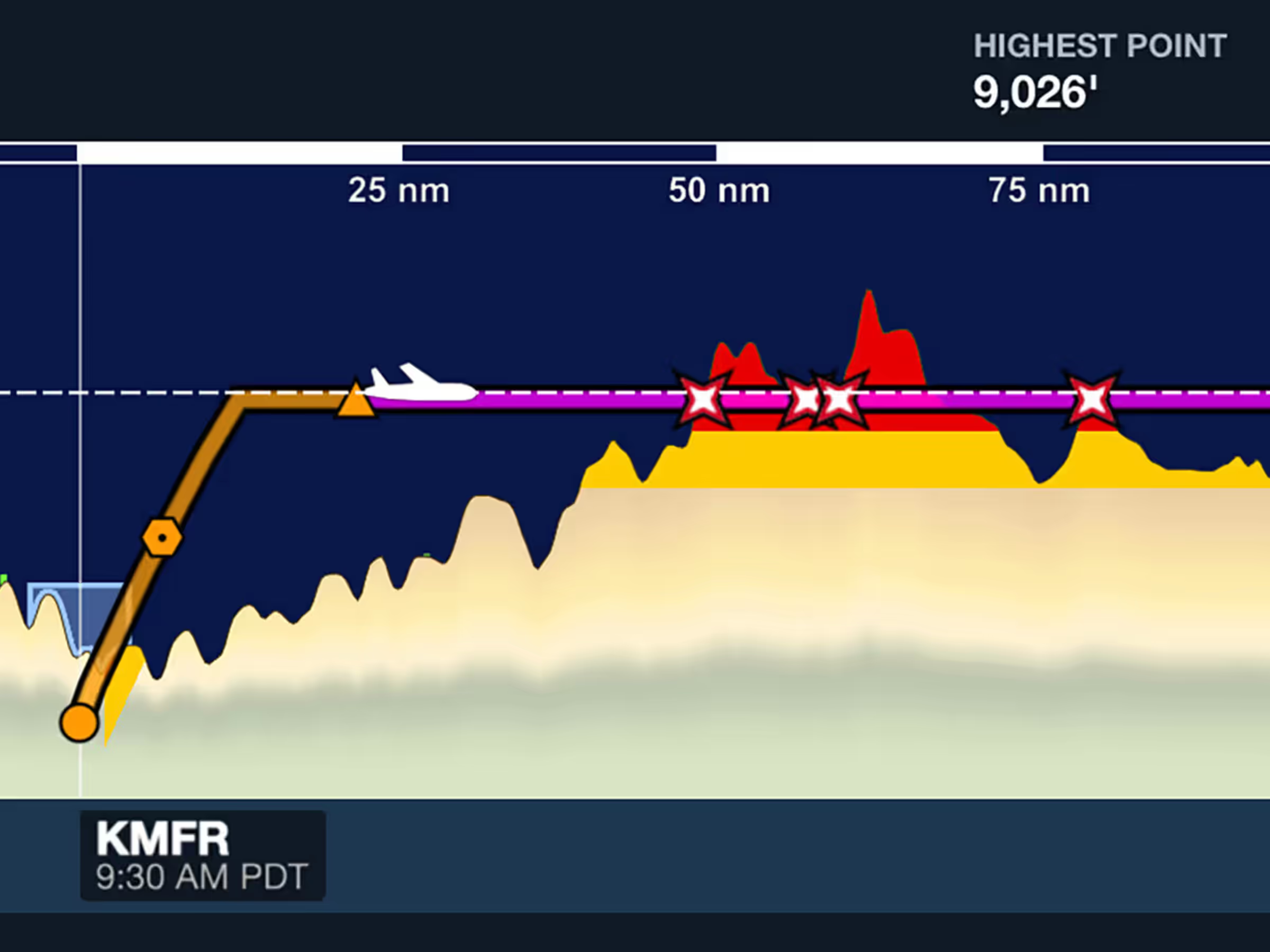
See terrain and obstacle strikes clearly marked with red X markers in Profile View.