18.7
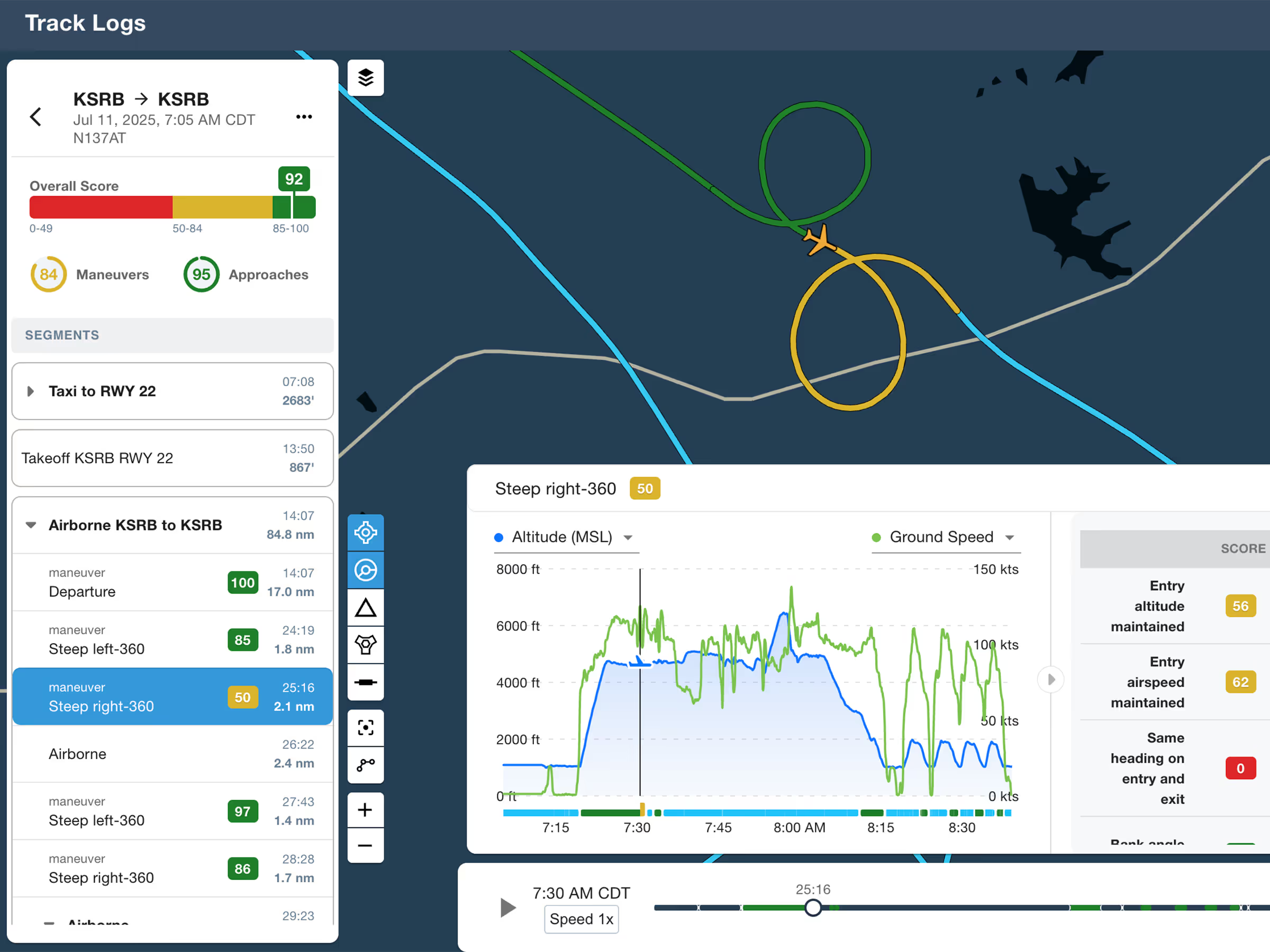
ForeFlight Debrief
Review flights with automatic Track Log segmentation, scoring, and 3D playback on both mobile and web.

Explore the latest ForeFlight features and browse past release notes to stay updated on new tools, enhancements, and improvements.
Review flights with automatic Track Log segmentation, scoring, and 3D playback on both mobile and web.
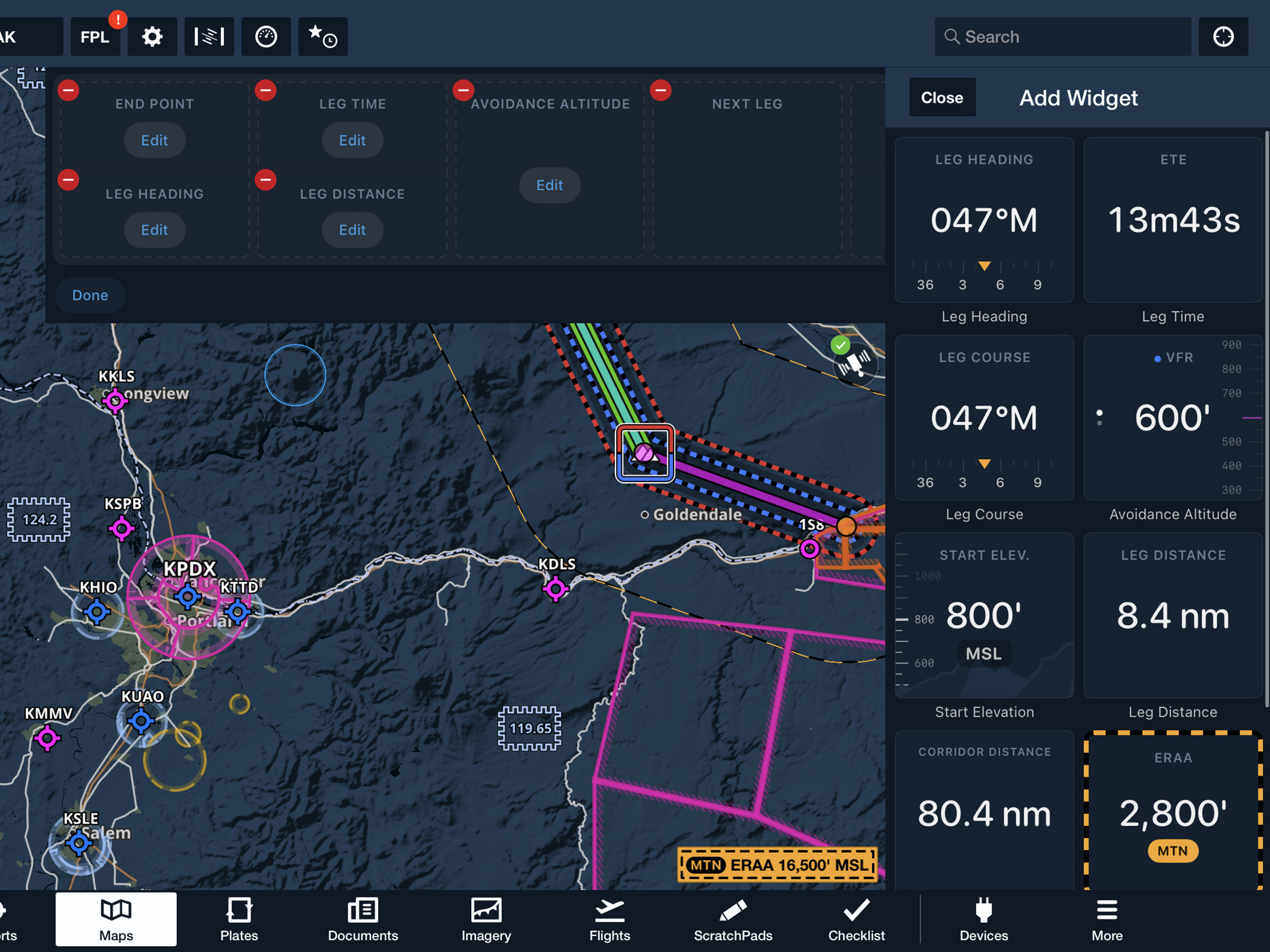
View current-leg details at a glance with a customizable information panel for Low Level Corridors.
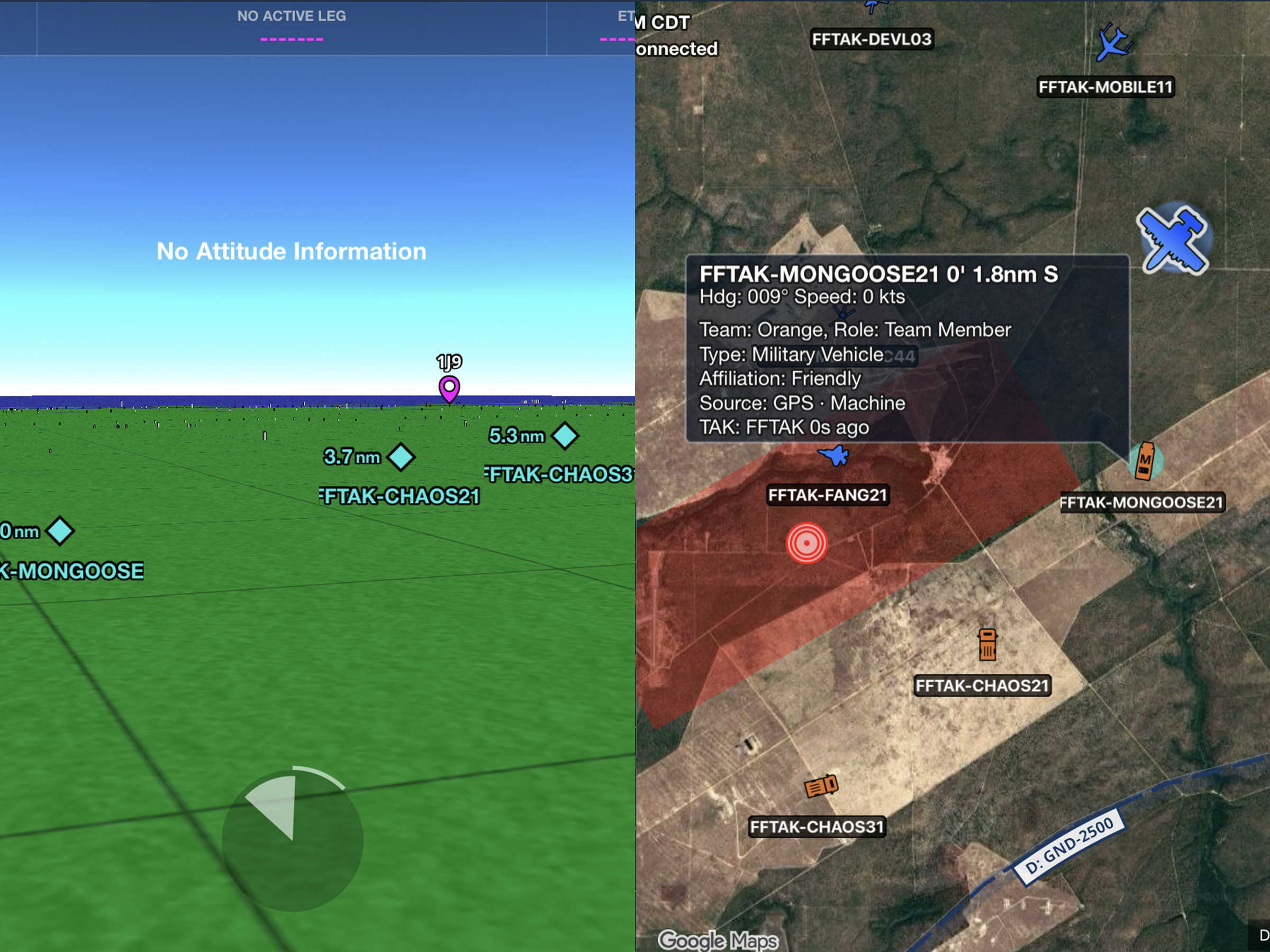
Connect to TAK servers to share your position and view other connected assets as live traffic on the map.
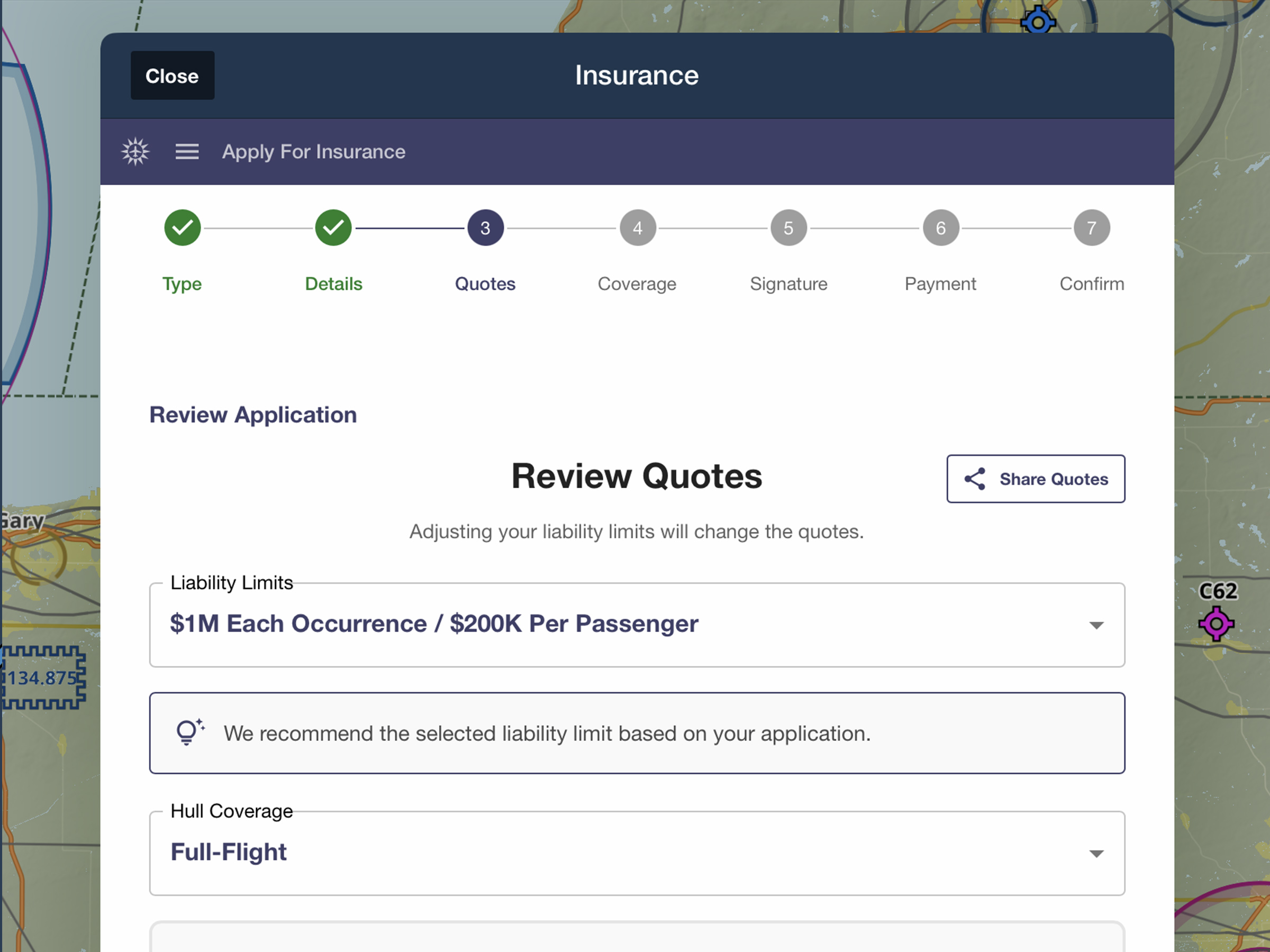
Quote, compare, purchase, and manage aviation insurance directly in ForeFlight.
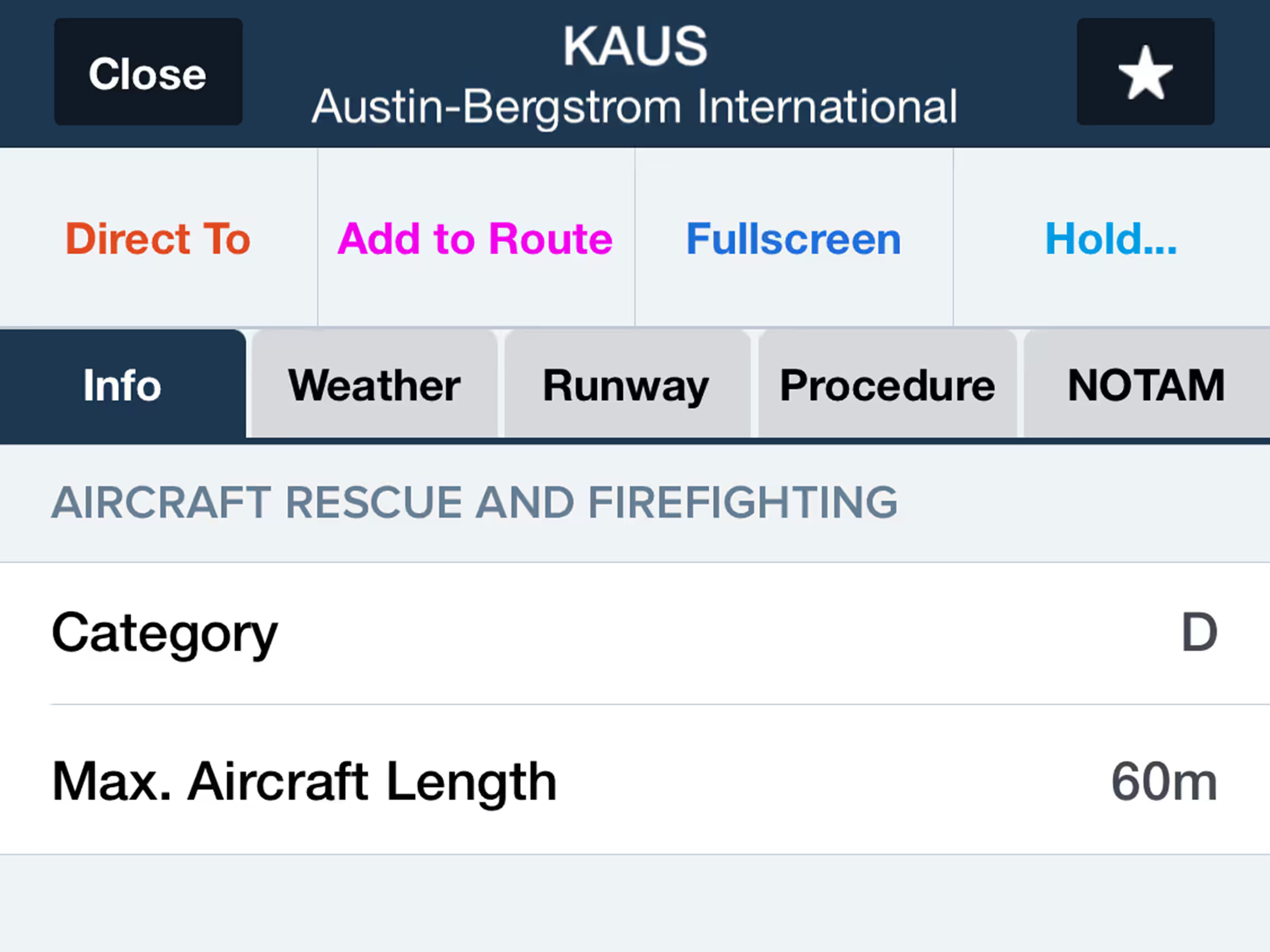
Access Aircraft Rescue and Firefighting categories in the Airports Info tab.
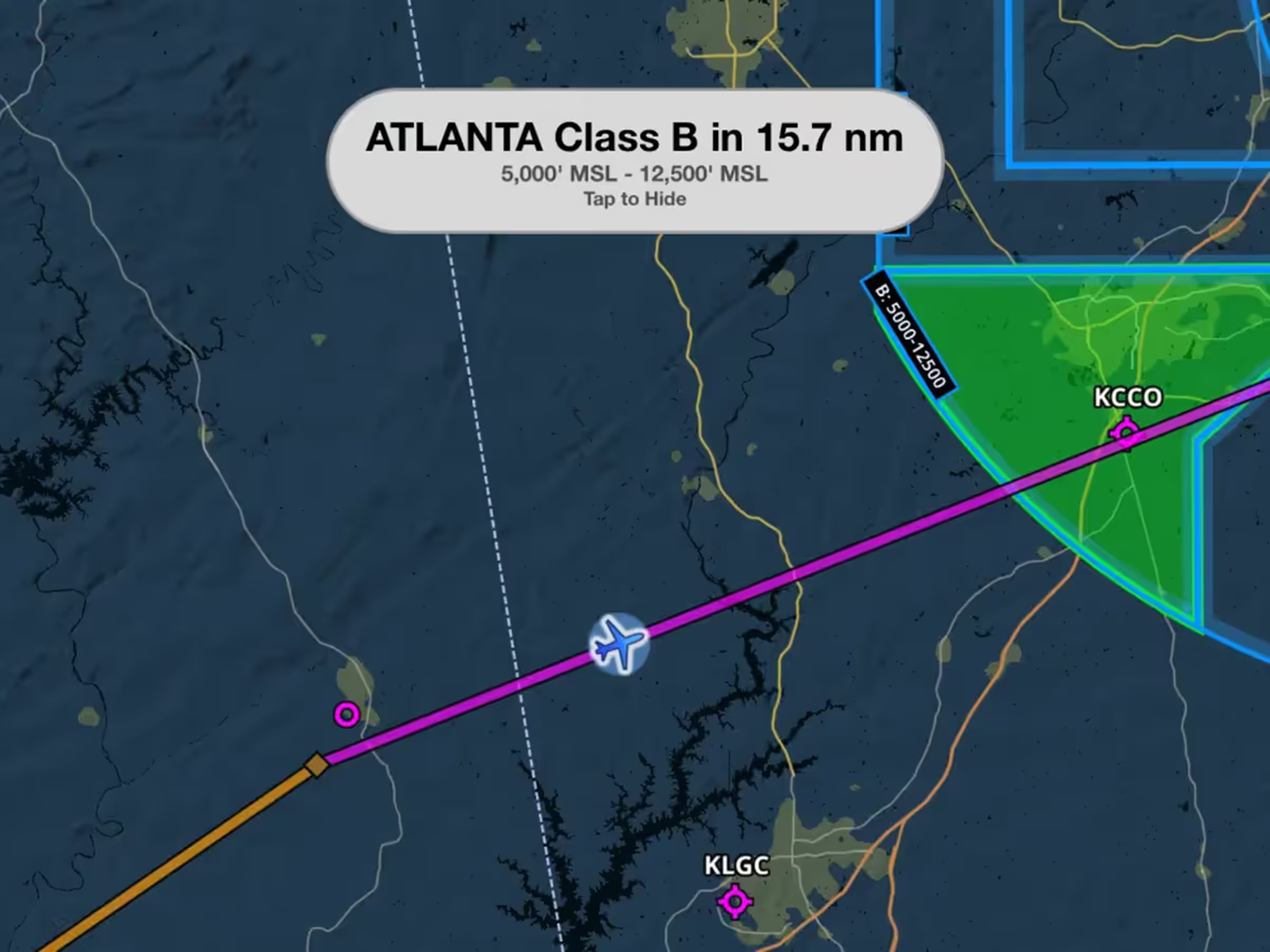
Get visual and audio alerts when approaching, entering, and exiting controlled airspace.
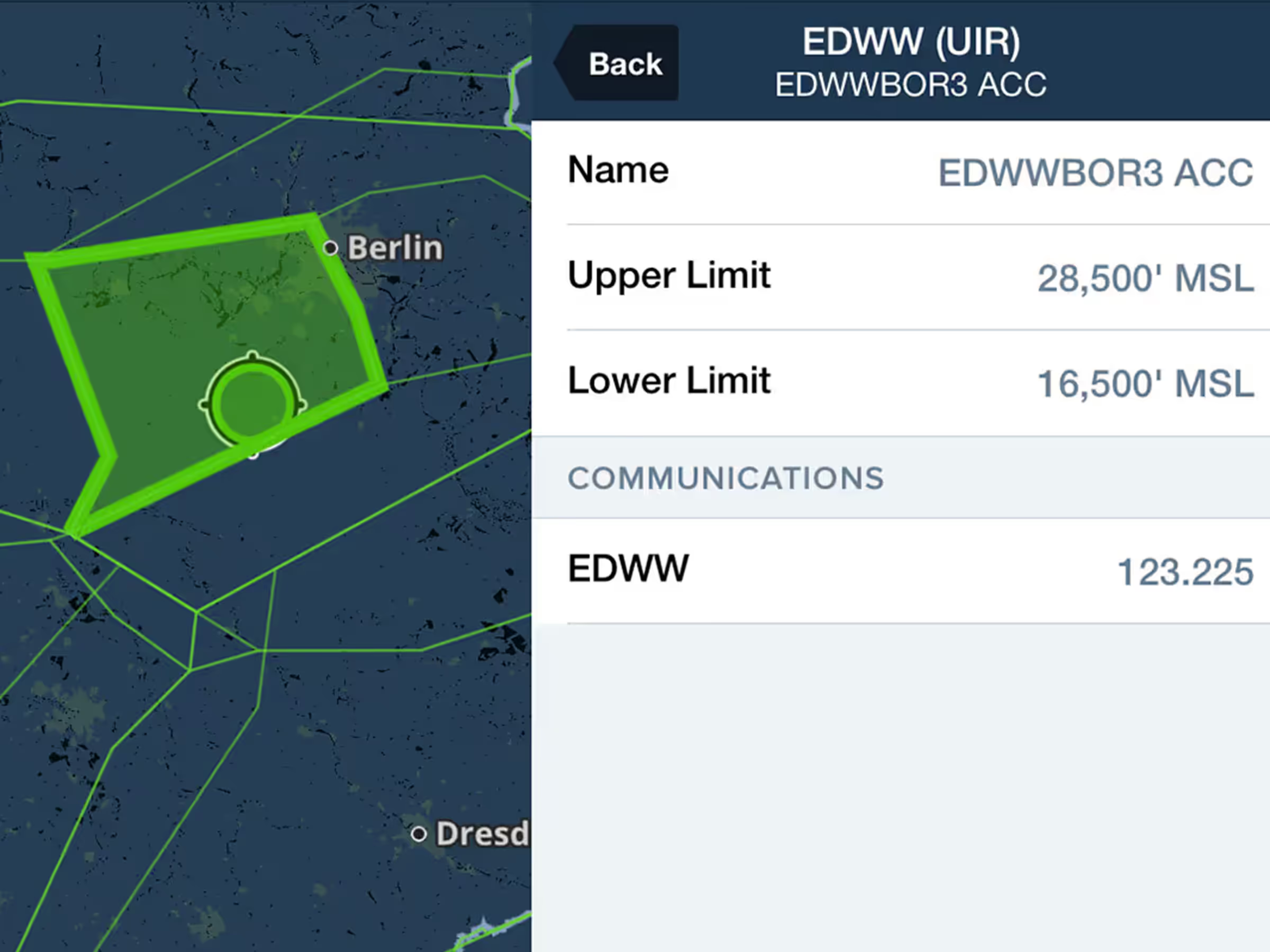
View ATC sector boundaries on the map with low/high toggle options and frequency stamps in the U.S.
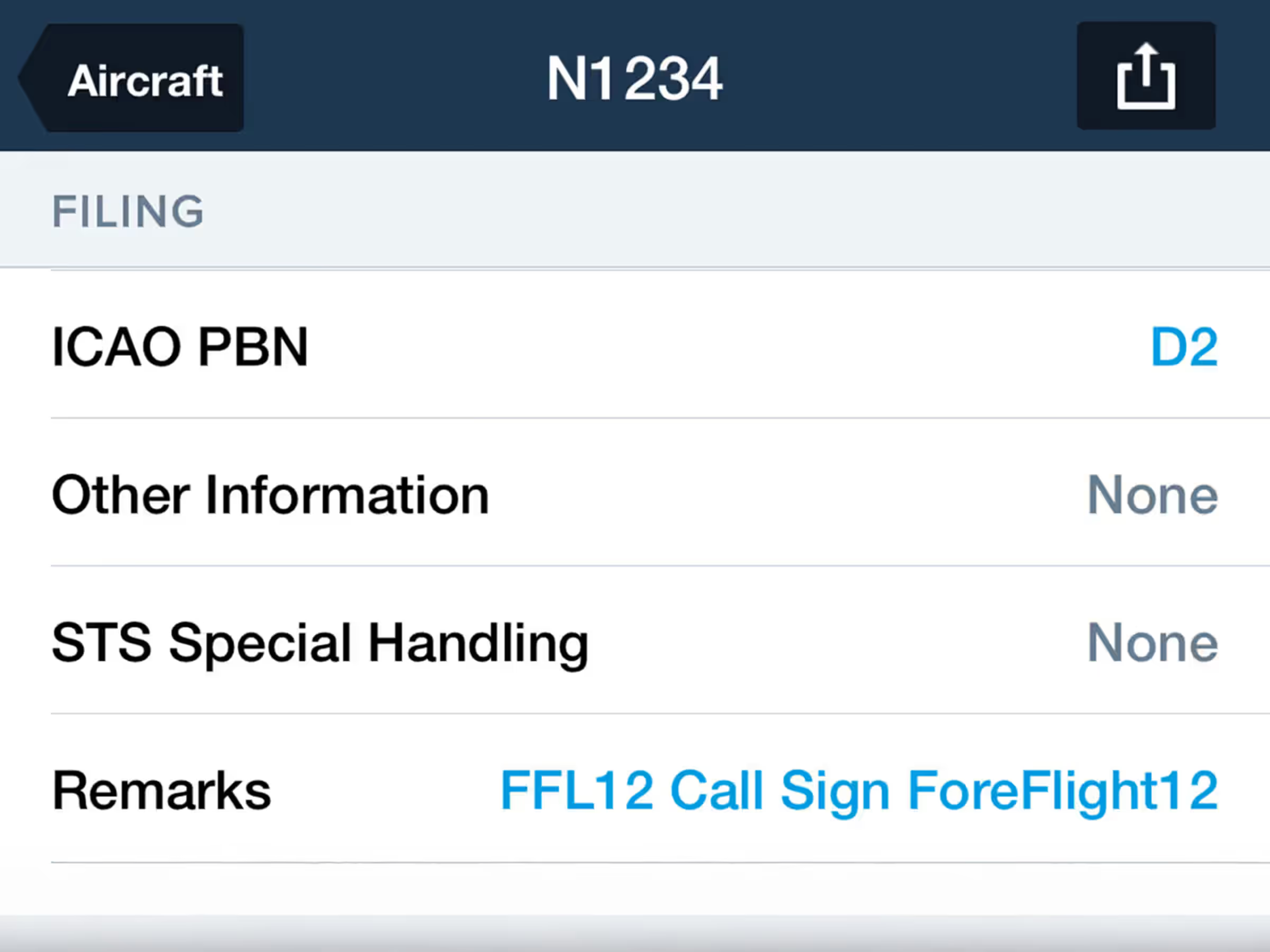
Add aircraft-specific remarks for automatic insertion in ICAO flight plan form field 18 when filing.

Edit waypoint-specific route elements like Delays/STAYs and add ATC remarks directly in the Filing Form.

Select from multiple Radar sources while connected to external devices providing datalink weather.
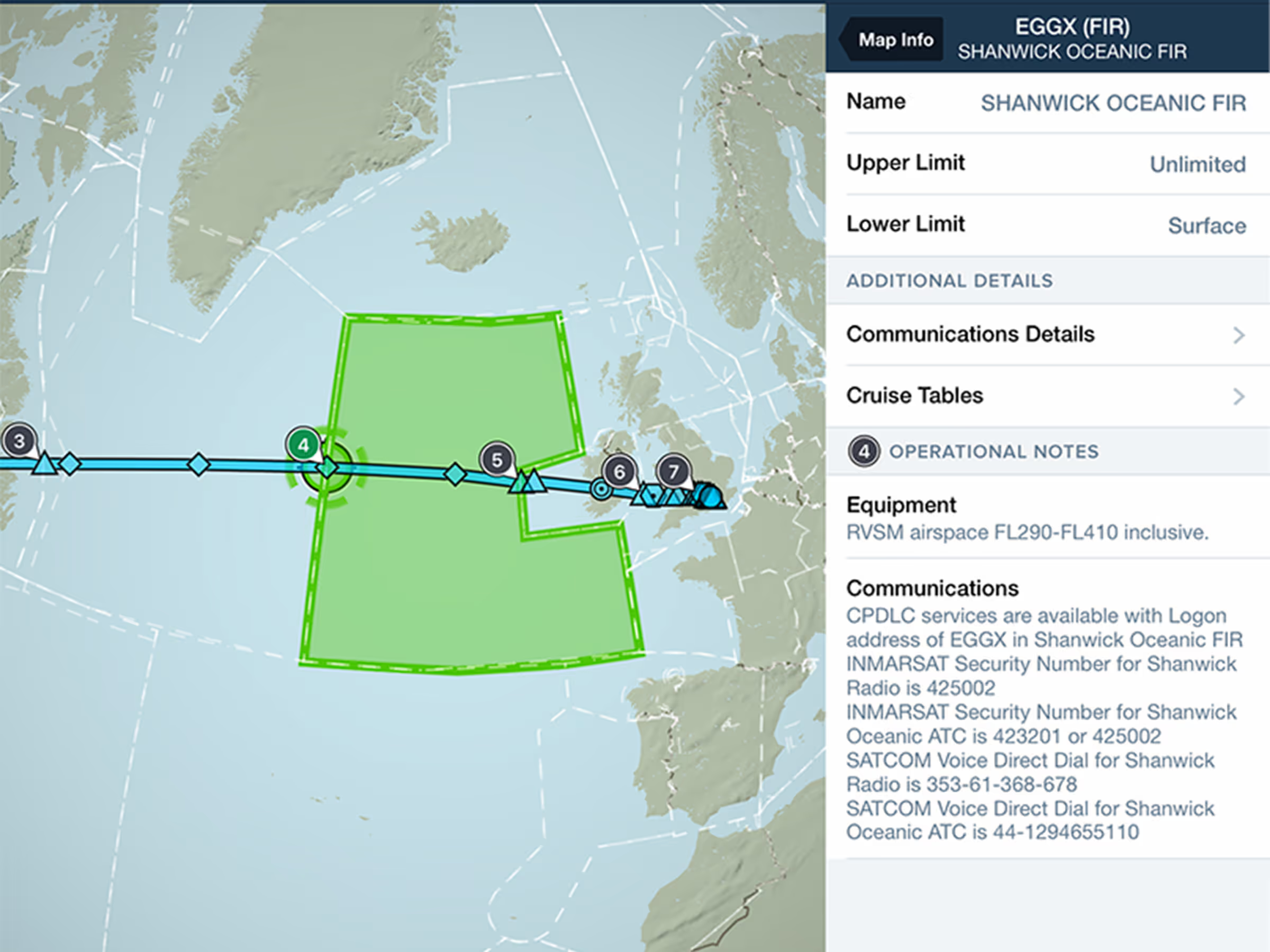
Find Operational Notes with tappable numbered flags placed along your route. Available with Premium plans.
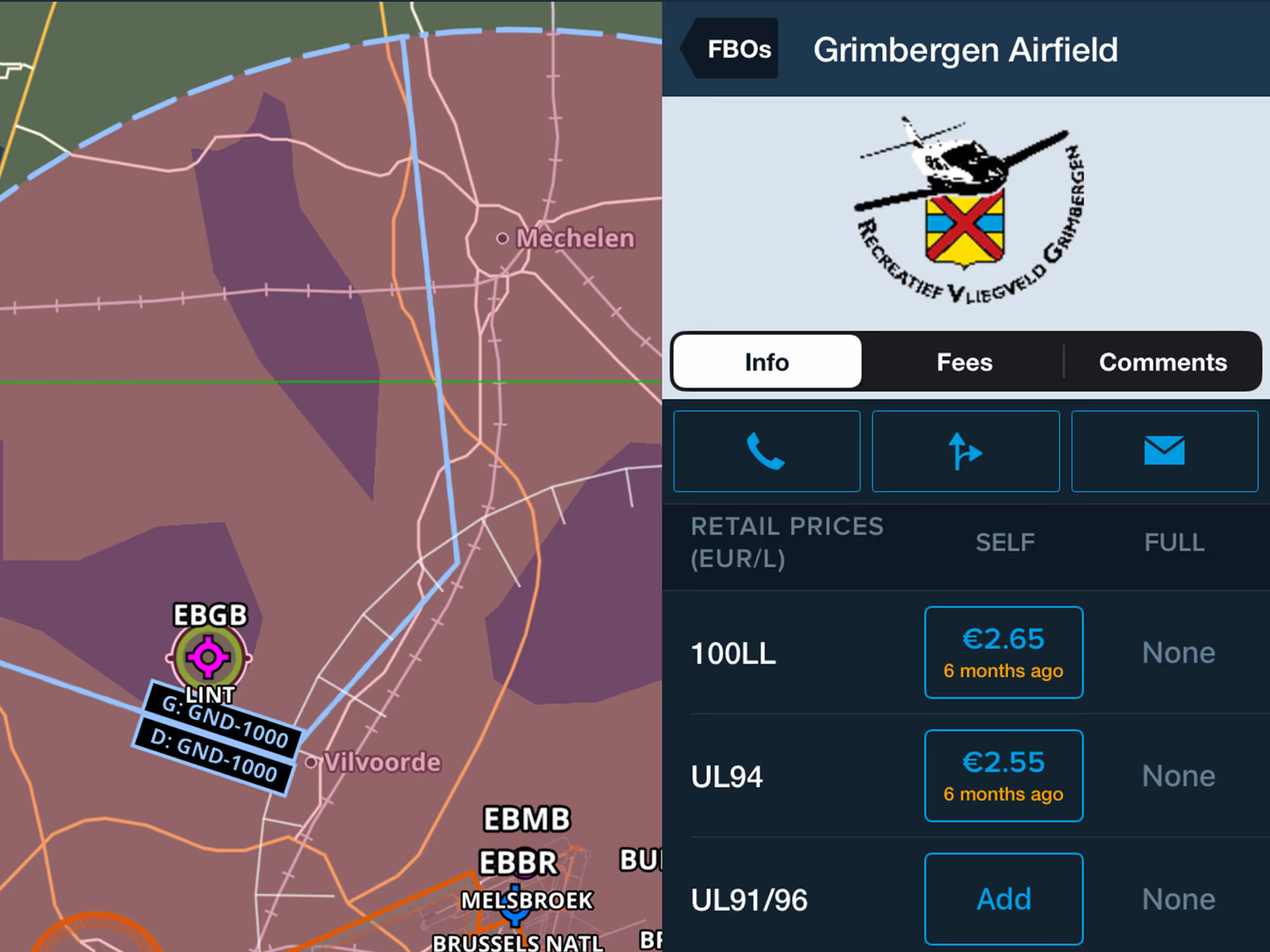
Find UL 91/96 fuel pricing and availability with self/full service options and price update timing.
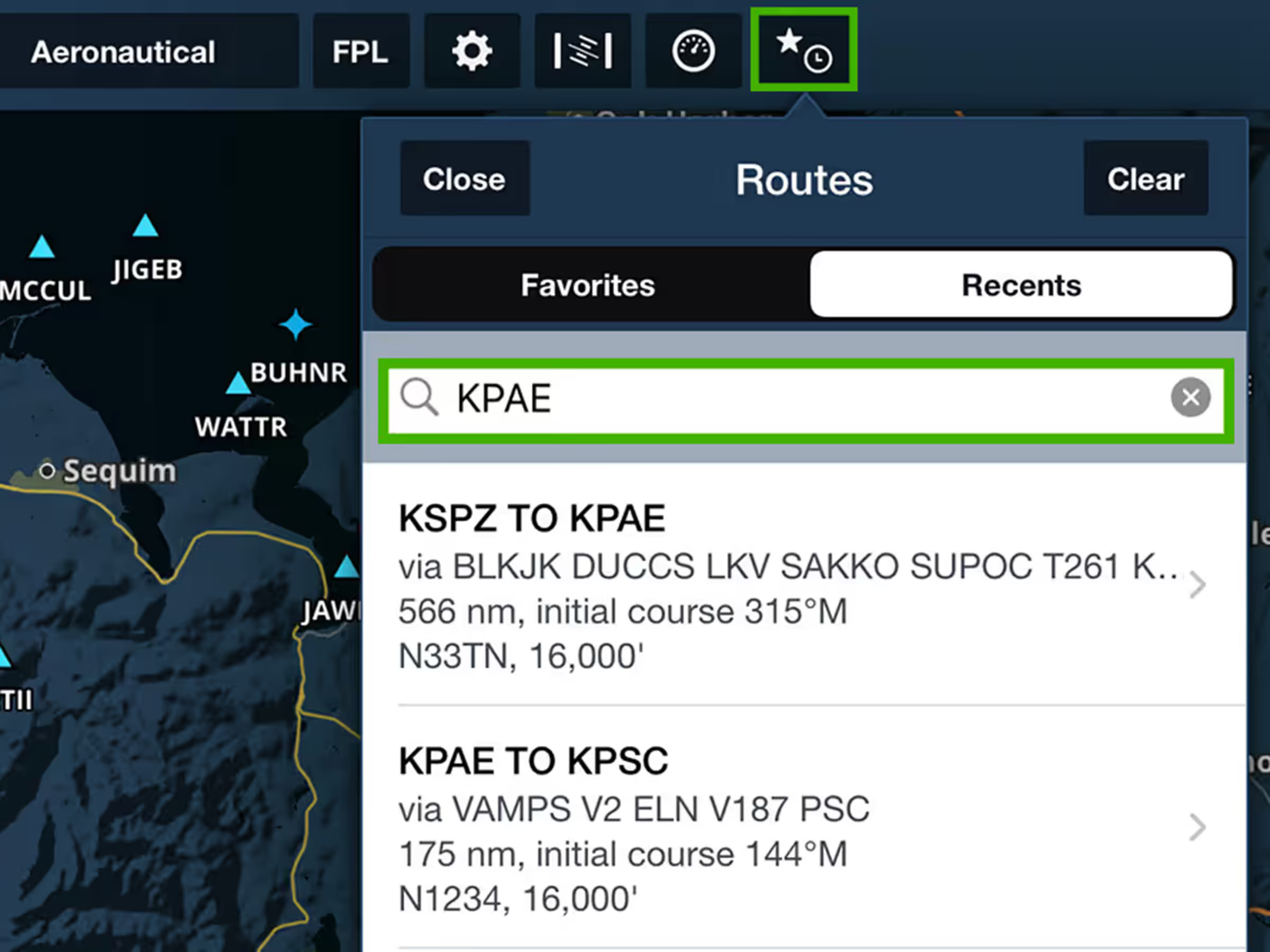
Search for Favorite and Recent Routes using different identifiers to find routes faster.
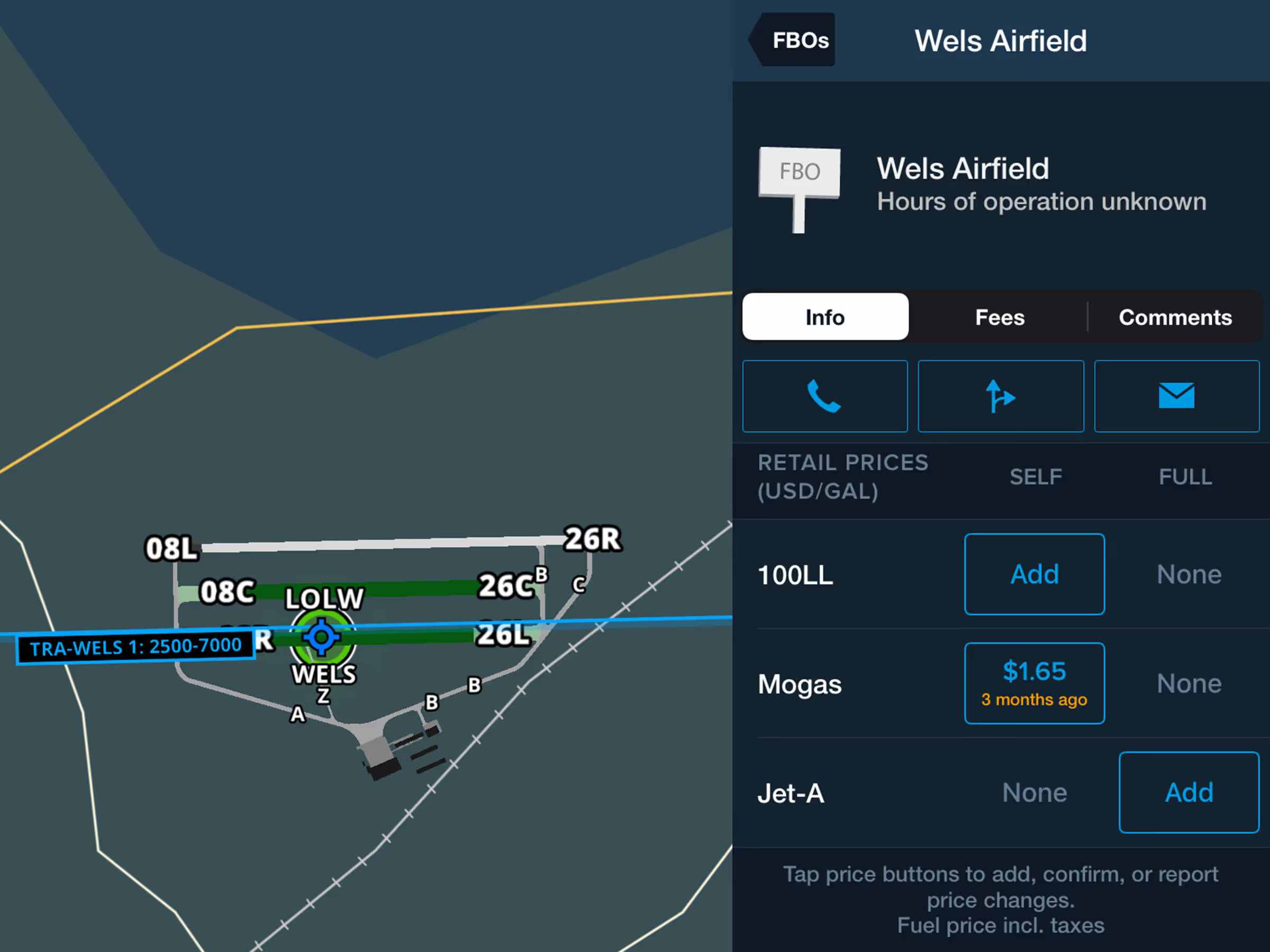
Find Mogas fuel pricing and availability with self/full service options and price update timing.
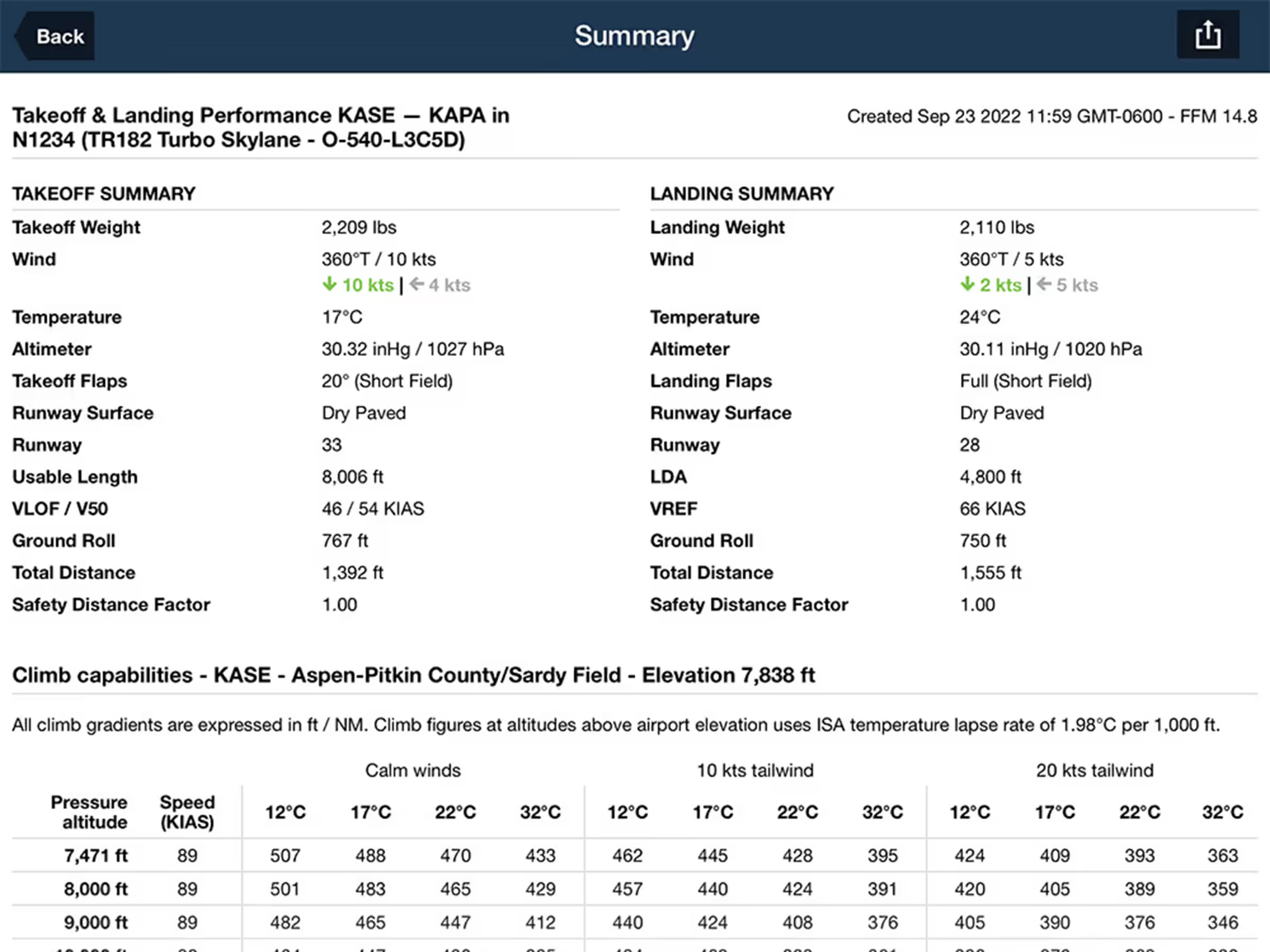
Generate detailed takeoff and landing performance summaries for supported aircrafts.