18.7
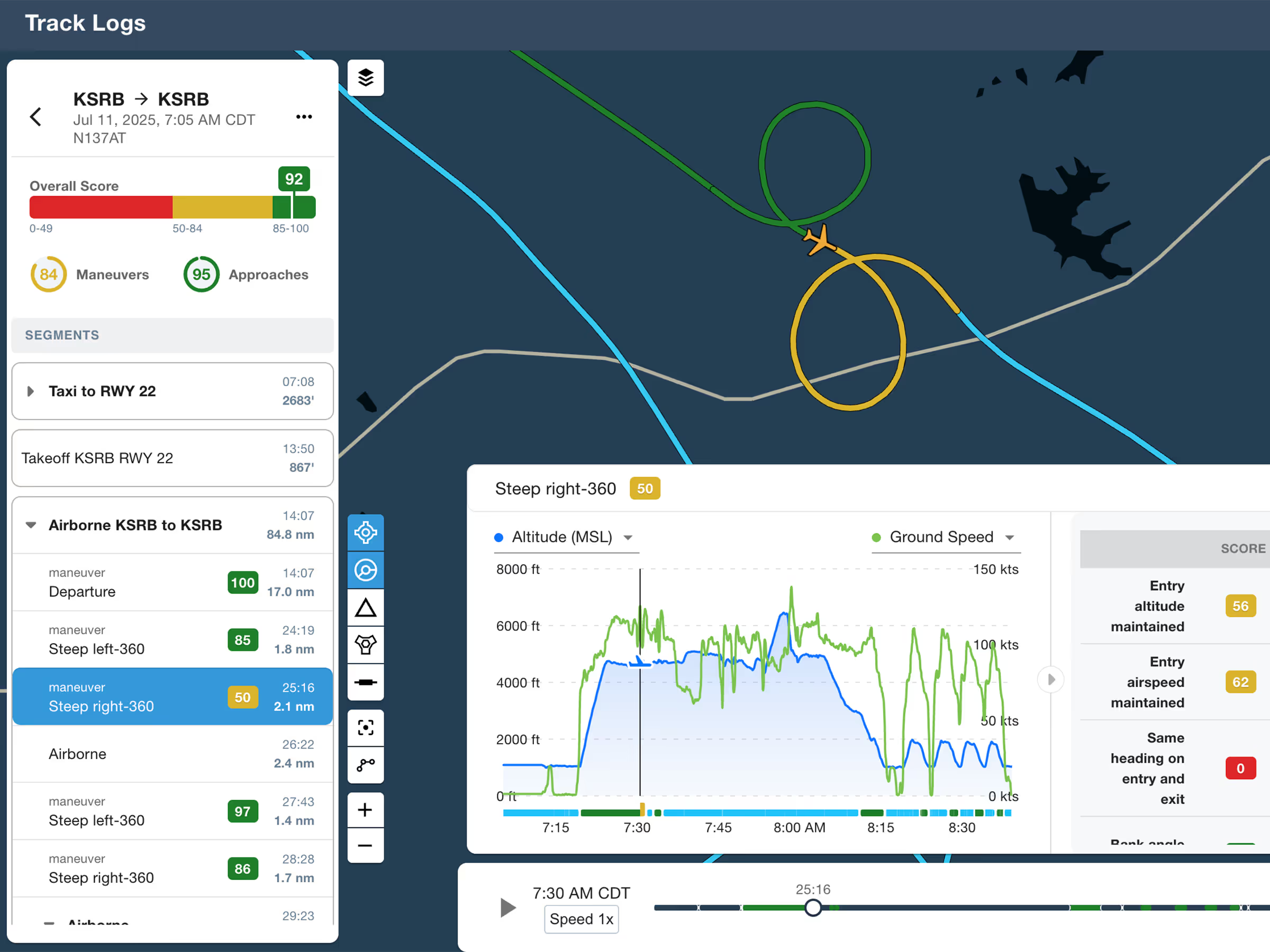
ForeFlight Debrief
Review flights with automatic Track Log segmentation, scoring, and 3D playback on both mobile and web.

Explore the latest ForeFlight features and browse past release notes to stay updated on new tools, enhancements, and improvements.
Review flights with automatic Track Log segmentation, scoring, and 3D playback on both mobile and web.
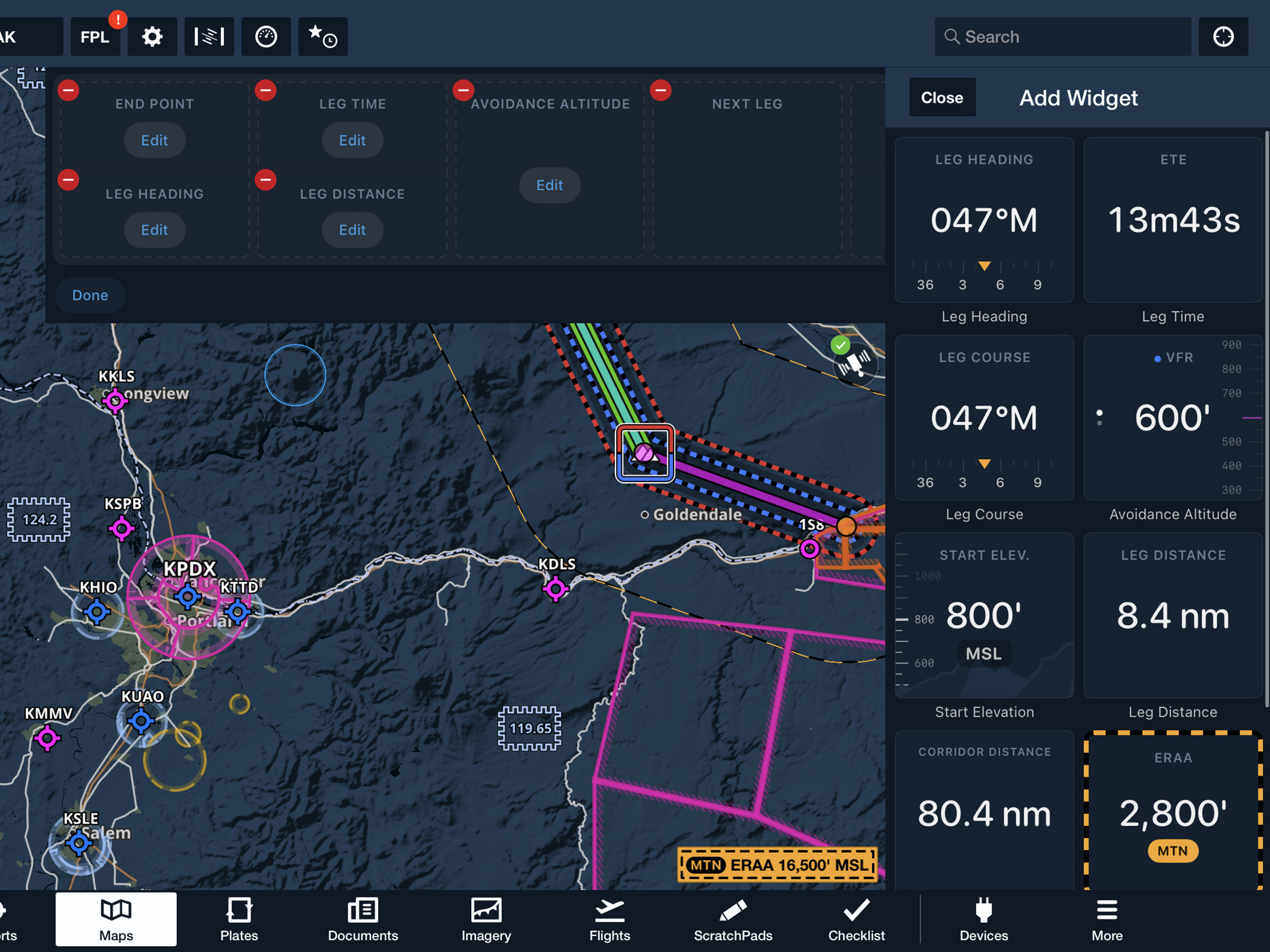
View current-leg details at a glance with a customizable information panel for Low Level Corridors.
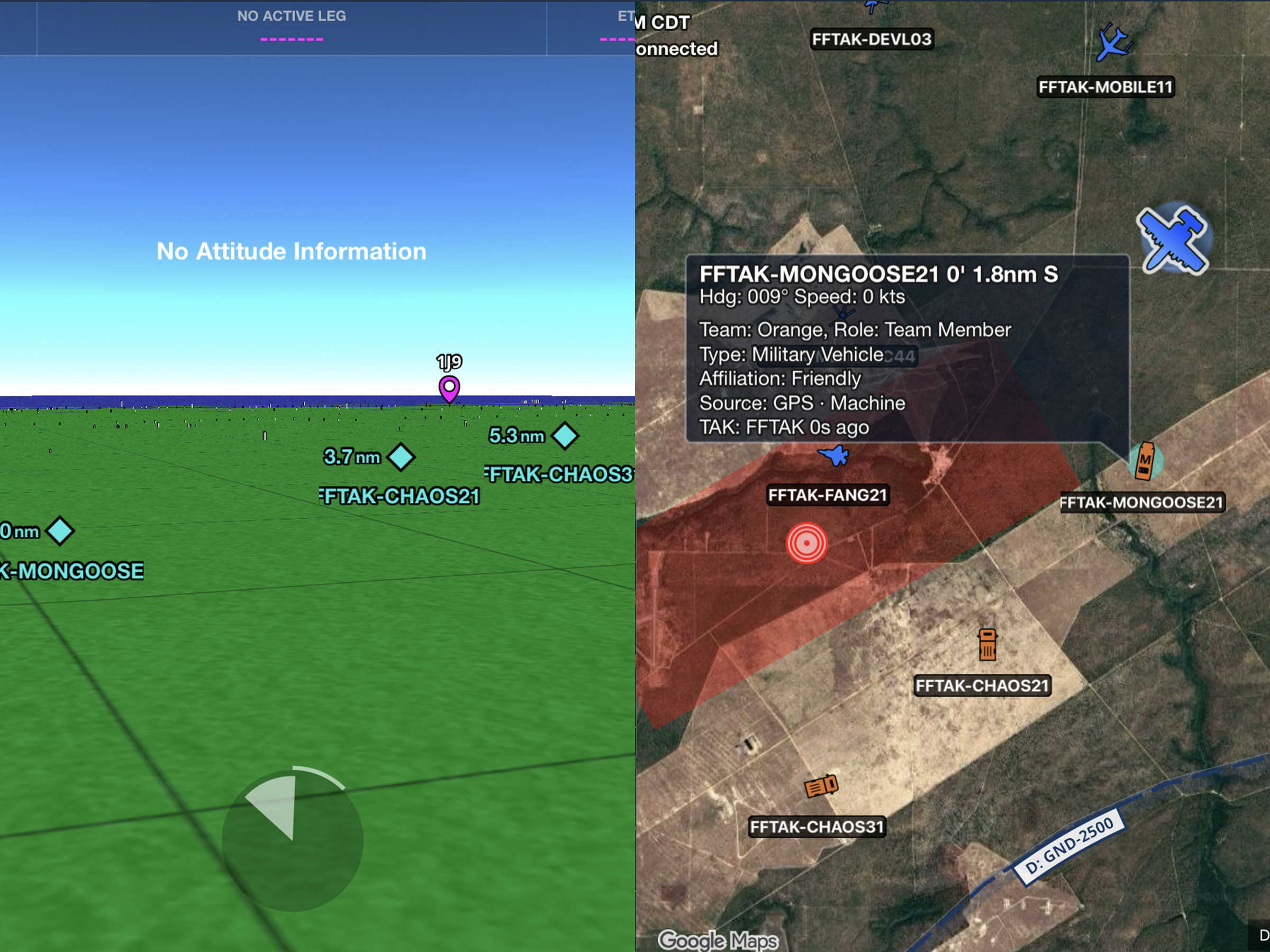
Connect to TAK servers to share your position and view other connected assets as live traffic on the map.
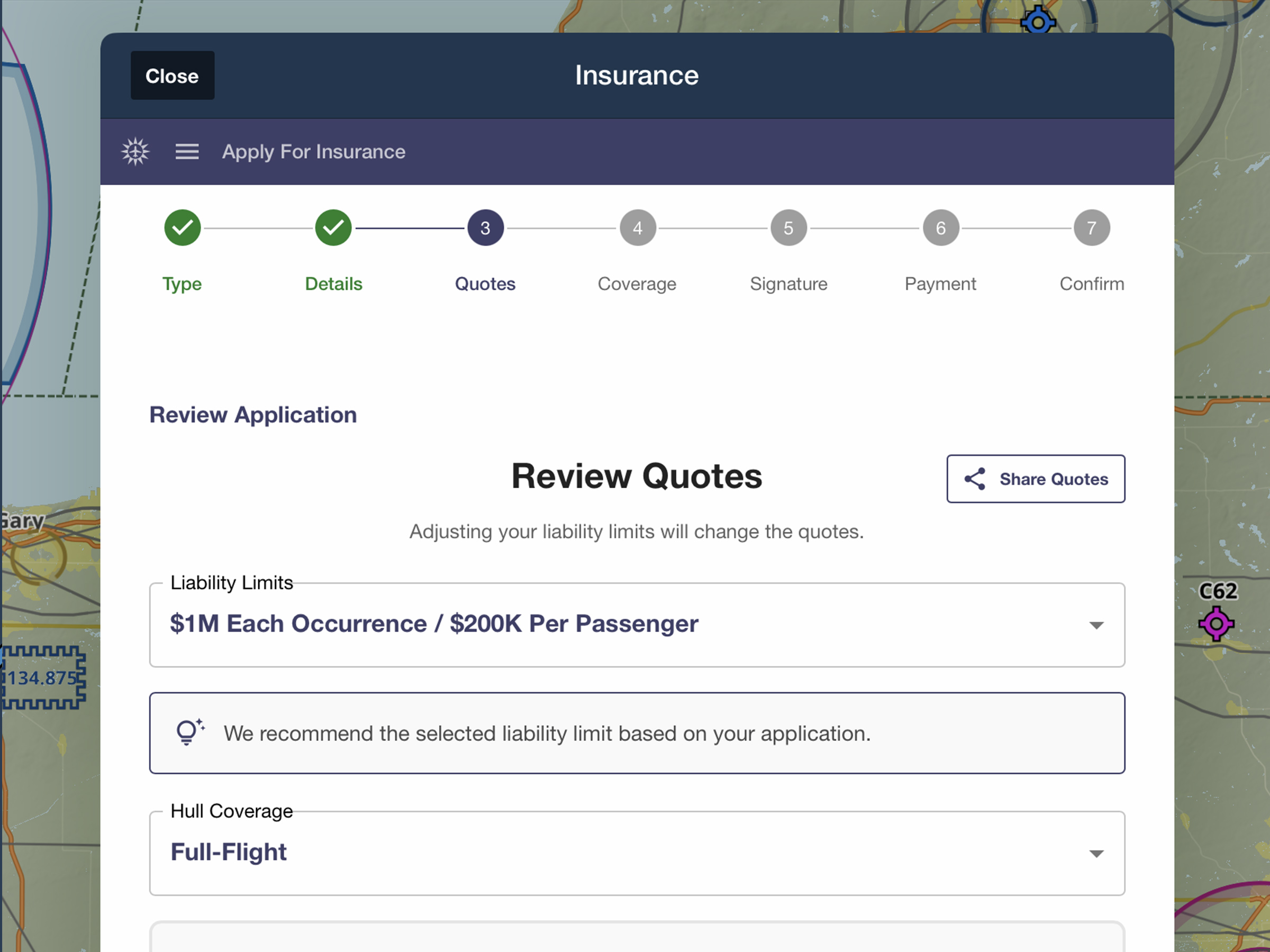
Quote, compare, purchase, and manage aviation insurance directly in ForeFlight.

Plan a flight based on a desired Arrival Time rather than a Departure Time.

Access helpful information about many airports in Europe with new document downloads.


Easily identify aircraft type restrictions for departure and arrival procedures with new colored tags.

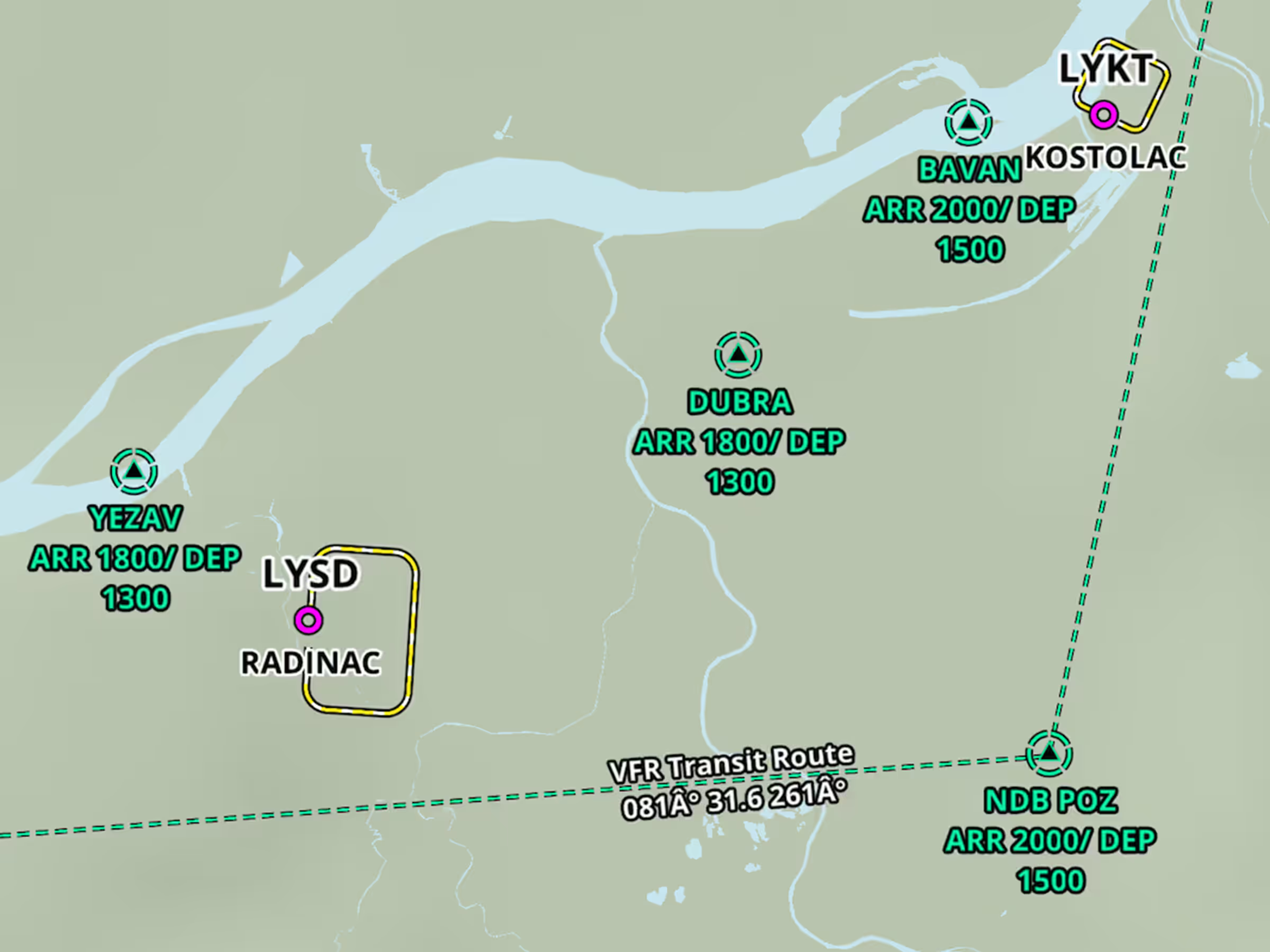
Access broader VFR data coverage in the Nav Database Supplement – Europe download.

Reference mountain passes, highway labels, and more on ForeFlight's High Resolution Basemap.

Easily access communication frequencies for many kinds of controlled airspace on the Maps view.
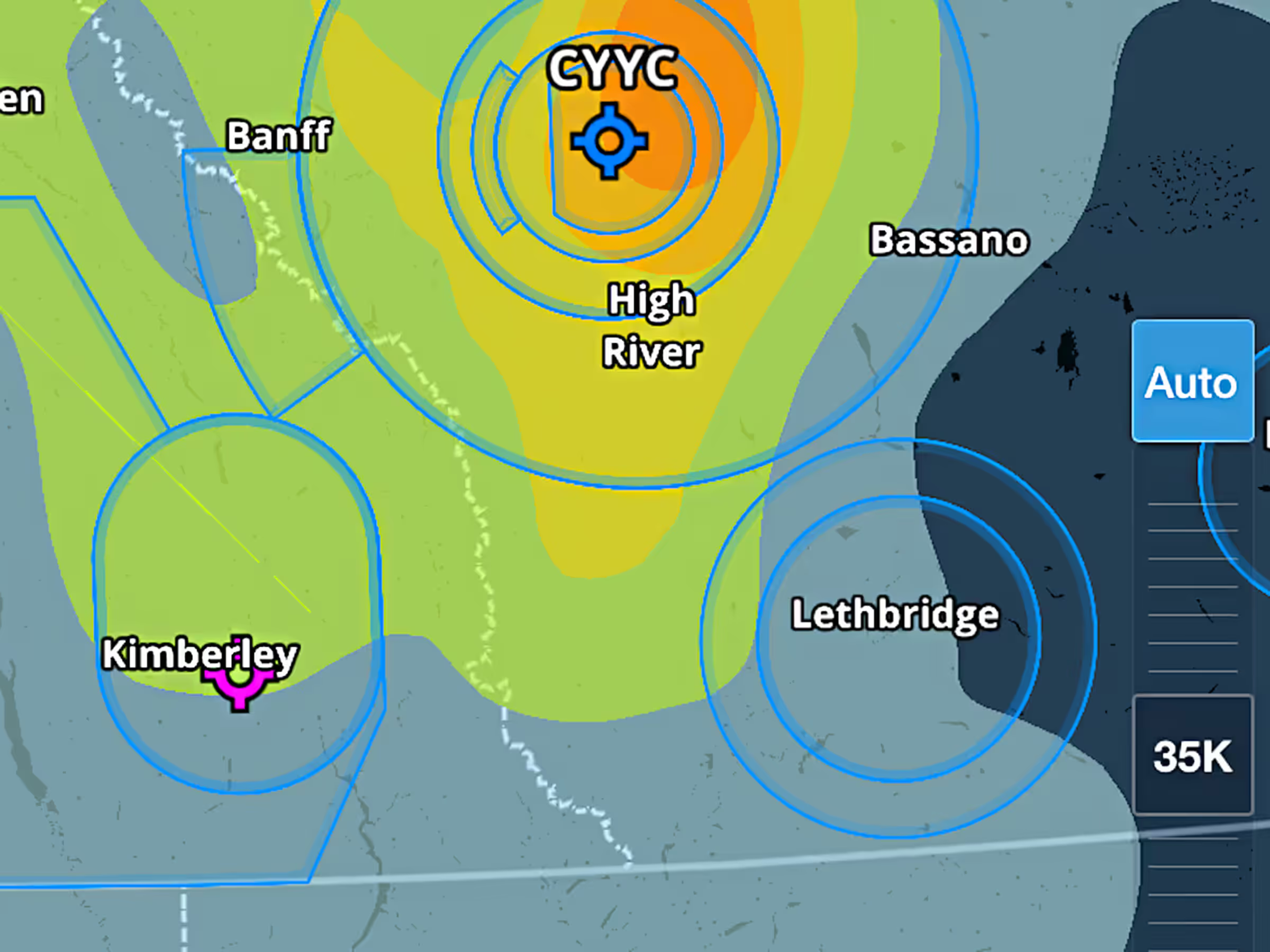
Set the altitude slider to automatically display weather layers at your current altitude while in flight.

Route Advisor now supports additional constraint types for the Recommended Route.

Plan composite Y or Z flight plans in Europe by specifying IFR pickup and cancel waypoints along your route.
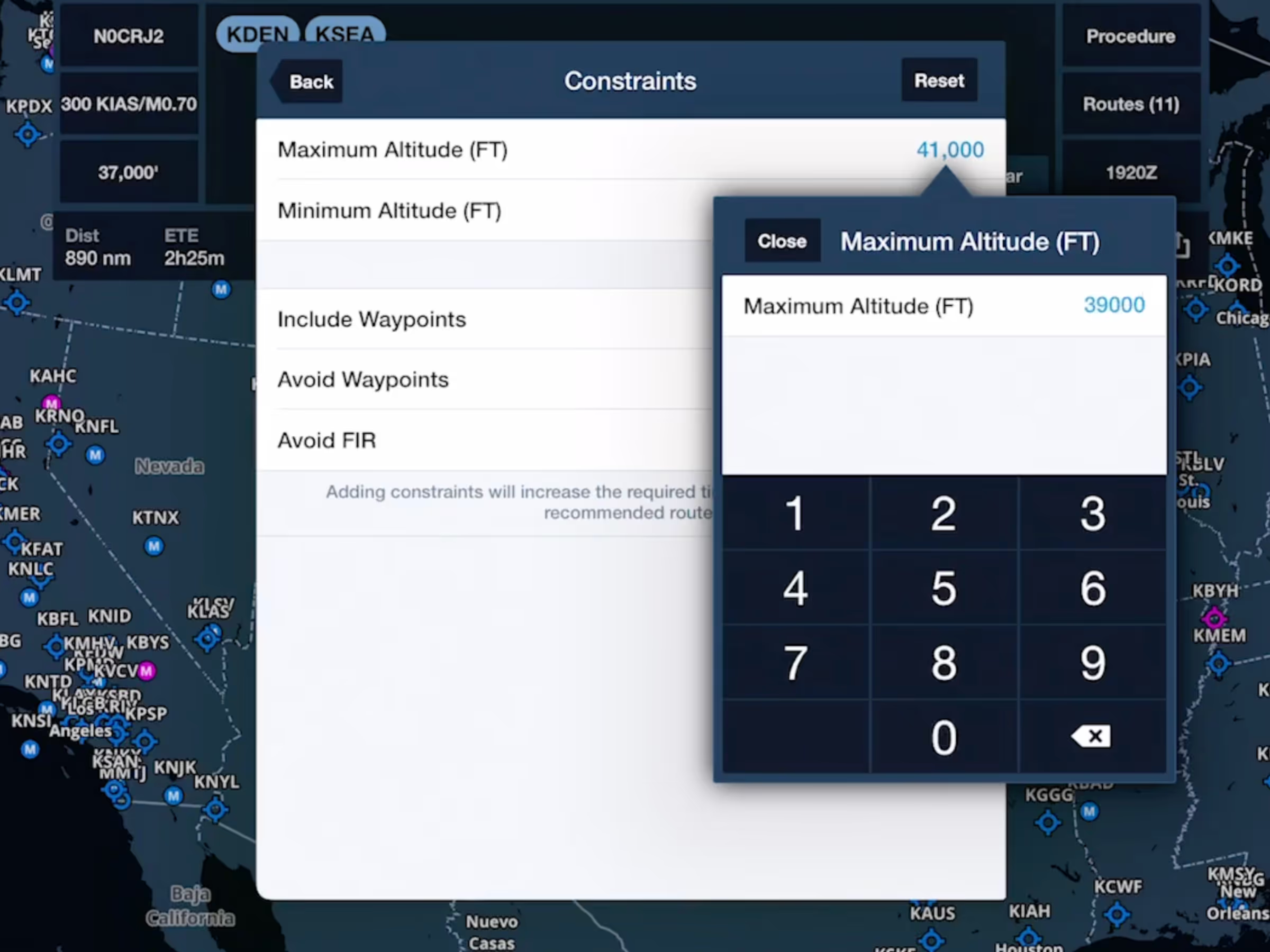
Customize your flight plan with greater precision.

Customize your location marker with a biplane or floatplane icon.

Follow planned and recorded flights from a new interactive third-person view.

Import and display track logs recorded by a Garmin G1000 for easier access, review, and logging.

Change the layout of ForeFlight’s Navlog with the new “International” template.
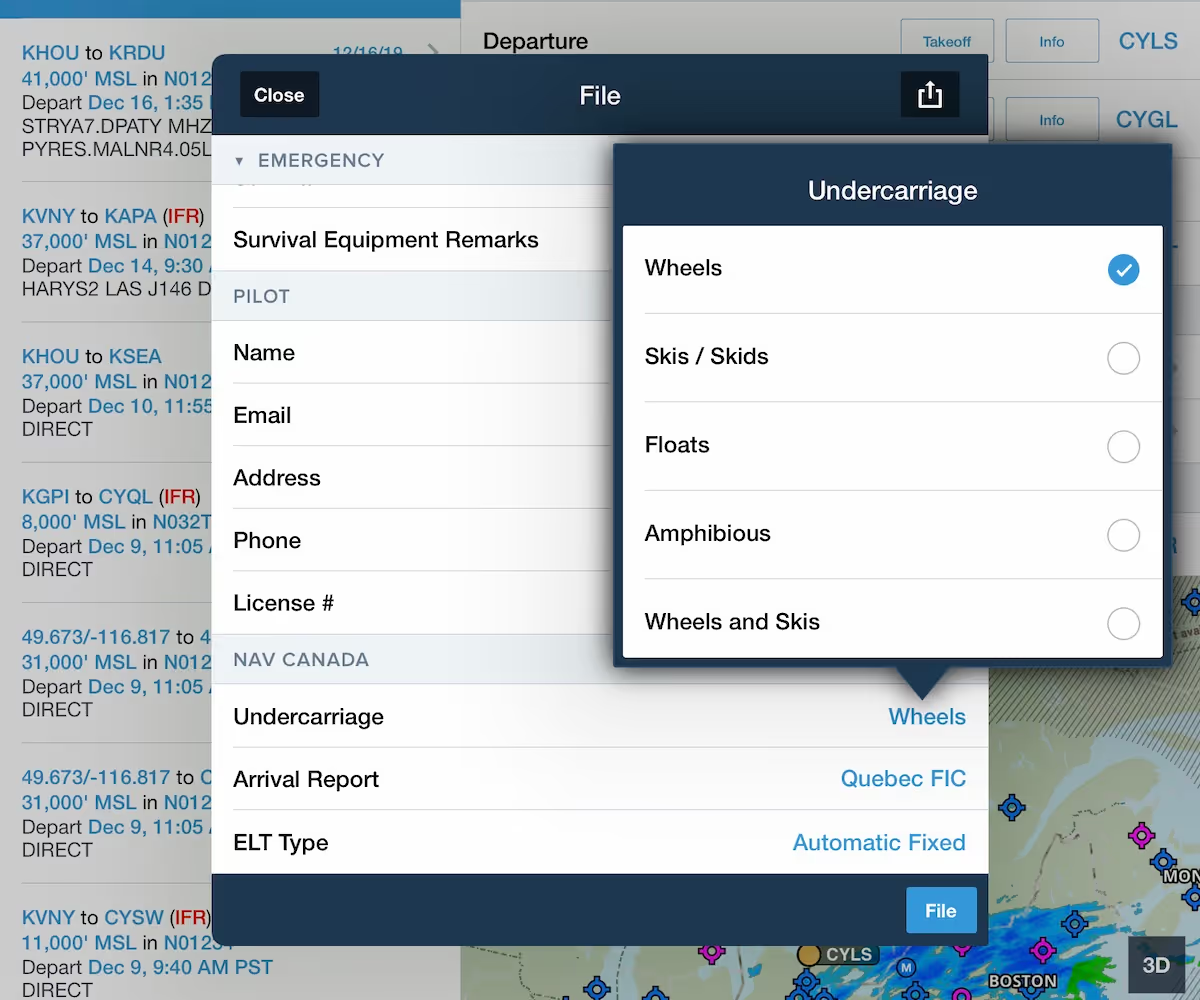
Better comply with NAV CANADA requirements when filing VFR flight plans in Canada.

Approach procedures can now show speed, altitude, and IAF/FAF information on the Maps view.

Attach files, documents, and photos to individual flight plans for quick access and improved organization.

Procedure Advisor will now show Departure and Arrival procedure plates in the Procedure Preview.